
Live online · Weekends · 6-learner batch
AI Engineering Course for Developers Build Production AI Systems with RAG, AI Agents & MCP
Go beyond ChatGPT prompts and tutorial code. Over 12 weekends of live classes you will build RAG apps, controlled AI agents and MCP integrations, and ship two deployed projects you can explain in interviews.
- Programme
- 48 h live · 12 weekends
- Live classes
- 24 sessions, Sat & Sun
- Batch size
- Only 6 learners
- Portfolio
- 2 shipped projects
Training a team? See the private 40-hour corporate programme
What is the AI Engineering Course?
The Technovids AI Engineering Course is a live online programme that teaches Python developers to build LLM applications: RAG systems, controlled agents, MCP integrations and deployable AI services. It runs as 48 live hours, 24 two-hour sessions on Saturdays and Sundays across 12 weekends, in three connected modules (RAG Engineering, Agentic AI Engineering, and MCP & Production Practices). Batches are capped at 6 learners, and you finish by shipping two deployed projects with code, evaluation evidence and documentation. It is an AI engineering course online in India: a generative AI course for developers that covers RAG, agents and MCP in one course.
Is this course right for you?
Who it is for
- Python developers and software engineers moving into LLM applications
- Backend, full-stack and DevOps engineers adding AI to their skill set
- Data engineers, data scientists and ML engineers who want to ship LLM features
- Technical career switchers and founders who already write Python
- Final-year students who write Python confidently
Situations it fits
- You use AI tools every day but have not built an AI application yet
- You want a structured, live path instead of piecing together tutorials
- You want deployed projects you can demo and explain in interviews
- You want to learn on weekends alongside your job
Prerequisites
- Python: functions, lists and dictionaries, installing packages
- Calling an API and working with JSON
- Running code from a terminal
- A laptop with at least 8 GB RAM and permission to install tools; no GPU needed
- Four live hours each weekend for 12 weekends, plus time to build between sessions
- No machine-learning or data-science background needed
Which Technovids AI engineering route fits you?
Three programmes build AI engineering skills. They differ in who they are for and how you learn.
| Course | Best for | Choose it when |
|---|---|---|
| AI Engineering Course This course | Individual developers who want live weekend classes | Choose this for live, structured learning in a 6-learner batch: 48 hours over 12 weekends and two shipped projects. |
| 1:1 AI Engineering Mentorship | One learner, one mentor | Choose it for a three-month, one-to-one programme built around your own projects and schedule. |
| Production AI Engineering Training | Company engineering teams | Choose it when your employer wants private 40-hour training for its own team, run as five 8-hour or ten 4-hour days. |
| AI Programming with Python | Developers who need more Python first | Start here if you are not yet comfortable writing functions and classes and calling APIs in Python. |
Watch: what it takes to become an AI engineer
A 57-second preview of why building with LLMs takes more than chatbot prompts — and the skills this course is built around.
- Why chatbot building alone is not enough
- How RAG, agents, MCP and deployment fit together
- Whether the course matches your Python background

Stuck at the AI surface level?
Using ChatGPT every day is not the same as building with it. These are the walls most Python developers hit — and what you will practise to get past them.
“I use ChatGPT, but I can’t build an AI application”
Prompting a chat app and engineering an application are different skills.
What you will practise
From the first weekend you build RAG from scratch in Python: embeddings, chunking and similarity search.
“I know Python, but RAG pipelines are a black box”
Embeddings, chunking, vector search and re-ranking each involve trade-offs.
What you will practise
Build a document assistant step by step, then evaluate it with RAGAS and prove what made it better.
“There are too many frameworks — where do I start?”
LangChain, LangGraph, CrewAI, AutoGen, MCP… the list keeps growing.
What you will practise
Learn the patterns underneath, and when a framework genuinely helps rather than hides the problem.
“I can prototype, but I can’t ship it”
A notebook demo is not a service someone else can run.
What you will practise
Deploy with observability, evaluation gates and operating documentation in the final module.
“I want AI skills I can use at work now”
Toy demos rarely transfer to real codebases.
What you will practise
Every build uses patterns engineering teams rely on: evaluation, human approval steps, least-privilege tools and cost controls.
“I need portfolio projects, not just a certificate”
Interviewers ask what you built and why you built it that way.
What you will practise
Ship two deployed projects with code, tests, evaluation evidence and documentation, ready to demo and discuss.
Two projects you build, deploy and can explain
Not tutorial copies. Each project combines a module’s skills into a working, deployed application with code, evaluation evidence and documentation.
- Project 1
Document intelligence assistant
A knowledge assistant that cites its sources
- Your documents
- Chunk + embed
- Hybrid retrieval
- Re-rank
- Cited answer
Stack:
- Python
- ChromaDB · FAISS · Pinecone
- RAGAS
You can show: Answers linked to their sources, before-and-after evaluation results, and how the app handles missing evidence.
- Project 2
Connected AI operations assistant
An AI assistant with tools and boundaries
- Plan
- Use tools via MCP
- Check
- Human approval
- Act
Stack:
- LangGraph
- CrewAI
- Model Context Protocol
- Cloud deployment
You can show: The architecture, permissions, evaluation results and running cost of an assistant you designed: the conversation a technical interview is built around.
You deploy each project using a host compatible with it. An eligible free plan may suit some builds; others may need your own cloud account on a free or paid tier. Hosting limits and prices vary, and keeping a demo online after the course is your choice. Never publish credentials or unrestricted write tools.
See the project briefsWhat participants will be able to do
By the end, you should be able to build, evaluate and explain the main parts of an LLM application — and know where each part can fail.
Build a RAG pipeline
Ingest and chunk documents, embed them, retrieve relevant passages and cite sources.
Evaluate and improve retrieval
Use hybrid search, re-ranking and RAGAS evaluation to show whether a change helped.
Build a controlled agent
Model a LangGraph workflow with typed state, limited tools and a human-approval step.
Coordinate multiple agents
Compare multi-agent designs with CrewAI and know when a single agent is enough.
Build an MCP integration
Write a custom MCP server with tool definitions and connect a client, with scoped access.
Secure tool use
Apply least-privilege access, human approval and prompt-injection tests.
Deploy and observe
Deploy to the cloud with tracing, evaluation gates and cost controls.
Explain your design
Present the trade-offs and limits of your projects with confidence.
Not a video course. A small live batch.
Every batch is taught live by a Technovids trainer, with real Q&A, code walkthroughs and feedback on your own projects, in a group of no more than 6 learners.
Only 6 learners per batch
A small live class, so there is room for your questions in every lab.
Weekend live classes
Two-hour live sessions on Saturday and Sunday: 24 sessions across 12 weekends, 48 live hours in all.
Session times and holiday adjustments are confirmed before the batch starts.
Every session has the same shape
About 35 minutes of concepts, 25 minutes of live demonstration, 50 minutes of hands-on lab and 10 minutes of review.
Project feedback
Your trainer reviews your project work and gives specific, actionable feedback during the programme.
Session recordings for 2 months
Recordings of the live sessions stay available for 2 months after the training, so you can revisit any lesson or catch up on a missed weekend.
Certificate of completion
Complete the programme and ship both projects to receive a Technovids certificate.
You can add it to LinkedIn. It is not a government, university or vendor certification.
Free demo class first
Meet the trainer, see the course walk-through and ask your questions before you decide. No payment or obligation.
Full refund before the start
Get a full refund if you cancel at least 2 days before the batch starts.
Career direction
Guidance on the roles your projects support, such as AI engineer, LLM application developer or RAG engineer.
No job placement or salary outcome is promised.
48 live hours: three 16-hour modules
All 48 hours are live classes with your trainer, two hours every Saturday and Sunday. Building and practice between sessions are extra and depend on your experience.
16 h RAG16 h agents16 h MCP & production48 h over 12 weekends
RAG Engineering
Weeks 1–4 · 8 sessions
- RAG from scratch and vector stores
- Hybrid search and re-ranking
- RAGAS evaluation
- Project 1 starts here
Agentic AI Engineering
Weeks 5–8 · 8 sessions
- LangGraph state and routing
- Memory and verification loops
- Multi-agent work with CrewAI
- Human checkpoints and budgets
MCP & Production Practices
Weeks 9–12 · 8 sessions
- Tool calling and sandboxed integrations
- Custom MCP servers
- Security and approvals
- Deployment, observability and demo
Schedule: 12 weekends × (2 h Saturday + 2 h Sunday) = 48 live hours. Allow additional time between classes for setup, practice and your projects.
48 hours · 24 sessions · 12 weekends
Detailed curriculum
Twelve weekends in three modules, each with a Saturday and a Sunday live session of two hours. Each module builds towards one of your two projects.
Week 14 h live RAG from scratch
- Embeddings
- Chunking
- Similarity search
Practical activityStart Project 1: load your documents and retrieve relevant passages.
Week 24 h live Vector stores and hybrid search
- ChromaDB, FAISS and Pinecone
- Hybrid search
- Metadata filters
Practical activityLab: compare vector stores and add hybrid search with metadata filters.
Week 34 h live Better retrieval
- Re-ranking
- Query rewriting
- Multi-query retrieval
- Context compression
Practical activityLab: add re-ranking and query rewriting, then compare answer quality.
Week 44 h live Evaluation and packaging
- Multi-document assistants
- RAGAS evaluation
- Hardening
- Project packaging
Practical activityProject 1: a document assistant with cited answers and evaluation evidence.
Week 54 h live Agents with LangGraph
- ReAct patterns
- Nodes and edges
- Conditional routing
- Typed state
Practical activityLab: build a LangGraph workflow with typed state and conditional routing.
Week 64 h live Memory and verification
- Conversation and external memory
- Bounded reflection
- Verification loops
Practical activityLab: add memory and a bounded verification loop to your agent.
Week 74 h live Multi-agent collaboration
- CrewAI
- Framework comparisons, including AutoGen
Practical activityLab: run a multi-agent task with CrewAI and compare it with a single agent.
Week 84 h live Supervised workflows
- Research workflows
- Human checkpoints
- Budgets
- Tests and documentation
Practical activityAn agent workflow you can inspect, test and control.
Week 94 h live Tool calling in a sandbox
- Provider tool-calling patterns
- Gmail, Calendar, Slack and database integrations in a sandbox
Practical activityLab: connect tool calls to sandboxed services.
Week 104 h live Model Context Protocol
- MCP architecture
- Custom servers
- Tool definitions
- Client integrations
Practical activityLab: build a custom MCP server and connect a client.
Week 114 h live Security and control
- Least-privilege access
- Human approval
- Prompt-injection tests
- Tool-use controls
Practical activityLab: add approvals, least-privilege access and prompt-injection tests.
Week 124 h live Production and demo
- Observability
- Evaluation gates
- Cloud deployment
- Operating documentation
Practical activityProject 2: a deployed MCP-connected assistant with a readiness report, demonstrated live.
Not sure you are ready for the first weekend?
Join a free demo class: meet the trainer, see the course walk-through and check whether your Python background fits.
Two projects, briefs and what “shipped” means
For serious evaluators: the detail behind the two projects you ship. Smaller guided labs in the live sessions build towards both.
Project 1 · Weeks 1–4 Document intelligence assistant
Turn a collection of documents into a searchable, conversational application that cites its sources and recognises when it does not have enough evidence.
Acceptance criteria
- Retrieves across PDFs and multiple documents
- Improves results with hybrid search and re-ranking
- Evaluates answers and handles missing evidence
- Packaged and deployed as a working demo
- Evidence: demo, repository, tests and evaluation report
Review checkpoint
Built during the RAG Engineering module; packaged in week 4.
Project 2 · Weeks 5–12 Connected AI operations assistant
An agent workflow that connects to services through a custom MCP server and sandboxed integrations, and keeps people in control of consequential actions.
Acceptance criteria
- Orchestrates tools and state with an agent workflow
- Connects a custom MCP server and sandboxed services
- Requires approval before consequential actions
- Deployed with logging, evaluations and cost controls
- Evidence: endpoint, repository, permissions and test results
Review checkpoint
Agent workflow in weeks 5–8; MCP, security and deployment in weeks 9–12, demonstrated at the end.
The two shipped projects are portfolio demos, not certified production systems or a promise of indefinite hosting. Shipping means runnable code, a working deployment, a clear README, evaluation evidence and a demonstration.
Habits practised in every project
Good AI engineering is as much about what you prevent as what you build. These habits are part of every lab and project.
Links point to official security and hosting sources; specifications, free tiers and prices can change, so check the current terms before use.
Keep keys and secrets out of code
API keys and credentials live in environment variables or a secrets store, never in a repository.
Use only data you are allowed to use
Build with public, synthetic or self-authored data. Do not use an employer’s confidential material in course projects.
Treat retrieved text and tool output as untrusted
Documents and tool results can carry instructions of their own. Keep them separate from your instructions and validate what the model returns.
Give tools the least access they need
Start read-only, keep write tools separate and scope credentials narrowly — especially in MCP servers.
Measure before claiming quality
A change is only an improvement if the evaluation results say so.
Watch API usage and cost
If a project needs a paid model API, you use your own account and pay the provider for your actual usage. Track calls and set a spending limit before testing a hosted demo.
Choose a suitable demo host
A free hosting plan may work for a small demo, but each project has different runtime and storage needs. Check plan limits before deploying; paid hosting is not included in the course fee.
From free demo to shipped project
From your first conversation to your first live class, here is what happens.
From free demo to your first class
Join a free demo class
Meet the trainer, see the course walk-through and ask your questions. No payment needed.
Get honest fit advice
We check your Python background and tell you honestly whether this batch fits, or whether AI Programming with Python is a better first step.
Enrol and lock your fee
The fee depends on when you enrol: ₹81,000 with full payment by 20 October, ₹85,500 by 30 October, ₹90,000 from the batch start. EMI is available.
Set up before the first weekend
Prepare a laptop with at least 8 GB RAM that can install Python tools, and arrange your own model API account if the labs require one.
Learn live every weekend
Attend the Saturday and Sunday sessions and build between them. Recordings stay available for 2 months after the training.
Ship your two projects
Deploy and demonstrate both projects to complete the programme and receive your certificate.
How each weekend runs
Saturday live session — 2 hours
Best for: Learning concepts and asking questions live
Concepts, a live demonstration and a hands-on lab with prepared starter code.
Sunday live session — 2 hours
Best for: Building on Saturday’s work
The next step of the module, ending with a review of results and common errors.
Between sessions
Best for: Practice and project work at your own pace
Setup, practice, debugging and project work between weekends. Time varies by learner.
Schedule: 12 weekends × (2 h Saturday + 2 h Sunday) = 48 live hours, starting Saturday 31 October 2026.
Inside our instructor‑led training sessions
Photos from Technovids instructor-led sessions across its programmes.

Photo 1 of 10: Hands-on session 
Photo 2 of 10: Group photo 
Photo 3 of 10: Hands-on session 
Photo 4 of 10: Group photo 
Photo 5 of 10: Classroom session 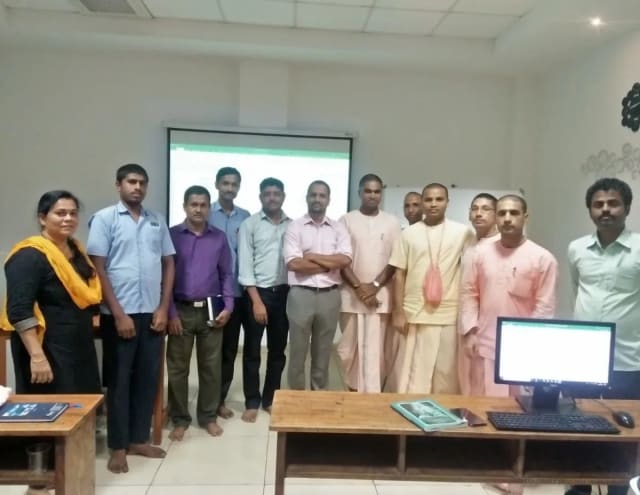
Photo 6 of 10: Group photo 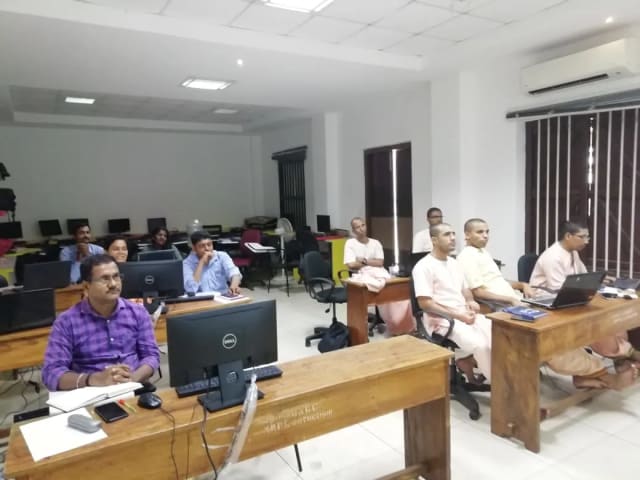
Photo 7 of 10: Computer-lab session 
Photo 8 of 10: Group photo 
Photo 9 of 10: Classroom session 
Photo 10 of 10: Group photo
Course details at a glance
Everything in one place: schedule, fees, batch size and what is included.
Book a free demo class| Course | AI Engineering Course |
|---|---|
| Audience | Individual developers joining a public batch |
| Level | Intermediate — working Python required; no machine-learning background needed |
| Total duration | 48 live hours over 12 weekends |
| Live sessions | 24 sessions of 2 hours, Saturdays and Sundays |
| Modules | RAG Engineering · Agentic AI Engineering · MCP & Production Practices (16 hours each) |
| Projects | Two shipped projects: a document intelligence assistant and a connected AI operations assistant |
| Batch size | Capped at 6 learners |
| Next batch | Starts Saturday 31 October 2026, live online |
| Fee | ₹81,000 with full payment by 20 Oct 2026 · ₹85,500 if you enrol by 30 Oct · ₹90,000 from the batch start. All prices include 18% GST; offers cannot be combined. |
| EMI | Available; plan and monthly amount confirmed on your call |
| Refund | Full refund if you cancel at least 2 days before the batch starts |
| Recordings | Session recordings available for 2 months after the training |
| Certificate | Technovids certificate of completion after completing the programme and shipping both projects |
| Language | English |
| Model API usage | If a lab needs a paid model API, learners use their own account and pay the provider according to actual usage |
| Demo hosting | Learner-hosted; eligible free tiers may suit some builds, or use your own cloud free or paid tier |
| Career outcomes | Career direction included; no job placement or salary outcome is promised |
Meet the trainer panel
Each batch is led by a trainer from the Technovids panel, who teaches the live classes and reviews your projects. The panel does not all teach every session.
Pankaj Rana
Co-founder & Lead Instructor, Technovids Consulting
Pankaj is a co-founder and the lead instructor at Technovids Consulting. His programme work spans practical AI adoption, AI engineering, evaluation, responsible production AI, data analytics and corporate learning design, with an emphasis on hands-on exercises connected to workplace tasks.
Expertise:
- Practical AI adoption
- Prompting and evaluation
- Responsible AI
- Corporate learning design
Junaid Khateeb
AI & Machine Learning Trainer, Strategist and Consultant
Junaid is an AI and machine-learning trainer, strategist and consultant with more than 22 years of training experience. His work combines enterprise AI education, business-centred adoption, responsible AI practices and applied solution design, helping professional audiences connect AI concepts to real organisational needs.
M.E. in Computer Engineering, specialising in Artificial Intelligence · author of programming books on Python, Java and C++
Expertise:
- Enterprise AI and ML training
- AI strategy and adoption
- Responsible AI
- Applied AI solution design
Pradeep Varadarajan
Technical Trainer & Curriculum Architect
Pradeep is a technical trainer and curriculum architect with more than 20 years of experience across enterprise technology, cloud infrastructure and advanced AI systems. He designs practitioner-focused programmes, labs and assessments covering AI, LLM systems, Python and machine learning, translating complex technical subjects into structured learning experiences.
Bachelor of Engineering in Electrical Engineering · instructor-led, virtual and blended delivery
Expertise:
- AI and LLM systems
- Curriculum architecture
- Python and machine learning
- Hands-on lab design
Meet the trainer in the free demo class before you enrol.
To book a trainer for your team, call +91 86183 46384 or email corporate@technovids.com.
Updated
Technovids training in practice
Organisations Technovids has trained, plus approved feedback from learners across its AI programmes. Their experiences are individual accounts, not a promise of results from this particular batch.
Organisations we have delivered training for

















Hands-on training for people and teams in AI, data, cloud, productivity and workplace skills.
What learners say about Technovids AI training
First-hand feedback from developers, data professionals and technical leaders across Technovids programmes.
- Rahul DesaiSenior Software Engineer
I had been trying to transition from traditional backend development to Generative AI, but self-learning was getting overwhelming. The AI Engineering course at Technovids gave me the exact structured roadmap I needed. The modules on LLM architectures and practical prompt engineering are brilliant. It’s not just theory; you actually build functional AI applications. Highly recommend this for working professionals looking to upgrade their tech stack.
- Priya NatarajanData Scientist
Finding a course that goes deep into Retrieval-Augmented Generation (RAG) is surprisingly hard. Most just scratch the surface. Technovids delivered an incredibly detailed deep dive into RAG pipelines, LangChain, and LlamaIndex. The hands-on projects helped me understand how to manage vector databases and chunking strategies effectively. It’s easily the most practical Generative AI training I’ve taken.
- Amit SharmaTechnical Lead
If you want to understand agentic AI, this is the course to take. The instructor did a fantastic job breaking down complex topics like LangGraph and cyclical agents, which are rarely covered well in other bootcamps. Learning how to orchestrate multiple AI agents to solve complex workflows has completely changed how I approach architecture at my current job. Worth every penny.
- Sneha ReddyFull Stack Developer
What I loved most about the Technovids GenAI program is how up-to-date the curriculum is. Instead of outdated practices, we learned to integrate the Model Context Protocol (MCP) and practically apply tools like Claude and Cursor for AI-assisted coding. It felt like I was learning the exact skills that top tech companies are hiring for right now. The pace is perfect, and the support is great.
- Vikram IyerEngineering Manager
As a manager, I needed a strong conceptual and practical grasp of Generative AI to guide my team's projects. This course bridged that gap perfectly. It provides a crystal-clear understanding of LLM capabilities, implementation costs, and real-world deployment challenges. The mastermind approach they use makes it an excellent AI engineering course for seasoned professionals wanting to stay ahead of the curve.
- Neha GuptaBackend Developer
I was initially intimidated by the math and complexity behind AI, but the trainers at Technovids explain things in such an accessible way. They break down everything from basic prompt engineering to complex integrations without losing you in the jargon. The session recordings and project materials are top-notch. If you are serious about becoming an AI Engineer, Technovids provides the perfect launchpad.
- Rohan ChatterjeeProduct Manager (AI/ML)
I took the Technovids AI training to better understand the technical side of the AI products I manage. The hands-on exposure to creating AI agents and working with LLMs gave me exactly the context I was missing. It’s incredibly practical. I was able to take the frameworks we learned on the weekend and immediately start applying them to our product roadmap on Monday.
- Anjali VermaSystems Analyst
I didn't want a purely academic course; I wanted to code. Technovids pushes you to actually build things. The curriculum is heavily focused on real-world use cases, ensuring you know how to build robust, scalable applications using LangChain and advanced AI models. It’s intensive, fast-paced, and exactly what the current job market demands.
Questions developers ask before joining
Straight answers about the course, the projects, the fees and how the batch works.
What is an AI engineering course?
An AI engineering course teaches developers to build software applications on large language models — using APIs, retrieval-augmented generation, agents, evaluation and deployment practices. It focuses on building and testing applications rather than on general AI awareness or model training.
Who is this course for?
Individual developers joining a public batch: Python developers, software engineers, backend and full-stack developers, data and ML engineers, technical career switchers, founders and final-year students who write Python confidently. Teams trained by their employer should see Production AI Engineering Training.
How long is the course and when are the classes?
48 live hours: 24 sessions of two hours on Saturdays and Sundays, across 12 weekends. The next batch starts Saturday 31 October 2026. Session times and holiday adjustments are confirmed before the start.
How much time do I need each week?
Four live hours each weekend, plus time between sessions for setup, practice, debugging and your projects. That extra time depends on your experience.
How many learners are in a batch?
Each batch is capped at 6 learners, so there is room for your questions in every lab.
What are the fees?
For the 31 October 2026 batch: ₹81,000 if you pay the full fee in one payment by 20 October, ₹85,500 if you enrol by 30 October, and ₹90,000 from the batch start. All prices include 18% GST, and offers cannot be combined.
Is EMI available?
Yes. Ask about the EMI plan and the monthly amount on your call.
What is the refund policy?
You get a full refund if you cancel at least 2 days before the batch starts (by 29 October 2026 for the 31 October batch).
Can I try a class before I enrol?
Yes. Join a free demo class: meet the trainer, see the course walk-through and ask your questions. There is no payment or obligation.
Do I need Python before joining?
Yes. You should be comfortable with Python functions and basic data structures, calling APIs, working with JSON and installing packages. No machine-learning background is needed. If you are new to Python, start with AI Programming with Python.
What projects will I build?
Two projects: a document intelligence assistant that answers with cited sources and evaluation evidence, and a connected AI operations assistant that uses tools through MCP with human approvals. Smaller guided labs in the live sessions build towards both.
Will my projects be deployed?
Yes. Shipping a project means runnable code, a working deployment, a clear README, evaluation evidence and a demonstration. You deploy through a compatible host, on an eligible free plan where it fits or your own cloud account. We do not promise permanent hosting.
Are hosting or model API fees included?
No. The course includes deployment guidance, not a paid cloud account or model API credits. If a project needs a paid model API, you use your own account and pay that provider for your actual usage.
Do I need a powerful laptop or a GPU?
No GPU is needed. Use a laptop with at least 8 GB RAM, a stable internet connection and permission to install development tools. Labs use hosted models or CPU-based components.
Are sessions recorded?
Yes. Recordings of the live sessions stay available for 2 months after the training ends.
Is there a certificate?
Yes. Complete the programme and ship both projects to receive a Technovids certificate of completion. You can add it to LinkedIn. It is not a government, university or vendor certification; your deployed projects are also evidence of what you built.
What roles can this help me pursue?
Roles such as AI engineer, LLM application developer, generative AI developer, RAG engineer and AI automation engineer. Outcomes depend on your experience, portfolio and interviews; the course does not include job placement or promise a salary.
How is this different from Production AI Engineering Training?
Production AI Engineering Training is a private 40-hour corporate programme for one company’s engineering team, run onsite as five 8-hour days or ten 4-hour days, or privately online. This course is a 48-hour public weekend batch for individuals.
How is this different from the 1:1 AI Engineering Mentorship?
This course follows a set curriculum with a small batch on a shared weekend schedule. The mentorship is a three-month, one-to-one programme built around your own projects.
Who teaches the course?
Each batch is led by a trainer from the Technovids panel, who teaches the live classes and reviews your projects. You can meet the trainer in the free demo class.
Ready to move from AI user to AI engineer?
The next batch starts Saturday 31 October 2026 with only 6 seats. Join a free demo class to meet the trainer and see the course, or ask for a call about fees and EMI.
Enquiry received
Thank you — your enquiry has been sent to the Technovids team, who will contact you about upcoming cohort details using the details you provided.