
40-hour technical programme · Python and ML
Data Science & ML Training with Python, Machine Learning & AI
A technical, instructor-led route from Python data work to evaluated machine-learning models—built for teams that need to understand the full analytical workflow, not just run a notebook.
- Duration
- 40 live hours
- Core stack
- Python, pandas and scikit-learn
- Output
- An evaluated analytics capstone
- Delivery
- Live online or corporate onsite
What is the Data Science & ML Training course?
Data Science & ML Training is a 40-hour instructor-led programme covering Python data analysis, statistics, visualisation, supervised and unsupervised machine learning, model evaluation and an applied capstone. Participants prepare data, build baseline models, compare metrics and explain limitations. The curriculum can include cloud, NLP or generative-AI extensions for a private programme, but the standard outcome is a reproducible, evaluated analytical project. It is data science and machine learning training for teams that will own real analytical work. It is a data science course for professionals who already work with data.
Is this the right course for you or your team?
Who it is for
- Analysts moving from spreadsheets or SQL into Python
- Technical teams beginning applied machine learning
- Data professionals who need a structured end-to-end workflow
- Corporate cohorts working toward an industry-specific analytical prototype
Situations it fits
- Notebooks run but cannot be reproduced by another person
- Models are selected without a baseline or appropriate metric
- Data leakage and train-test mistakes go unnoticed
- A project reports accuracy without explaining business cost or limitations
Prerequisites
- Basic comfort with data and quantitative reasoning
- Prior Python is helpful but not mandatory for the full foundation route
- Participant laptop or an agreed lab environment
- Time for guided practice and capstone work
Are participants ready for a 40-hour technical programme?
The course can introduce Python, but participants need the time and willingness to practise code between concepts.
A good starting point
- Comfort reading tables, charts and basic calculations
- Ability to install or access the agreed Python environment
- Willingness to debug code and explain a result
- Basic Excel or SQL experience is helpful
Taught inside the programme
- Python data analysis foundations
- Statistics used in the labs
- Model-building workflow and metrics
- Capstone structure and review
Choose another route when
- The audience needs no-code reporting assistance — AI-Enhanced Data Analytics
- The need is specifically Power BI modelling and DAX — Power BI Training
- The audience needs broad business AI rather than model building — AI for Business Professionals
For mixed cohorts, Technovids can run a short readiness assessment and recommend preparatory work before the technical modules.
The business problems this course addresses
The programme treats machine learning as an evidence workflow rather than a catalogue of algorithms.
| Task | The usual problem | What participants practise |
|---|---|---|
| Preparing data | Missing values, inconsistent types and leakage make later metrics unreliable. | Profile, clean, split and document the dataset before modelling. |
| Choosing a model | A complex algorithm is selected before a baseline exists. | Start with a simple baseline, then compare models against a stated metric and constraint. |
| Evaluating performance | One aggregate score hides important errors. | Use appropriate metrics, inspect confusion patterns or residuals, and connect them to business cost. |
| Handing over a notebook | The result cannot be rerun or reviewed. | Organise the code, fix dependencies, document assumptions and present limitations. |
A capstone that another analyst can review
The final project demonstrates the whole analytical workflow, not only a model score.
- Define the decision and metric
- Profile and split the data
- Build a baseline
- Compare and inspect errors
- Document limitations
- Present the recommendation
Inputs
- An approved or neutral dataset
- A stated decision and prediction or segmentation task
- A data dictionary or field notes
Outputs
- Reproducible notebook or scripts
- Evaluation table and error analysis
- Short model card or limitations note
- Decision-focused presentation
Acceptance criteria
- The workflow runs from a clean environment
- No target leakage is present
- The metric matches the stated problem
- Limitations and unsuitable uses are explicit
- A reviewer can trace the recommendation to evidence
Deployment is not implied by completion of the capstone. Productionisation can be scoped separately.
What participants will be able to do
Practise the skills below through course exercises, then check the results and explain how you would apply them to your work.
Analyse data with Python
Use NumPy and pandas to inspect, clean, transform and summarise a dataset.
Apply statistical reasoning
Use distributions, sampling, correlation and hypothesis tests appropriately in an analytical workflow.
Build useful visualisations
Create plots that reveal data quality, relationships, model behaviour and decision-relevant patterns.
Train baseline ML models
Implement regression, classification and clustering workflows using reproducible preprocessing.
Evaluate beyond accuracy
Select metrics that match the problem, inspect failure cases and identify leakage or overfitting.
Deliver a capstone
Present the problem, data, method, evidence, limitations and next steps in a reviewable project.
Applied to each team’s real work
Business and data analysts
Move from spreadsheet analysis to reproducible Python workflows and predictive models.
Data and software professionals
Strengthen feature preparation, modelling, evaluation and project communication.
Operations and finance analytics
Forecasting, classification, anomaly detection and decision-support prototypes.
Corporate project teams
Build a scoped proof of concept on approved, representative data.
A reproducible Python and machine-learning workflow
The standard stack is open-source and notebook-friendly. Exact versions and cloud options are confirmed for the delivery environment.
Python
by Python Software FoundationProgramming language for data preparation, analysis and modelling.
- Reusable analysis code
- Data cleaning and features
- Model training and evaluation
- Used in
- Every technical module and the capstone.
- What to verify
- Pin the environment and make data paths, random seeds and assumptions reproducible.
pandas and NumPy
by Open-source projectsTabular data manipulation and numerical computation.
- Profiling and cleaning
- Transformation and feature preparation
- Summary analysis
- Used in
- The data-preparation labs.
- What to verify
- Check types, missingness, joins and row counts after every transformation.
scikit-learn
by Open-source projectClassical machine-learning pipelines, models and evaluation.
- Preprocessing pipelines
- Regression and classification
- Clustering and model comparison
- Used in
- Core ML labs and capstone.
- What to verify
- Prevent leakage by fitting preprocessing only on training data and evaluating on held-out data.
Cloud or hosted lab
by Environment agreed for deliveryOptional — scoped separately when required
Optional managed notebook, sandbox or virtual machine.
- Browser-based labs
- Shared dependencies
- Private corporate environment
- Used in
- Used when local setup is unsuitable.
- What to verify
- Access, storage, API use and any consumption charges are confirmed separately.
40 hours · 40 live hours
Detailed curriculum
7 modules, each pairing short instruction with guided practice. Sequence and examples can be adjusted after the training-needs discussion; the core outcomes stay the same.
Module 16 hours Python and analytics foundations
- Python syntax for data work
- NumPy and pandas
- Cleaning, transformation and exploratory analysis
Practical activityPrepare and profile a raw analytical dataset.
Module 25 hours Statistics and visualisation
- Distributions and sampling
- Correlation, testing and uncertainty
- Matplotlib, Seaborn or agreed visualisation tools
Practical activityCreate an evidence-led exploratory report.
Module 38 hours Machine-learning foundations
- Supervised and unsupervised learning
- Regression, classification and clustering
- Train-validation-test design and baselines
Practical activityBuild and compare baseline models for a stated problem.
Module 46 hours Predictive analytics and model review
- Feature preparation and pipelines
- Metric selection and threshold trade-offs
- Error analysis, leakage and overfitting
Practical activityReview model failure cases and recommend a decision threshold.
Module 55 hours Data pipelines and scalable options
- SQL and file-based sources
- Reusable ETL structure
- Cloud and larger-data options at an appropriate depth
Practical activityTurn a preparation notebook into a repeatable pipeline.
Module 65 hours Text and generative-AI extension
- Text preparation and NLP foundations
- LLM-assisted analysis patterns
- Privacy, evaluation and API-cost awareness
Practical activityPrototype and evaluate a text-analysis or assisted analytics workflow.
Module 75 hours Applied capstone
- Problem and success metric
- Reproducible modelling workflow
- Limitations, presentation and handover
Practical activityPresent an evaluated project with a runnable workflow and review notes.
Need a learning plan around your goals?
Share your experience, stack and goals. The proposal sets out the suitable modules.
Exercises and practical outputs
Concepts are introduced only far enough to support a lab, a review decision and the capstone.
How every module runs
Understand
State what the method assumes and what question it can answer.
Build
Implement the smallest working baseline.
Evaluate
Measure performance and inspect where it fails.
Explain
Document limits, trade-offs and next steps for a reviewer.
Exercises use realistic examples with no sensitive data. What participants make in the workshop is for practice and review, and anything they keep is their own working material.
A report that looks right can still be wrong
Every course treats data quality, checking calculations and controlling access as part of the work, not as an optional last step.
Check the product’s current documentation and your company’s data rules before you use these methods at work.
Use approved data
Use public, made-up, cleaned-up or company-approved data. Remove personal and confidential fields before using any outside AI service.
Trace every number
Match row counts, totals, filters, joins and time periods to the source before a report is used for a decision.
Review generated logic
Read every formula, DAX measure, SQL query, calculated field and Python script that AI writes. Test the edge cases instead of trusting output that only sounds right.
Publish with controls
Before sharing a workbook or dashboard, confirm who can see it, who refreshes it, how sensitive the data is and who reviews it.
How the course is tailored and delivered
Private programmes are built around the reports, data, tool versions and decisions your people deal with at work. Public batches use neutral practice data, so people from different companies can work safely.
From first conversation to evaluation
Map the work
Find out the roles, current skill level, regular reports and the decisions the training should help with.
Confirm the environment
Check software versions, licences, database access, security rules and whether your data can be used in exercises.
Shape the labs
Choose realistic data and outputs, then decide how deep to go on formulas, models, charts or code.
Practise and review
People build during the session, explain their choices and use a checklist before showing the result.
Delivery formats
Public live-online cohort
Best for: Individuals and small teams joining a published batch
Trainer-led sessions on Zoom, with notes, assignments, lab guides and recordings in the Technovids LMS. You can watch the recordings for three months after the batch.
Private corporate programme
Best for: Teams that want their own data, report standards and dates
Live online or at your office. The written proposal confirms the scope, group size, exercises, materials, support and price.
Delivery modes
Live online
Live, trainer-led sessions with screen sharing, guided practice and review. Public batches run on Zoom and the Technovids LMS.
Onsite for corporate teams
At your office, with the same hands-on course, using approved or cleaned-up company data where it suits.
Practical training, with people doing the work
Photos from Technovids training sessions. They show how we teach, not results from a particular course or client.

Photo 1 of 10: Hands-on session 
Photo 2 of 10: Group photo 
Photo 3 of 10: Hands-on session 
Photo 4 of 10: Group photo 
Photo 5 of 10: Classroom session 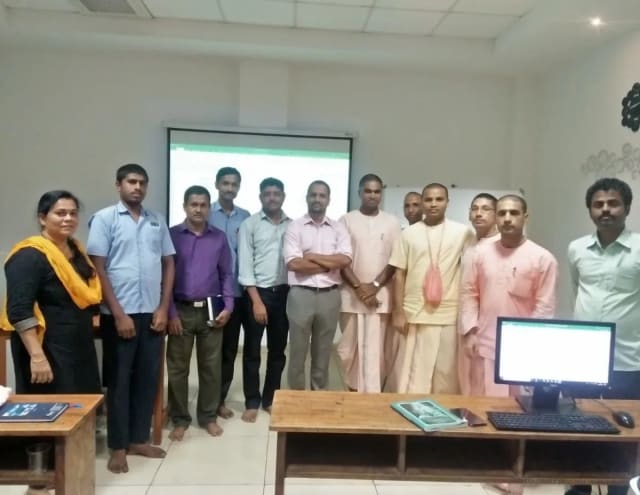
Photo 6 of 10: Group photo 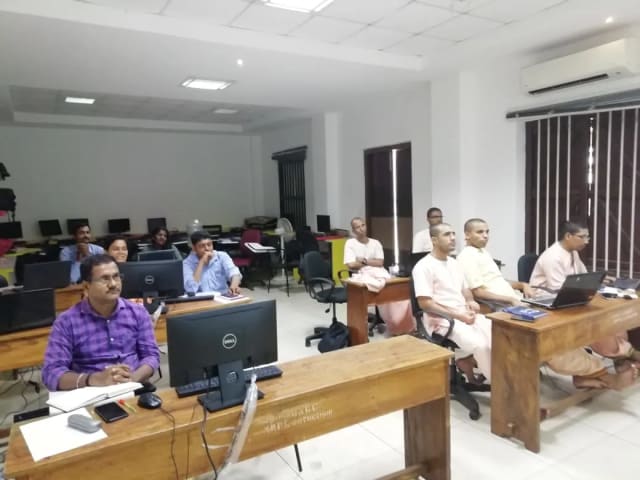
Photo 7 of 10: Computer-lab session 
Photo 8 of 10: Group photo 
Photo 9 of 10: Classroom session 
Photo 10 of 10: Group photo
Course details at a glance
The published course parameters on one page. Final scope, dates and fees are confirmed in the written proposal.
Discuss your training goals| Course | Data Science & ML Training |
|---|---|
| Duration | 40 live instructor-led hours |
| Audience | Analysts and technical teams building Python and ML capability |
| Prerequisite | Basic data comfort; prior Python helpful but not required for the foundation route |
| Core stack | Python, pandas, NumPy, visualisation and scikit-learn |
| Equipment | Participant laptop; hosted lab or VM available when separately scoped |
| Assessment | Module labs and an evaluated capstone project |
The trainer assigned to your programme
We choose a trainer whose technical depth and teaching experience suit the agreed course and your group.
Pankaj Rana
Co-founder & Lead Instructor, Technovids Consulting
Pankaj is a co-founder and the lead instructor at Technovids Consulting. His programme work spans practical AI adoption, AI engineering, evaluation, responsible production AI, data analytics and corporate learning design, with an emphasis on hands-on exercises connected to workplace tasks.
Expertise:
- Practical AI adoption
- Prompting and evaluation
- Responsible AI
- Corporate learning design
Junaid Khateeb
AI & Machine Learning Trainer, Strategist and Consultant
Junaid is an AI and machine-learning trainer, strategist and consultant with more than 22 years of training experience. His work combines enterprise AI education, business-centred adoption, responsible AI practices and applied solution design, helping professional audiences connect AI concepts to real organisational needs.
M.E. in Computer Engineering, specialising in Artificial Intelligence · author of programming books on Python, Java and C++
Expertise:
- Enterprise AI and ML training
- AI strategy and adoption
- Responsible AI
- Applied AI solution design
Pradeep Varadarajan
Technical Trainer & Curriculum Architect
Pradeep is a technical trainer and curriculum architect with more than 20 years of experience across enterprise technology, cloud infrastructure and advanced AI systems. He designs practitioner-focused programmes, labs and assessments covering AI, LLM systems, Python and machine learning, translating complex technical subjects into structured learning experiences.
Bachelor of Engineering in Electrical Engineering · instructor-led, virtual and blended delivery
Expertise:
- AI and LLM systems
- Curriculum architecture
- Python and machine learning
- Hands-on lab design
The trainer is confirmed with the batch dates or in your company proposal.
To book a trainer for your team, call +91 86183 46384 or email corporate@technovids.com.
Updated
Organisations we have trained, and participant perspectives
Clients who agreed to be named, and feedback shared with permission, show how Technovids delivers. They are not a promise of any learning or business result.
Organisations we have delivered training for


















Hands-on training for people and teams in AI, data, cloud, productivity and workplace skills.
Participant experiences across workplace roles
What people we trained found useful in their day-to-day work.
- Gauraw DeshmukhData Engineer · Capgemini
Technovids AI training was very practical and well structured. The sessions helped me understand how AI concepts can be applied in real data engineering and business workflows, instead of only learning theory. The trainer explained the topics clearly with relevant examples, which made the learning experience valuable and easy to follow.
- PriyanshaSoftware Developer
The AI training from Technovids helped me gain a better understanding of Generative AI, prompt engineering, and practical AI use cases for software development. The course was clear, interactive, and focused on real-world applications. It gave me confidence to explore AI tools more effectively in my work.
- Sidda RajuData Engineer
Technovids delivered the AI training in a very practical and industry-relevant way. As a data engineer, I found the examples and hands-on discussions useful for understanding how AI can improve data workflows, automation, and decision-making. The sessions were well planned and easy to understand.
- Akshat KabraData Engineer
The AI training program by Technovids was insightful and professionally delivered. It covered important AI concepts in a simple and practical manner, with examples that connected well with data and analytics use cases. The sessions helped me build a stronger foundation in applying AI in real business scenarios.
- MangeshSoftware Engineer · Siemens
Technovids conducted the AI training in a very effective and engaging manner. The sessions were practical, easy to follow, and focused on how AI can be used in real software engineering and business workflows. It was a valuable program for understanding the current direction of AI adoption in the industry.
- ReshuSoftware Developer
Technovids AI training was a very useful learning experience. The course explained AI concepts in a practical way and showed how developers can use AI tools to improve productivity, problem-solving, and application development. The trainer's approach was simple, clear, and focused on industry use cases.
Common questions before planning this course
Answers about the course as published. Your written proposal records any changes we agree, how it is delivered and the price.
Are public cohorts available for Data Science & ML Training?
Public batches run live online when dates are published. Send an enquiry for the next available dates. Your place is held only when Technovids confirms the batch in writing.
What is included for a public-cohort learner?
The Technovids LMS gives you session notes, assignments, lab guides and recordings for three months after the batch. We explain what you need to complete and how the certificate works at the start.
Is a completion certificate provided?
Yes. Learners who meet the completion requirements get a Technovids certificate with a unique ID you can check on the Technovids website. It is not a vendor certification.
Who provides the laptop, software and licences?
Bring your own suitable laptop. We confirm the software version, accounts and licences you need beforehand. For private programmes, a practice environment or virtual machine can be arranged separately if needed.
Can the course be delivered for a corporate team?
Yes. The private version can use your approved data, report standards and business examples. It can run live online or at your office, with scope and price confirmed in the proposal.
Do participants need Python or machine-learning experience?
Prior Python is helpful but not mandatory for the full foundation route. Participants should be comfortable with data and willing to practise code. An advanced or compressed delivery may require a readiness check.
Does the standard programme include deep learning?
The standard 40-hour programme focuses on data analysis and classical machine learning with sound evaluation. Deep learning can be introduced or scoped as an extension when it matches the audience and available time.
Are cloud labs or model API costs included?
Participants normally use their own laptop and the agreed local environment. A sandbox, virtual machine or paid API usage can be arranged only when it is separately scoped in the cohort information or corporate proposal.
Does the capstone get deployed?
The standard capstone produces a reproducible, evaluated project. Live application or cloud deployment is not included unless it is explicitly added to the delivery scope.
Plan your next step with this course
Tell us whether you are enquiring for yourself or a team, which development tasks matter and what access you have. We will confirm suitable delivery options and commercial details in writing.
Request received
Thank you — your request has been sent to the Technovids corporate training team. If you would rather speak to someone directly, the phone and WhatsApp details are at the top and bottom of this page.