
Claude AI · Workplace and developer workflows
Claude AI Training Course
A live, modular course for professionals and teams using Claude for writing, document analysis and repeatable workplace workflows, with optional Claude Code, connectors and MCP modules selected for the audience. Scope, duration and accounts are confirmed in the written proposal.
- Delivery
- Onsite or live online
- Level
- Beginner-friendly
What is the Claude AI Training Course?
Claude AI Training is a live, instructor-led Technovids programme that helps professionals and teams use Claude for structured prompting, document-heavy work, drafting, analysis and review. The programme is modular: business users can focus on Claude Chat and workplace workflows, while developer teams can add Claude Code, connectors and MCP concepts. Module selection, duration and platform access are confirmed in the written proposal.
Is this the right course for you or your team?
Who it is for
- Professionals using Claude for workplace productivity
- Teams working with documents, research, drafting and analysis
- Managers evaluating safe Claude adoption
- Mixed business and technical groups
- Developer teams wanting an optional introduction to Claude Code
- Organisations exploring connectors and MCP concepts
Situations it fits
- People use Claude informally and results vary from person to person
- Long documents, reports and research take too long to read and compare
- Drafts need heavy rework before they can be sent
- The organisation wants shared safe-use and review habits before wider use
- Technical staff want to see where Claude Code or MCP might fit
Prerequisites
- Basic computer literacy for the core modules
- Basic programming familiarity for the optional technical modules
- Access to Claude through an account your organisation approves
Which Claude or AI course should you choose?
Technovids runs several related programmes. Each has a different job; this table sets out when each one is the better fit.
| Course | Best for | Choose it when |
|---|---|---|
| Claude AI Training Course This course | Broad, modular Claude capability for professionals and mixed teams | Choose this when you want Claude Chat and workplace workflows at the core, with technical modules added only for the people who need them. |
| Claude Code Training | Developers and engineering teams | Choose it for deeper repository and software-development workflows with Claude Code. |
| Claude Enterprise Training | Organisation-wide rollout | Choose it for organisation-wide deployment, administration, governance, connectors and adoption. |
| Free Claude Training | A first look at Claude | Choose it when people need a short introductory awareness session before committing to a course. |
| Prompt Engineering Training | Prompting foundations for any assistant | Choose it for model-agnostic prompt-engineering foundations rather than Claude-specific skills. |
| ChatGPT & Claude for Business Teams | Workplace adoption across more than one assistant | Choose it for broader workplace AI adoption involving multiple assistants. |
The business problems this course addresses
Access to Claude is only a starting point. Useful workplace results depend on how requests are framed, how documents are handled and how output is checked before it is used.
| Task | The usual problem | What participants practise |
|---|---|---|
| Unclear requests | A one-line request returns a generic answer that needs rewriting. | State the task, context, constraints and output format before asking. |
| Long documents | Reports, contracts and research take hours to read, summarise and compare. | Use Claude to summarise, compare and extract — then check the extracts against the source. |
| Rework on drafts | Emails, proposals and SOPs arrive in the wrong tone, length or structure. | Give audience, examples and a target structure, and review the draft against the brief. |
| Unchecked claims | Fluent output includes figures, quotations or sources that are wrong or unsupported. | Build verification into the workflow and mark what a person must confirm. |
| One-off prompting | Good prompts stay in one person’s chat history and are never reused. | Turn tested prompts into shared workflows with review checklists and an owner. |
| Unclear boundaries | People are unsure what information they may share or which features are approved. | Agree approved accounts, data boundaries and escalation routes as part of the training. |
What participants will be able to do
By the end, participants should be able to use Claude on real workplace tasks with a clear structure, check the result, and recognise where the tool should not be relied on.
Structure a Claude instruction
Turn an unclear task into a structured Claude instruction with a clear goal.
Give context and requirements
Provide useful context, constraints and output requirements so the first draft is usable.
Analyse and compare documents
Analyse and compare representative documents, and trace statements back to the source.
Extract into structured formats
Extract information into tables, fields or checklists that are ready to review.
Draft and improve documents
Draft and improve workplace communications and documents for a named audience.
Review Claude output
Check output for unsupported claims, missing context and errors before it is used.
Build reusable workflows
Save prompts and review steps as reusable workflows that colleagues can follow.
Decide when Claude is appropriate
Recognise when Claude fits the task and when human or specialist review is required.
Apply safe-use boundaries
Handle confidential, personal and regulated information within agreed boundaries.
Place the technical extensions
Understand where Claude Code, connectors and MCP may fit, without treating them as features every team needs.
Role-based use cases
How each team applies it to real work
The same habits apply in every role: a clear request, a checked result and a person who owns the decision. Each example below separates the four.
Leadership & managers
- Representative tasks
- Briefing notes, option comparisons, meeting follow-ups and summaries of long reports.
- What Claude can help produce
- Structured briefs that set out options, assumptions and open questions side by side.
- What to verify
- The facts and figures quoted, and whether any option or risk has been left out.
- Where human judgement is needed
- The decision itself, how trade-offs are weighed, and what is said to staff or clients.
HR & learning teams
- Representative tasks
- Policy summaries, job description drafts, learning outlines and internal FAQs.
- What Claude can help produce
- Plain-language first drafts and outlines built from the policy or role details supplied.
- What to verify
- Policy accuracy, inclusive language and consistency with current HR documents.
- Where human judgement is needed
- Anything affecting an individual employee, including hiring, performance and disciplinary matters.
Marketing & communications
- Representative tasks
- Campaign copy variants, content outlines, press-note drafts and channel adaptations.
- What Claude can help produce
- Drafts and variations against a brief, adapted in tone and length for each channel.
- What to verify
- Product and factual claims, quotations and brand voice.
- Where human judgement is needed
- What is published, how sensitive topics are handled, and brand positioning.
Finance & operations
- Representative tasks
- Report narratives, SOP drafts, process notes and summaries of supplier documents.
- What Claude can help produce
- Narratives around figures a person has checked, and structured process documents.
- What to verify
- Every number and calculation, and whether the steps match how the process runs.
- Where human judgement is needed
- Financial conclusions, approvals and anything with compliance consequences.
Research & knowledge teams
- Representative tasks
- Literature and document summaries, requirement extraction and comparison tables.
- What Claude can help produce
- Summaries, extracts and comparison tables drawn from the documents supplied.
- What to verify
- That each extract matches the source, and where the documents are silent or uncertain.
- Where human judgement is needed
- Which sources are trusted, how gaps are treated, and the conclusions drawn.
Developers & technical teams
- Representative tasks
- Explaining unfamiliar code, drafting tests and documentation, and planning refactors (optional track).
- What Claude can help produce
- Code explanations, draft tests, documentation and proposed changes for review.
- What to verify
- That changes build and pass tests, and that nothing touches files or systems it should not.
- Where human judgement is needed
- What is merged or deployed, security trade-offs, and architectural decisions.
What the course covers, and what is optional
Claude Chat and team adoption are taught in every delivery. Claude Code and connectors are added only when the audience, accounts and scope call for them.
Claude Chat
Core — every delivery
The main workspace for the course: prompting, drafting, analysis and review.
Covers
- Drafting and editing workplace documents
- Summarising and analysing supplied documents
- Structured outputs such as tables and checklists
- Reviewing and improving drafts
Depends on
- An organisation-approved Claude account
What to verify
Check facts, figures, quotations and sources against the original material before a draft is used.
Team adoption
Core — every delivery
Turning individual use into shared, reviewable team practice.
Covers
- Selecting suitable use cases
- Safe-use guidance and data boundaries
- Review habits and checklists
- Reusable prompt workflows
What to verify
Confirm which accounts, data types and use cases your organisation has approved before workflows are shared.
Claude Code
Optional technical track
Anthropic’s agentic coding tool, which can read a codebase, edit files and run commands. Added for developer groups.
Covers
- Understanding and explaining a repository
- Debugging and refactoring approaches
- Test and documentation assistance
- Reviewing changes before they are used
Depends on
- Basic programming familiarity
- A Claude plan or Console account that includes Claude Code
- A safe sample repository, or one your organisation approves
What to verify
Review every proposed change and run your tests; check which files and commands Claude Code is permitted to use.
Connectors & MCP
Optional extension
Controlled connections between Claude and approved tools or information sources. MCP is an open protocol for connecting AI applications to tools and data.
Covers
- What a connector does
- Permission and approval boundaries
- MCP at a conceptual level
- Risks of connected systems and actions
Depends on
- Plan and product availability
- Organisation settings and approved services
- Each user’s permissions in the connected system
- The agreed course scope
What to verify
Review what data and actions a connector can reach, which follow the user’s existing permissions in that system, before enabling it.
Product names, plans and features change. The capabilities used in the course are those available in your approved accounts at the time of delivery.
16 hours · standard full programme
Detailed curriculum
Seven core modules form the programme. Up to three optional extensions are added for technical groups. The modules, their depth and the overall duration are selected with you and confirmed in the written proposal.
Core modules
Module 1 Claude AI fundamentals
- What Claude is and where it fits
- Interface and workspace orientation
- Appropriate workplace tasks
- Limitations and verification
- Safe-use foundations
Practical activityTry Claude on a representative task and note what needed checking.
Module 2 Prompting Claude effectively
- Task, context, constraints and output format
- Clear instructions and examples
- Iterative refinement
- Structured outputs
- Reusable prompt patterns
Practical activityImprove an unclear prompt and compare the two outputs.
Module 3 Claude for workplace productivity
- Emails and stakeholder communication
- Reports, proposals and SOPs
- Meeting-note transformation
- Presentation and briefing outlines
- Editing and quality review
Practical activityTurn rough notes into a structured document for a named audience.
Module 4 Research and document analysis
- Summarising long documents
- Comparing documents or alternatives
- Extracting facts and requirements
- Building decision-support outputs
- Checking sources, gaps and uncertainty
Practical activityAnalyse a representative, non-sensitive document and check each extract against it.
Module 5 Role-based workflows
- HR and learning
- Marketing and communications
- Finance and operations
- Leadership and management
- Knowledge and research teams
Practical activityDesign a Claude workflow for a recurring task in your own role.
Module 6 Safe and responsible use
- Confidential and personal information
- Approved accounts and policies
- Verification and human review
- Prompt-injection and supplied-content risks
- Appropriate escalation
Practical activityDraft a safe-use and verification checklist for your team.
Module 7 Team application and adoption
- Use-case selection
- Workflow mapping
- Prompt libraries
- Review checklists
- Adoption and enablement planning
- Representative capstone activity
Practical activityMap one team workflow end to end, with review points and an owner.
Optional extensions
Optional module AOptional Claude Code and developer workflows
- Understanding a repository
- Explaining code
- Debugging and refactoring approaches
- Test and documentation assistance
- Reviewing changes before use
Practical activityUse Claude Code on a safe sample repository, then review the proposed change.
Optional module BOptional Connectors, tools and MCP concepts
- What a connector does
- Permission and approval boundaries
- MCP as a standard way to expose tools and context
- Chat, retrieval, agents and MCP at a conceptual level
- Risks of connected systems and actions
Practical activityMap the permissions and approvals a proposed connector would need.
Optional module COptional AI engineering workflow concepts
- Prompt evaluation
- Retrieval-augmented workflow concepts
- Quality assurance
- Maintainable AI workflows
- Monitoring and improvement thinking
Practical activityDefine simple test cases and a pass standard for one AI-assisted workflow.
Need the agenda built around your team’s work?
Share the roles attending and the tasks to improve. The proposal sets out the adapted agenda.
Exercises and practical outputs
Each module pairs a short demonstration with hands-on practice. Participants work on representative, non-sensitive examples; your documents, code or workflows are used only when approved and prepared for the session.
How every module runs
Learn
A short explanation and live demonstration in Claude.
Practise
Participants apply it to representative tasks from their own role.
Review
Outputs are checked with the trainer for accuracy, gaps and data handling.
Apply
What worked is saved as a reusable workflow or checklist.
Module 2 Exercise 1: Improve an unclear prompt
Rebuild a vague request with task, context, constraints and output format.
Practice output A before-and-after prompt pair with notes on what changed.
Module 4 Exercise 2: Analyse a document
Summarise and question a representative, non-sensitive document.
Practice output A summary with each key point traced to the source.
Module 5 Exercise 3: Create a role-based workflow
Design a Claude workflow for a recurring task in your role.
Practice output A documented workflow with inputs, prompt and review step.
Module 4 Exercise 4: Convert output into a structured format
Turn free text into a table, field list or checklist.
Practice output A structured output ready for review.
Module 6 Exercise 5: Review an answer for evidence
Check a Claude answer for gaps, errors and unsupported claims.
Practice output An annotated answer marking what was confirmed or corrected.
Module 6 Exercise 6: Create a safe-use checklist
List the data boundaries and verification steps your team will follow.
Practice output A safe-use and verification checklist for team review.
Optional module A Exercise 7: Code review or debugging (optional)
Use Claude Code on a safe sample repository to explain, fix or test code.
Practice output A reviewed change with notes on what was checked.
Optional module B Exercise 8: Connector permission map (optional)
Map what a proposed connector could read or do, and who must approve it.
Practice output A permission and approval map for discussion.
Exercises use representative, non-sensitive examples. Outputs are produced during the workshop for practice and review; anything participants keep is their own working material.
Verification, data handling and human judgement
Claude makes drafting and analysis faster; it does not make the output automatically correct. These practices run through every module.
Product-policy links point to official Anthropic sources. Check current terms before rollout.
Use approved accounts
Work in the Claude accounts your organisation has approved. How data is handled depends on the Anthropic product and your organisation’s configuration, so check the current terms before delivery.
Keep sensitive information out without approval
Do not paste confidential, personal or regulated information unless your organisation has approved it for that account. Exercises use representative, non-sensitive material.
Verify facts and figures
Check facts, calculations, quotations and source claims against the original material before anything is used.
Treat supplied content as untrusted
Uploaded documents and retrieved web or connector content can contain instructions of their own. Keep your instructions separate and review the output before acting on it.
Review and test generated code
Read every proposed change and run the appropriate tests before code is merged or deployed.
Approve actions that affect people or systems
A person approves anything that changes systems, customer communications or records. Claude drafts and proposes; a named person decides.
Check permissions before enabling connectors
A connected service can expose data or actions according to the user’s existing permissions. Review what each connector can reach before it is enabled.
Expect features and terms to change
Product features, plan availability and usage terms change. Recheck them before rollout and when they are updated.
Keep qualified review for high-stakes decisions
Legal, financial, medical, employment and compliance decisions need review by a qualified person. Anthropic’s usage policy sets additional requirements for these high-risk uses.
How the course is tailored and delivered
The modules above are a menu, not a fixed agenda. Module selection, depth and duration are agreed with you before delivery.
From first conversation to evaluation
Training-needs discussion
A conversation with L&D or the sponsoring manager about who will attend and what Claude should support.
Module selection
We choose the core emphasis and any optional technical modules for the roles attending.
Accounts and access
The Claude accounts, plans and any Claude Code or connector access are confirmed with your organisation before delivery.
Written proposal
Modules, duration, cohort, format, dates, trainer assignment and commercials are confirmed in writing.
Delivery
Onsite at your office in India or as private live online training.
Agreed evaluation
How the course is evaluated — for example participant feedback or a review of the workflows produced — is agreed in advance. We do not promise a measured productivity figure.
Delivery formats
Onsite at your office
Best for: One team in one location
Instructor-led classroom delivery at the client’s workplace in India.
Private live online
Best for: Distributed teams
Interactive remote sessions with live demonstrations, exercises and review.
Business and technical tracks
Best for: Mixed groups
Core modules for everyone, with optional technical modules for the people who need them.
Inside our instructor‑led training sessions
A selection of Technovids instructor-led training sessions.

Photo 1 of 10: Hands-on session 
Photo 2 of 10: Group photo 
Photo 3 of 10: Hands-on session 
Photo 4 of 10: Group photo 
Photo 5 of 10: Classroom session 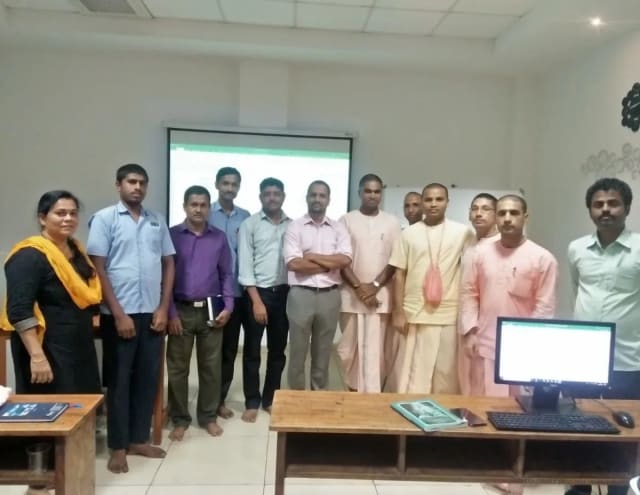
Photo 6 of 10: Group photo 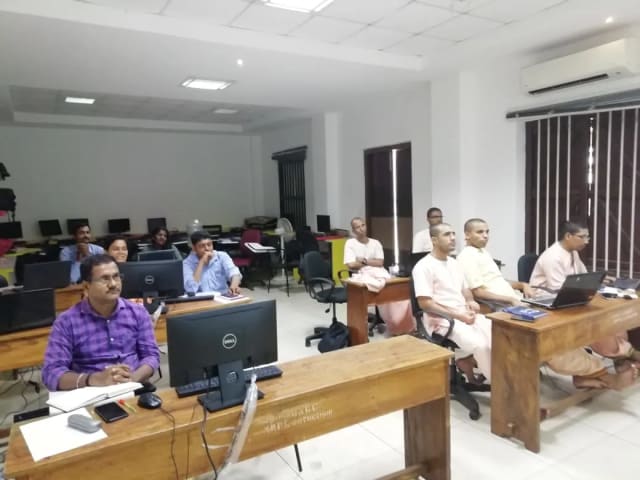
Photo 7 of 10: Computer-lab session 
Photo 8 of 10: Group photo 
Photo 9 of 10: Classroom session 
Photo 10 of 10: Group photo
For L&D and procurement teams
The published course parameters on one page. Final scope, dates and fees are confirmed in the written proposal.
Discuss your team’s requirements| Course | Claude AI Training Course |
|---|---|
| Provider | Technovids Consulting Pvt. Ltd., Bengaluru |
| Audience | Professionals, mixed business teams and developer teams selecting relevant tracks |
| Level | Beginner-friendly; technical extensions require basic programming familiarity |
| Duration | 16 hours for the full programme; a private team can select fewer modules, confirmed in the written proposal |
| Cohort | Confirmed in the written proposal |
| Delivery | Onsite in India or private live online |
| Language | English |
| Core platform | Claude, using organisation-approved accounts |
| Claude Code | Optional technical track, confirmed in the proposal |
| Connectors and MCP | Optional extension, depending on approved accounts, permissions and scope |
| Customisation | Role mix, representative tasks, module selection and depth |
| Schedule | Confirmed in the written proposal |
| Pricing | Based on delivery format, scope and cohort requirements |
| Certificate | Included only if confirmed in the written proposal |
| Platform access | Account and licence requirements confirmed before delivery |
Meet the trainer panel
Technovids assigns the trainer or trainer combination according to the audience, the modules selected and the agreed delivery plan.
Pankaj Rana
Co-founder & Lead Instructor, Technovids Consulting
Pankaj is a co-founder and the lead instructor at Technovids Consulting. His programme work spans practical AI adoption, AI engineering, evaluation, responsible production AI, data analytics and corporate learning design, with an emphasis on hands-on exercises connected to workplace tasks.
Expertise:
- Practical AI adoption
- Prompting and evaluation
- Responsible AI
- Corporate learning design
Junaid Khateeb
AI & Machine Learning Trainer, Strategist and Consultant
Junaid is an AI and machine-learning trainer, strategist and consultant with more than 22 years of training experience. His work combines enterprise AI education, business-centred adoption, responsible AI practices and applied solution design, helping professional audiences connect AI concepts to real organisational needs.
M.E. in Computer Engineering, specialising in Artificial Intelligence · author of programming books on Python, Java and C++
Expertise:
- Enterprise AI and ML training
- AI strategy and adoption
- Responsible AI
- Applied AI solution design
Pradeep Varadarajan
Technical Trainer & Curriculum Architect
Pradeep is a technical trainer and curriculum architect with more than 20 years of experience across enterprise technology, cloud infrastructure and advanced AI systems. He designs practitioner-focused programmes, labs and assessments covering AI, LLM systems, Python and machine learning, translating complex technical subjects into structured learning experiences.
Bachelor of Engineering in Electrical Engineering · instructor-led, virtual and blended delivery
Expertise:
- AI and LLM systems
- Curriculum architecture
- Python and machine learning
- Hands-on lab design
The trainer or trainer combination for a specific cohort is confirmed in the written proposal.
Updated
Organisations we have trained, and what participants say
These organisations have received Technovids training, and the reviews come from participants across Technovids programmes. They reflect broader training relationships, not necessarily this Claude course.
Organisations we have delivered training for




















Practical training programmes delivered for learners, professionals and teams across AI, data, cloud, productivity and professional skills.
Participant experiences across workplace roles
What professionals found useful, practical and relevant to their day-to-day work.
- Gauraw DeshmukhData Engineer · Capgemini
Technovids AI training was very practical and well structured. The sessions helped me understand how AI concepts can be applied in real data engineering and business workflows, instead of only learning theory. The trainer explained the topics clearly with relevant examples, which made the learning experience valuable and easy to follow.
- PriyanshaSoftware Developer
The AI training from Technovids helped me gain a better understanding of Generative AI, prompt engineering, and practical AI use cases for software development. The course was clear, interactive, and focused on real-world applications. It gave me confidence to explore AI tools more effectively in my work.
- Sidda RajuData Engineer
Technovids delivered the AI training in a very practical and industry-relevant way. As a data engineer, I found the examples and hands-on discussions useful for understanding how AI can improve data workflows, automation, and decision-making. The sessions were well planned and easy to understand.
- Akshat KabraData Engineer
The AI training program by Technovids was insightful and professionally delivered. It covered important AI concepts in a simple and practical manner, with examples that connected well with data and analytics use cases. The sessions helped me build a stronger foundation in applying AI in real business scenarios.
- MangeshSoftware Engineer · Siemens
Technovids conducted the AI training in a very effective and engaging manner. The sessions were practical, easy to follow, and focused on how AI can be used in real software engineering and business workflows. It was a valuable program for understanding the current direction of AI adoption in the industry.
- ReshuSoftware Developer
Technovids AI training was a very useful learning experience. The course explained AI concepts in a practical way and showed how developers can use AI tools to improve productivity, problem-solving, and application development. The trainer's approach was simple, clear, and focused on industry use cases.
Common questions before planning this course
Answers about the published course. The written proposal records any agreed customisation, delivery details and commercials.
What is Claude AI training?
It is a live, instructor-led Technovids programme on using Claude for structured prompting, document analysis, drafting and review. Core modules focus on Claude Chat and workplace workflows; optional modules cover Claude Code, connectors and MCP concepts.
Who is this course for?
Professionals and teams who work with documents, research, drafting and analysis, managers evaluating safe Claude adoption, and mixed business and technical groups. Developer teams can add the optional Claude Code module.
Is Claude Code included?
Only when it is selected. Claude Code is an optional technical module for developer groups and is confirmed in the written proposal. It is not required for business participants.
Are connectors and MCP included?
They are an optional extension. Whether they are covered, and how practically, depends on your approved accounts, plan, organisation settings, user permissions and the agreed scope.
Is it suitable for non-technical professionals?
Yes. The core modules are beginner-friendly and designed for business users. Technical modules are added only for participants who need them.
Does the course require coding experience?
Not for the core modules. The optional Claude Code and AI engineering modules require basic programming familiarity.
How is this different from Prompt Engineering Training?
Prompt Engineering Training teaches model-agnostic prompting foundations. This course is Claude-specific and extends into document analysis, workplace workflows and optional technical modules.
How is it different from Claude Code Training?
Claude Code Training is dedicated technical training for developers and engineering teams. This course centres on Claude Chat for workplace use and offers Claude Code only as an optional introductory module.
How is it different from Claude Enterprise Training?
Claude Enterprise Training addresses organisation-wide deployment, administration, governance, connectors and adoption. This course builds individual and team capability, with adoption planning at team level.
Which Claude account or licence is required?
Participants use Claude accounts your organisation approves. The plan, and any access needed for Claude Code or connectors, is confirmed before delivery. The written proposal states whether licences are part of the scope.
Can exercises use our documents, workflows or codebase?
Yes, when approved and prepared appropriately. Otherwise exercises use representative, non-sensitive documents and a safe sample repository.
How is confidential information handled?
Exercises use representative, non-sensitive material. Participants do not enter confidential, personal or regulated information unless your organisation has approved it, and your organisation remains responsible for its data and review policies.
How are modules and duration selected?
After a training-needs discussion, we select the core emphasis and any optional modules for the roles attending. The modules, depth and duration are confirmed in the written proposal.
Is the course available onsite and online?
Yes. Technovids delivers it onsite at your office in India or as private live online training.
Who delivers the course?
Technovids maintains a trainer panel that includes Pankaj Rana, Junaid Khateeb and Pradeep Varadarajan. The trainer or trainer combination is selected for the audience and modules, and is confirmed in the written proposal.
Is a certificate included?
Only if it is confirmed in the written proposal for your organisation.
How is pricing determined?
Pricing is based on delivery format, scope and cohort requirements, and is set out in a custom quote. No payment is taken through this page.
Turn a training requirement into a clear course proposal
Share the audience, team size, delivery preference and the work you want to improve. Technovids will scope the programme and confirm the details in a written proposal.