
Analytics thinking · BI · AI assistance · Storytelling
Business Analytics with AI — The Professional Programme for Data-Driven Teams
A professional analytics programme for people who must do more than make reports: frame the right question, examine evidence, use AI carefully and communicate a recommendation someone can act on.
- Duration
- 16–20 live hours
- Focus
- From question to decision
- AI role
- Assist analysis, never replace review
- Delivery
- Live online or corporate onsite
What is the Business Analytics with AI course?
Business Analytics with AI is a 16–20-hour instructor-led programme for analysts, managers and decision-support teams. It combines analytical problem framing, Excel and Power BI workflows, AI-assisted exploration and commentary, and data storytelling. Participants work from a business question to a checked recommendation, documenting where the evidence ends and judgement begins. No programming is required.
Is this the right course for you or your team?
Who it is for
- Business and data analysts
- Managers who commission or review analysis
- Finance, strategy, operations and commercial teams
- Professionals who use Excel or BI tools but need stronger analytical structure
Situations it fits
- Analysis starts with available data rather than the decision
- Reports describe what happened but not why it matters
- AI output is used without checking the evidence
- Good analysis is lost in an unclear presentation
Prerequisites
- Comfort with business data and spreadsheets
- No Python or programming required
- An approved AI account for hands-on assistance, or the agreed fallback workflow
- A representative business question for a private programme
Where business analysis usually breaks down
The course connects analytical method, tools and communication so speed does not come at the cost of judgement.
“The question is vague”
“Analyse sales” provides no decision, population or comparison.
What you practise
Write an analytical brief with a decision, metric, segment, period and constraint.
“The data is messy”
Missing values and inconsistent definitions shape the answer.
What you practise
Profile the data, record assumptions and separate repairable issues from material limitations.
“AI produces a fluent story”
The narrative contains unsupported causes or recommendations.
What you practise
Use AI for hypotheses and drafting, then trace every claim back to evidence.
“Leaders cannot see the decision”
Charts are presented in tool order rather than argument order.
What you practise
Structure the recommendation, evidence, uncertainty and next action for the audience.
What participants will be able to do
Practise the skills below through course exercises, then check the results and explain how you would apply them to your work.
Frame an analytical brief
Convert a business concern into a defined decision, question, metric and scope.
Assess data fitness
Identify quality gaps, assumptions and limitations before analysis starts.
Build a useful analysis
Use Excel and Power BI to compare, segment and investigate a business problem.
Use AI as an analyst’s assistant
Generate hypotheses, formulas, transformation ideas and narrative drafts without outsourcing judgement.
Separate evidence from inference
Label what the data shows, what it suggests and what still requires validation.
Present a defensible recommendation
Communicate the finding, uncertainty, trade-off and next action in a concise executive structure.
Role-based use cases
How each team applies it to real work
Use cases are organised around decisions rather than software features.
Commercial performance
- Decision
- Where should the sales team focus next period?
- Analysis route
- Segment performance, compare conversion and surface material changes.
- What must be challenged
- Attribution, seasonality, pipeline definitions and data completeness.
- Deliverable
- A prioritised commercial action brief.
Operations
- Decision
- Which process constraint is driving missed service levels?
- Analysis route
- Map throughput, exceptions and time-to-complete by process stage.
- What must be challenged
- Timestamp quality, exceptional cases and correlation-versus-cause claims.
- Deliverable
- A testable operational improvement recommendation.
Finance & strategy
- Decision
- What changes under alternative assumptions?
- Analysis route
- Build a scenario model and a variance narrative from checked figures.
- What must be challenged
- Assumption range, sign conventions and whether the model omits material costs.
- Deliverable
- A recommendation with sensitivities and decision thresholds.
People analytics
- Decision
- What workforce pattern warrants action?
- Analysis route
- Aggregate trends and compare cohorts using sanitised or approved data.
- What must be challenged
- Privacy, small-group exposure, denominator choice and unsupported causal claims.
- Deliverable
- A safe briefing with open questions for HR review.
Tools serve the analytical question
The standard programme uses spreadsheets, a BI environment and an approved AI assistant. The exact combination is agreed before delivery.
Microsoft Excel
by MicrosoftFast inspection, calculation, scenarios and ad-hoc analysis.
- Data profiling
- Pivot analysis
- Sensitivity modelling
- Used in
- Question framing and scenario labs.
- What to verify
- Keep formulas inspectable and reconcile summary figures to the source.
Power BI
by MicrosoftReusable models, dashboards and interactive exploration.
- Data transformation
- KPI models
- Decision-focused reporting
- Used in
- The integrated dashboard lab.
- What to verify
- Model quality and measure definitions matter more than the number of visuals.
AI assistant
by Client-approved providerProvider and account access confirmed before delivery
Hypothesis generation, formula support, narrative drafting and critique.
- Drafting analytical questions
- Suggesting transformation logic
- Challenging and rewriting a narrative
- Used in
- The evidence-versus-inference review.
- What to verify
- Do not expose unapproved data, and do not present generated explanations as established causes.
16–20 hours · 16–20 live hours
Detailed curriculum
4 modules, each pairing short instruction with guided practice. Sequence and examples can be adjusted after the training-needs discussion; the core outcomes stay the same.
Module 13–4 hours Analytics thinking and the right question
- Decision, question and metric alignment
- Descriptive, diagnostic, predictive and prescriptive work
- Data-quality and assumption register
Practical activityTurn real business concerns into structured analytical briefs.
Module 25–6 hours Excel and Power BI analysis
- Spreadsheet analysis and scenarios
- Power Query and model structure
- KPI measures and dashboard design
Practical activityMove from a raw file to an interactive reporting view.
Module 34–5 hours AI-augmented analytical workflow
- Hypotheses and investigative questions
- Formula and transformation assistance
- Grounded narrative drafting and verification
Practical activityComplete an AI-assisted analysis while documenting every check.
Module 44–5 hours Data storytelling and decisions
- Executive narrative structure
- Choosing evidence and visuals
- Uncertainty, trade-offs and recommendations
Practical activityPresent a concise recommendation and respond to review questions.
Need a learning plan around your goals?
Share your experience, stack and goals. The proposal sets out the suitable modules.
Exercises and practical outputs
One decision case runs through the programme from initial question to final recommendation.
How every module runs
Frame
Define the decision, question and evidence needed.
Analyse
Prepare the data and test alternative explanations.
Challenge
Use human and AI critique to locate weak assumptions.
Recommend
Present the evidence, uncertainty and next action.
Exercises use representative, non-sensitive examples. Outputs are produced during the workshop for practice and review; anything participants keep is their own working material.
A correct-looking report can still be wrong
Every course treats data quality, calculation review and access control as part of the analytical workflow—not as an optional final check.
Check the current product documentation and your organisation’s data-handling rules before applying these workflows.
Use approved data
Use public, synthetic, sanitised or organisation-approved datasets. Remove personal and confidential fields before using external AI services.
Trace every number
Reconcile row counts, totals, filters, joins and time periods against the source before a report supports a decision.
Review generated logic
Read formulas, DAX, SQL, calculated fields and Python generated with AI. Test boundary cases instead of trusting fluent output.
Publish with controls
Confirm permissions, refresh ownership, data classification and reviewer responsibility before sharing a workbook or dashboard.
How the course is tailored and delivered
Private programmes are adapted around the reports, datasets, tool versions and decisions participants handle at work. Public cohorts use neutral practice data so people from different organisations can work safely.
From first conversation to evaluation
Map the work
Identify participant roles, current skill level, recurring reports and the decisions the training should support.
Confirm the environment
Check software versions, licences, database access, security rules and whether client data may be used in exercises.
Shape the labs
Choose representative datasets and outputs, then set the depth of formulas, modelling, visualisation or code.
Practise and review
Participants build during the session, explain their choices and use a review checklist before presenting the result.
Delivery formats
Public live-online cohort
Best for: Individuals and small teams following a published cohort schedule
Instructor-led sessions run on Zoom with notes, assignments, lab instructions and recordings in the Technovids LMS. Recording access lasts three months after the cohort.
Private corporate programme
Best for: Teams that want their own datasets, reporting standards and delivery calendar
Delivered live online or onsite. Scope, participant count, exercises, materials, support and commercials are confirmed in the written proposal.
Delivery modes
Live online
Interactive instructor-led sessions with screen sharing, guided practice and review. Public cohorts are hosted through Zoom and the Technovids LMS.
Onsite for corporate teams
Delivered at the client location with the same practical curriculum, using approved or sanitised organisational data where appropriate.
Practical training, with people doing the work
A selection of Technovids instructor-led sessions. The photographs show delivery environments, not results attributed to a particular course or client.

Photo 1 of 10: Hands-on session 
Photo 2 of 10: Group photo 
Photo 3 of 10: Hands-on session 
Photo 4 of 10: Group photo 
Photo 5 of 10: Classroom session 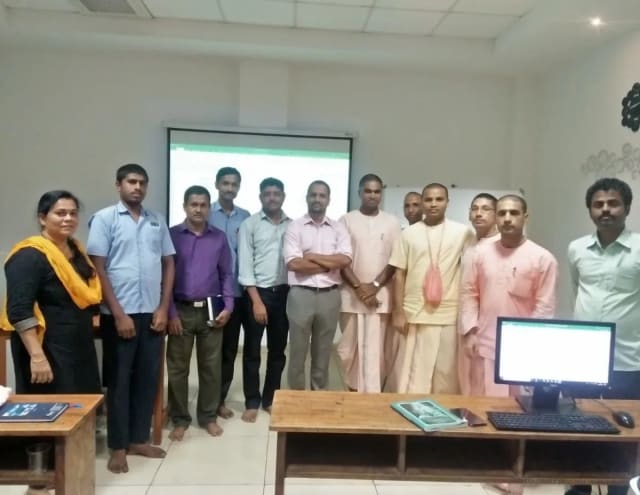
Photo 6 of 10: Group photo 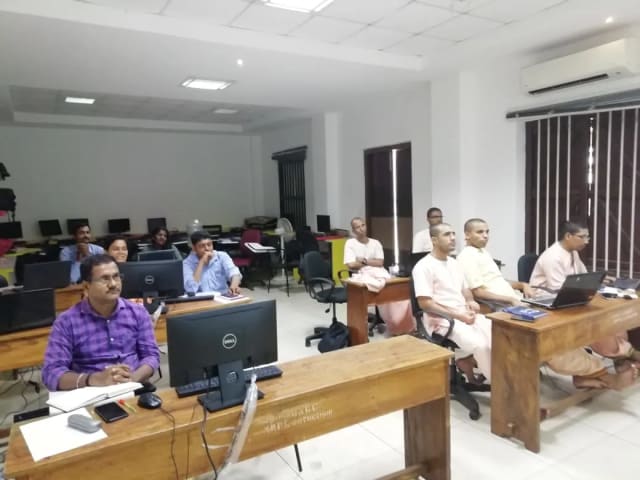
Photo 7 of 10: Computer-lab session 
Photo 8 of 10: Group photo 
Photo 9 of 10: Classroom session 
Photo 10 of 10: Group photo
Course details at a glance
The published course parameters on one page. Final scope, dates and fees are confirmed in the written proposal.
Discuss your training goals| Course | Business Analytics with AI |
|---|---|
| Duration | 16–20 live hours; final tool and case mix confirmed before delivery |
| Audience | Analysts, managers, finance, strategy, operations and commercial teams |
| Prerequisite | Comfort with business data and spreadsheets; no programming required |
| Tools | Excel, Power BI and an approved AI assistant as agreed |
| Delivery | Public live online; private live online or onsite |
| Assessment | Analytical brief, working analysis and recommendation presentation |
The trainer assigned to your programme
Technovids assigns a trainer whose technical depth and delivery experience fit the agreed curriculum and audience.
Pankaj Rana
Co-founder & Lead Instructor, Technovids Consulting
Pankaj is a co-founder and the lead instructor at Technovids Consulting. His programme work spans practical AI adoption, AI engineering, evaluation, responsible production AI, data analytics and corporate learning design, with an emphasis on hands-on exercises connected to workplace tasks.
Expertise:
- Practical AI adoption
- Prompting and evaluation
- Responsible AI
- Corporate learning design
Junaid Khateeb
AI & Machine Learning Trainer, Strategist and Consultant
Junaid is an AI and machine-learning trainer, strategist and consultant with more than 22 years of training experience. His work combines enterprise AI education, business-centred adoption, responsible AI practices and applied solution design, helping professional audiences connect AI concepts to real organisational needs.
M.E. in Computer Engineering, specialising in Artificial Intelligence · author of programming books on Python, Java and C++
Expertise:
- Enterprise AI and ML training
- AI strategy and adoption
- Responsible AI
- Applied AI solution design
Pradeep Varadarajan
Technical Trainer & Curriculum Architect
Pradeep is a technical trainer and curriculum architect with more than 20 years of experience across enterprise technology, cloud infrastructure and advanced AI systems. He designs practitioner-focused programmes, labs and assessments covering AI, LLM systems, Python and machine learning, translating complex technical subjects into structured learning experiences.
Bachelor of Engineering in Electrical Engineering · instructor-led, virtual and blended delivery
Expertise:
- AI and LLM systems
- Curriculum architecture
- Python and machine learning
- Hands-on lab design
The final trainer assignment is confirmed with the cohort schedule or corporate proposal.
Updated
Organisations we have trained, and participant perspectives
Client relationships and permissioned participant feedback provide context on Technovids delivery. They are not promises of a specific learning or business outcome.
Organisations we have delivered training for




















Practical training programmes delivered for learners, professionals and teams across AI, data, cloud, productivity and professional skills.
Participant experiences across workplace roles
What professionals found useful, practical and relevant to their day-to-day work.
- Gauraw DeshmukhData Engineer · Capgemini
Technovids AI training was very practical and well structured. The sessions helped me understand how AI concepts can be applied in real data engineering and business workflows, instead of only learning theory. The trainer explained the topics clearly with relevant examples, which made the learning experience valuable and easy to follow.
- PriyanshaSoftware Developer
The AI training from Technovids helped me gain a better understanding of Generative AI, prompt engineering, and practical AI use cases for software development. The course was clear, interactive, and focused on real-world applications. It gave me confidence to explore AI tools more effectively in my work.
- Sidda RajuData Engineer
Technovids delivered the AI training in a very practical and industry-relevant way. As a data engineer, I found the examples and hands-on discussions useful for understanding how AI can improve data workflows, automation, and decision-making. The sessions were well planned and easy to understand.
- Akshat KabraData Engineer
The AI training program by Technovids was insightful and professionally delivered. It covered important AI concepts in a simple and practical manner, with examples that connected well with data and analytics use cases. The sessions helped me build a stronger foundation in applying AI in real business scenarios.
- MangeshSoftware Engineer · Siemens
Technovids conducted the AI training in a very effective and engaging manner. The sessions were practical, easy to follow, and focused on how AI can be used in real software engineering and business workflows. It was a valuable program for understanding the current direction of AI adoption in the industry.
- ReshuSoftware Developer
Technovids AI training was a very useful learning experience. The course explained AI concepts in a practical way and showed how developers can use AI tools to improve productivity, problem-solving, and application development. The trainer's approach was simple, clear, and focused on industry use cases.
Common questions before planning this course
Answers about the published course. The written proposal records any agreed customisation, delivery details and commercials.
Are public cohorts available for Business Analytics with AI?
Public cohorts are offered live online when dates are published. Submit an enquiry for the next available schedule. A date is not reserved until Technovids confirms the cohort in writing.
What is included for a public-cohort learner?
The Technovids LMS includes session notes, assignments, lab instructions and recordings for three months after the cohort. Completion requirements and the certificate process are explained at the start.
Is a completion certificate provided?
Yes. Learners who meet the stated completion requirements receive a Technovids completion certificate with a unique certificate ID that can be verified on the Technovids website. It is not a vendor certification.
Who provides the laptop, software and licences?
Participants use their own suitable laptop. The required software version, accounts and licences are confirmed before delivery. For private programmes, a sandbox or virtual machine can be scoped separately when needed.
Can the course be delivered for a corporate team?
Yes. The private version can use your approved datasets, reporting standards and business scenarios. Delivery may be live online or onsite, with scope and commercials confirmed in the proposal.
Is this a data science course?
No. This programme develops business analysis, BI workflow and decision communication without requiring Python or machine-learning model building. Choose Data Science & ML Training for the technical route.
Can I attend without a technical background?
Yes if you are comfortable working with business data and spreadsheets. The programme emphasises structured analysis and judgement rather than programming.
Which AI assistant is used?
The provider is named in the cohort information or corporate proposal. For private programmes, the client’s approved environment takes precedence. The method does not depend on one vendor.
Plan your next step with this course
Tell us whether you are enquiring for yourself or a team, which development tasks matter and what access you have. We will confirm suitable delivery options and commercial details in writing.