
Corporate · Microsoft 365 Copilot + Copilot Studio · 12–16 hours
Microsoft Copilot Training for Corporate Teams
A hands-on corporate programme that takes your teams from everyday Microsoft 365 Copilot use to building their own agents and automated workflows in Copilot Studio, with governance built in.
- Duration
- 12 or 16 hours
- Delivery
- Onsite or live online
- Covers
- Copilot · Studio · Workflows
- Cohort
- 12–25 participants
What is the Microsoft Copilot Training course?
Microsoft Copilot Training for Corporate Teams is a 12- or 16-hour Technovids programme, delivered onsite at your office in India or live online. Day 1 teaches everyone to use Microsoft 365 Copilot in Outlook, Teams, Word, Excel and PowerPoint, and the agents built into Copilot such as Researcher and Analyst. Day 2 shows power users how to build agents in Copilot Studio, automate approvals and document handling with Copilot Studio workflows and Power Automate, and roll Copilot out safely with the right governance.
Is this the right course for you or your team?
Who it is for
- Business teams with Microsoft 365 Copilot licences who want to use it well every day
- Power users, team leads and process owners who will build agents and automate workflows
- IT, digital workplace and Microsoft 365 teams preparing a Copilot rollout
- L&D and transformation leads planning Copilot adoption across departments
Situations it fits
- Copilot licences are assigned, but usage is low or limited to summarising emails
- Teams want agents and automation but do not know where Copilot ends and Copilot Studio or Power Automate begins
- IT needs a governed path before business users build agents and workflows
- Leadership wants a measurable rollout plan rather than one-off demos
Prerequisites
- Everyday use of Outlook, Teams, Word, Excel and PowerPoint
- A Microsoft 365 work account; Microsoft 365 Copilot licences for the hands-on Day 1 labs (users with Copilot Chat only can follow most exercises)
- For Day 2 builders: Copilot Studio access in a development or sandbox environment approved by your IT team
- No coding experience
When a different course fits better
This course is for organisations standardised on Microsoft 365. If your teams use other assistants, or need engineering-level AI skills, another programme fits better.
- ChatGPT & Claude for Business Teamsfor teams working in ChatGPT or Claude rather than Microsoft 365 Copilot
- No-code AI automationfor automation across tools beyond the Microsoft stack
- Production AI engineeringfor engineers building AI applications in code
The business problems this course addresses
The programme starts from the problems companies actually report after buying Copilot licences.
| Task | The usual problem | What participants practise |
|---|---|---|
| Low adoption | Licences are assigned, but most people only use Copilot to summarise emails. | Role-based exercises in each app, so every participant leaves with tasks they will repeat the next day. |
| Weak prompts | Vague requests get vague answers, and people give up. | A simple brief: goal, context, sources to use and the expected output, with references to the right files and meetings. |
| Agent confusion | Agent Builder, Copilot Studio, Researcher, Cowork: teams cannot tell which to use. | A clear decision path from a quick agent in Copilot to a governed Copilot Studio agent. |
| Manual processes | Invoices, requests and approvals still move by email and spreadsheets. | Build a workflow that extracts the data, asks a person to approve and records the result. |
| Oversharing risk | Copilot surfaces files people can access but should not. | Check permissions, sensitivity labels and data policies before scaling. |
| No proof of value | Leadership asks what the licences are achieving. | A use-case backlog, a champion network and simple usage and time measures agreed upfront. |
What participants will be able to do
By the end of the programme, participants should be able to:
Use Copilot across Microsoft 365
Draft, summarise, analyse and present in Outlook, Teams, Word, Excel and PowerPoint, grounded in their own files and meetings.
Brief Copilot well
Write prompts with a goal, context, sources and expected output, and check the citations behind every answer.
Work with Copilot agents
Use Researcher and Analyst for deeper work, delegate multi-step tasks with approval, and build a simple agent for their team.
Build agents in Copilot Studio
Ground an agent in SharePoint and other approved sources, add tools and connectors, test it and publish it to Teams.
Automate a business process
Build a workflow that is triggered by an email or form, extracts data from a document, asks for approval and updates SharePoint, Planner or Excel.
Roll Copilot out responsibly
Apply permission checks, sensitivity labels and data policies, and plan adoption with champions and clear measures.
Role-based use cases
How each team applies it to real work
The same approach applies in every function; the exercises change. Each use case separates what Copilot does from what a person still owns.
HR & L&D
- Recurring work
- Policy questions, onboarding steps and training requests.
- What Copilot, agents or workflows do
- An HR policy agent answers from the approved policy library; a workflow sends onboarding tasks and reminders through Teams and Planner.
- What a person checks
- Policy accuracy, sensitive employee cases and anything involving personal data.
Finance & accounts
- Recurring work
- Invoice intake, approvals and month-end commentary.
- What Copilot, agents or workflows do
- A workflow extracts invoice fields, routes approval to the budget owner in Teams and logs the result; Copilot in Excel drafts the variance narrative.
- What a person checks
- Amounts, vendor details, approval limits and the stated reason for every variance.
Sales & account teams
- Recurring work
- Account briefs, meeting preparation and follow-ups.
- What Copilot, agents or workflows do
- Researcher builds an account brief from CRM notes, emails and public sources; Copilot in Outlook prepares the meeting and drafts the follow-up.
- What a person checks
- Facts about the client, pricing and any commitment made.
Operations & admin
- Recurring work
- Meeting actions, requests and status reporting.
- What Copilot, agents or workflows do
- Teams meeting recaps feed tasks into Planner; a request agent collects details and starts the right workflow.
- What a person checks
- Owners, deadlines and anything that changes a customer or supplier commitment.
IT service desk
- Recurring work
- Common questions and ticket triage.
- What Copilot, agents or workflows do
- A Copilot Studio agent answers from the knowledge base and can look up ticket status in tools such as ServiceNow through connectors.
- What a person checks
- Access requests, security issues and anything the agent cannot resolve.
Managers & leaders
- Recurring work
- Catching up, decisions and team updates.
- What Copilot, agents or workflows do
- Copilot summarises missed meetings and threads, drafts decision briefs and prepares status decks from reports.
- What a person checks
- The decision itself and how it is communicated.
Copilot, agents and automation in one programme
Core modules run in every delivery. Optional topics are added when your licences and goals call for them, and agreed in the proposal.
Microsoft 365 Copilot in the apps
Core · Day 1
Copilot in Outlook, Teams, Word, Excel and PowerPoint, and Copilot Chat grounded in work data.
Covers
- Email triage, coaching and meeting preparation
- Teams meeting recaps and catch-up
- Drafting in Word from referenced files
- Analysis and formulas with Copilot in Excel
- Decks from documents and emails in PowerPoint
Depends on
- Microsoft 365 Copilot licence for in-app features
What to verify
Which users hold Microsoft 365 Copilot licences and which have Copilot Chat only.
Agents in Microsoft 365 Copilot
Core · Day 1–2
The agents built into Copilot, plus quick agents any user can create.
Covers
- Researcher for multi-source research
- Analyst for reasoning over data
- Copilot Notebooks and Pages
- Delegating multi-step tasks with approval in Cowork
- Building and sharing a team agent with Agent Builder
What to verify
Which agents are enabled in your tenant; some features roll out in stages.
Copilot Studio agents
Core · Day 2
Governed agents grounded in company knowledge and connected to business systems.
Covers
- Knowledge from SharePoint, Dataverse and files
- Tools and connectors such as Outlook, SharePoint and ServiceNow
- Testing with evaluation test sets
- Publishing to Teams and Microsoft 365 Copilot
Depends on
- Copilot Studio access in an approved environment
What to verify
Maker access, the environment to build in and how Copilot Studio usage is billed for your tenant.
Workflows and Power Automate
Core · Day 2
Automation that now runs inside Copilot Studio, alongside classic Power Automate flows.
Covers
- Triggers from email, forms and files
- Extracting fields from invoices and contracts
- AI steps: prompts, Copilot and agent calls
- Approvals in Teams and Outlook
- Updating SharePoint lists, Planner and Excel
What to verify
Which connectors your data policies allow.
Governance and rollout
Core · Day 2
The controls IT and business owners need before scaling Copilot and agents.
Covers
- Oversharing checks in SharePoint
- Sensitivity labels and data loss prevention
- Agent identities and the agent inventory
- Usage, credits and adoption measures
What to verify
Who owns Copilot governance in your organisation.
Computer use and MCP connections
Optional · IT teams
For processes in apps without a connector, and for connecting agents to other systems.
Covers
- Agents that operate web and desktop apps
- Model Context Protocol (MCP) servers as agent tools
What to verify
Security review and IT approval before any use.
Copilot in Power BI
Optional
For analytics teams that report in Power BI.
Covers
- Report summaries and questions in natural language
What to verify
Power BI licensing and capacity in your tenant.
Microsoft updates Copilot and Copilot Studio every month. The course uses the features available in your tenant at the time of delivery, and preview features are taught as previews.
12–16 hours · 12 or 16 hours
Detailed curriculum
Two days, six modules. Hours are shown for the 12-hour and the 16-hour plans; the 16-hour plan adds build time on Day 2 and a fuller governance module.
Day 1 · Copilot for everyone
Module 011.5 h · 2 h Copilot foundations and safe use
- Copilot Chat and Microsoft 365 Copilot: what each includes
- Work and web grounding, and how Copilot only sees what you can access
- Writing a good brief: goal, context, sources and expected output
- Checking citations and recognising wrong answers
Practical activityRewrite three weak prompts using references to your own files, and compare the answers.
Module 023.5 h · 4 h Copilot in Outlook, Teams, Word, Excel and PowerPoint
- Outlook: thread summaries, drafting coaching, triage and meeting preparation
- Teams: meeting recaps, action items, chat catch-up and meeting search
- Word: drafting from referenced files, rewriting and summarising
- Excel: analysis, formulas and charts with Copilot
- PowerPoint: a deck from a document or email thread, with speaker notes
Practical activityOne connected task: meeting recap → follow-up email → Word proposal → PowerPoint summary.
Module 032 h · 2 h Copilot agents for everyday work
- Researcher for multi-source research reports
- Analyst for reasoning over spreadsheets and data
- Copilot Notebooks and Pages for shared work
- Delegating multi-step tasks with approval in Cowork
- Building and sharing a team agent with Agent Builder
Practical activityBuild a team FAQ agent grounded in a SharePoint folder and share it with a colleague.
Day 2 · Builders and owners
Module 042 h · 3 h Building agents in Copilot Studio
- When to move from Agent Builder to Copilot Studio
- Knowledge sources: SharePoint, Dataverse and files
- Tools and connectors, with instructions that keep the agent on task
- Testing with evaluation test sets
- Publishing to Teams and Microsoft 365 Copilot
Practical activityBuild an HR policy or IT helpdesk agent and test it against ten real questions.
Module 052 h · 3 h Automating work with Copilot Studio workflows and Power Automate
- Copilot Studio workflows and Power Automate flows: which to use when
- Triggers: a new email, form response or file
- Extracting fields from invoices and contracts
- AI steps: prompts, Copilot and agent calls inside a workflow
- Human approval in Teams and Outlook, then updating SharePoint, Planner or Excel
- Computer use for apps without a connector (demonstration)
Practical activityBuild an invoice or request intake workflow: extract → approve in Teams → record in a SharePoint list.
Module 061 h · 2 h Governance, adoption and measuring value
- Oversharing checks and SharePoint permissions
- Sensitivity labels and data loss prevention for Copilot and agents
- Environments, agent identities and the agent inventory
- Usage, credits and cost awareness
- Champions, a use-case backlog and adoption measures
Practical activityDraft a 30-day Copilot adoption plan and a governance checklist for your team.
Need the agenda built around your team’s work?
Share the roles attending and the tasks to improve. The proposal sets out the adapted agenda.
Exercises and practical outputs
Every module follows the same rhythm, using your own Microsoft 365 apps or a sandbox your IT team provides.
How every module runs
Show
A short live demonstration in the Microsoft 365 apps or Copilot Studio.
Practise
Participants repeat it on representative, non-sensitive work examples.
Build
Day 2 participants build a working agent and workflow, step by step.
Apply
Each participant leaves with tasks, an agent or a workflow they will use at work.
Exercises use representative, non-sensitive examples. Outputs are produced during the workshop for practice and review; anything participants keep is their own working material.
Verification, data handling and human judgement
Copilot works with your organisation’s data, so safe use is part of every exercise.
Check the current product documentation and your organisation’s data-handling rules before applying these workflows.
Copilot sees what you can see
Copilot answers from content the user already has permission to open. If files are overshared, Copilot can surface them. Fix permissions before scaling, not after.
Labels and data policies apply
Sensitivity labels and data loss prevention policies set by your IT team control what Copilot and agents can use and share. Participants learn to recognise and respect them.
People approve actions
Agents and workflows that send, update or delete anything include a human approval step. A named person stays accountable for the result.
Verify before you send
Copilot can be confidently wrong. Check citations, figures and names before anything leaves the team.
Build in approved environments
Copilot Studio agents and workflows are built in environments and with connectors your IT team approves, never in personal accounts.
Know the cost model
Microsoft 365 Copilot is licensed per user, while Copilot Studio agents and workflows can consume usage-based credits. Builders learn to estimate usage before publishing widely.
How the course is tailored and delivered
The published curriculum is the starting point. We adapt it to your licences, tenant and priority processes.
From first conversation to evaluation
Training-needs discussion
Who will attend, which teams have licences, and the processes you want to improve.
Tenant and licence check
With your IT team: Copilot licences, Copilot Studio access, the build environment and data policies for the labs.
Use-case selection
We pick the agent and workflow exercises from your real processes, using non-sensitive data.
Agenda confirmation
12- or 16-hour plan, module emphasis, dates and commercials confirmed in a written proposal.
Delivery and handover
Instructor-led sessions onsite or live online, with the prompt library, agent and workflow templates handed over.
Delivery formats
Two days onsite
Best for: One location, mixed audience
Day 1 for all participants; Day 2 for builders, process owners and IT. Delivered at your office anywhere in India.
Live online in four sessions
Best for: Distributed teams
Four sessions of three or four hours, with labs between sessions.
Split cohorts
Best for: Large organisations
Run Day 1 for several business cohorts and Day 2 once for your champions and makers.
12-hour plan: two days of six hours, or four online sessions of three hours. 16-hour plan: two days of eight hours, or four online sessions of four hours.
Inside our instructor‑led training sessions
A selection of real classroom, computer-lab and team sessions delivered by Technovids.

Photo 1 of 10: Hands-on session 
Photo 2 of 10: Group photo 
Photo 3 of 10: Hands-on session 
Photo 4 of 10: Group photo 
Photo 5 of 10: Classroom session 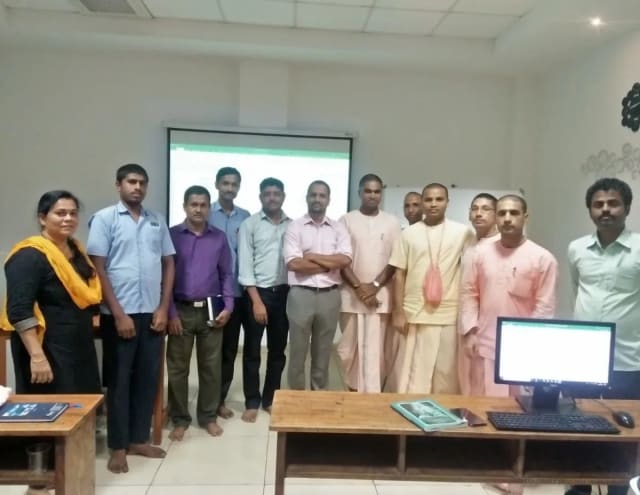
Photo 6 of 10: Group photo 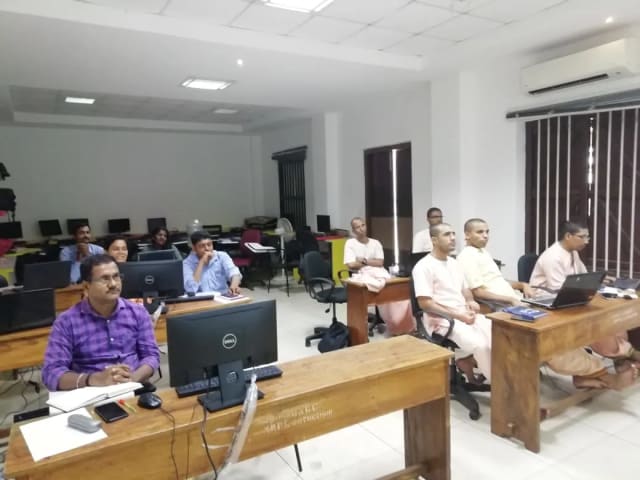
Photo 7 of 10: Computer-lab session 
Photo 8 of 10: Group photo 
Photo 9 of 10: Classroom session 
Photo 10 of 10: Group photo
For L&D and procurement teams
The published course parameters on one page. Final scope, dates and fees are confirmed in the written proposal.
Discuss your team’s requirements| Course | Microsoft Copilot Training |
|---|---|
| Provider | Technovids Consulting Pvt. Ltd., Bengaluru |
| Audience | Corporate teams using Microsoft 365: business users, power users, process owners and IT |
| Level | Beginner to intermediate — no coding required |
| Duration | 12 hours (two days of six hours) or 16 hours (two days of eight hours) |
| Recommended cohort | 12–25 participants; Day 2 build labs work best with up to 20 |
| Format and location | Onsite at your office anywhere in India, or private live online |
| Language | English |
| Tools | Microsoft 365 Copilot and Copilot Chat, Copilot agents, Copilot Studio, Power Automate, Teams, SharePoint, Outlook, Word, Excel and PowerPoint |
| Prerequisites | Microsoft 365 work accounts; Copilot licences for Day 1 labs; Copilot Studio access in an approved environment for Day 2 builders |
| Takeaways | Role-based prompt library, a working team agent, a workflow prototype and an adoption and governance checklist |
| Customisation | Use cases, module emphasis and the 12- or 16-hour plan agreed after the training-needs discussion |
| Certificate | If your organisation needs one, confirmed in the written proposal |
| Pricing approach | Custom quote based on hours, format, location and cohort plan; confirmed in the written proposal |
Pankaj Rana
Co-founder & Lead Instructor, Technovids Consulting
Pankaj is a co-founder and the lead instructor at Technovids Consulting in Bengaluru. His programme work spans practical AI adoption, automation and corporate learning design, with hands-on exercises tied to workplace tasks.
The instructor for a specific cohort is confirmed in the written proposal.
Updated
Organisations we have trained, and what participants say
Organisations Technovids has delivered training for, followed by feedback from participants across Technovids programmes — not only this course.
Organisations we have delivered training for




















Practical training programmes delivered for learners, professionals and teams across AI, data, cloud, productivity and professional skills.
Participant experiences across workplace roles
What professionals found useful, practical and relevant to their day-to-day work.
- Gauraw DeshmukhData Engineer · Capgemini
Technovids AI training was very practical and well structured. The sessions helped me understand how AI concepts can be applied in real data engineering and business workflows, instead of only learning theory. The trainer explained the topics clearly with relevant examples, which made the learning experience valuable and easy to follow.
- PriyanshaSoftware Developer
The AI training from Technovids helped me gain a better understanding of Generative AI, prompt engineering, and practical AI use cases for software development. The course was clear, interactive, and focused on real-world applications. It gave me confidence to explore AI tools more effectively in my work.
- Sidda RajuData Engineer
Technovids delivered the AI training in a very practical and industry-relevant way. As a data engineer, I found the examples and hands-on discussions useful for understanding how AI can improve data workflows, automation, and decision-making. The sessions were well planned and easy to understand.
- Akshat KabraData Engineer
The AI training program by Technovids was insightful and professionally delivered. It covered important AI concepts in a simple and practical manner, with examples that connected well with data and analytics use cases. The sessions helped me build a stronger foundation in applying AI in real business scenarios.
- MangeshSoftware Engineer · Siemens
Technovids conducted the AI training in a very effective and engaging manner. The sessions were practical, easy to follow, and focused on how AI can be used in real software engineering and business workflows. It was a valuable program for understanding the current direction of AI adoption in the industry.
- ReshuSoftware Developer
Technovids AI training was a very useful learning experience. The course explained AI concepts in a practical way and showed how developers can use AI tools to improve productivity, problem-solving, and application development. The trainer's approach was simple, clear, and focused on industry use cases.
Common questions before planning this course
Answers about the published course. The written proposal records any agreed customisation, delivery details and commercials.
What does the Microsoft Copilot training cover?
Microsoft 365 Copilot in Outlook, Teams, Word, Excel and PowerPoint; the agents in Copilot such as Researcher, Analyst and Agent Builder; building agents in Copilot Studio; automating processes with Copilot Studio workflows and Power Automate; and governance for a safe rollout.
How long is the course?
Either 12 hours (two days of six hours, or four online sessions of three hours) or 16 hours (two days of eight hours, or four online sessions of four hours). The 16-hour plan adds more build time and a fuller governance module.
Do participants need Microsoft 365 Copilot licences?
For the hands-on Day 1 labs in Outlook, Teams, Word, Excel and PowerPoint, yes. Users with Copilot Chat only can follow most of the prompting and agent exercises. We check licences with your IT team before delivery.
Is Copilot Studio included?
Yes. Day 2 covers building agents in Copilot Studio, grounding them in SharePoint and other approved sources, adding connectors, testing and publishing to Teams. Builders need Copilot Studio access in an environment your IT team approves.
Do you cover Power Automate?
Yes. Module 5 covers workflows in Copilot Studio and Power Automate flows: triggers, document extraction, AI steps, approvals in Teams and Outlook, and updating SharePoint, Planner or Excel. We explain when to use each.
What is the difference between Agent Builder and Copilot Studio?
Agent Builder in Microsoft 365 Copilot creates simple agents from instructions and knowledge in minutes. Copilot Studio is for governed agents with connectors, workflows, testing and wider publishing. The course shows when to move from one to the other.
Do participants need coding skills?
No. Everything in the course uses Copilot and the low-code Copilot Studio and Power Automate designers.
Can the exercises use our own processes?
Yes. During the training-needs discussion we choose agent and workflow exercises from your real processes, using non-sensitive or approved data.
Will you set up Copilot governance for us?
The course teaches the governance controls and gives your team a checklist and rollout plan. Configuring your tenant remains with your IT team or Microsoft partner.
Is the training delivered onsite?
Yes. Technovids delivers onsite at your office anywhere in India, or as private live online sessions.
How is the course priced?
Through a custom proposal based on the 12- or 16-hour plan, format, location and cohort plan. No payment is taken through this page.
Turn a training requirement into a clear course proposal
Share the audience, team size, delivery preference and the work you want to improve. Technovids will scope the programme and confirm the details in a written proposal.