Private team workshop · Non-technical professionals
AI for Business Professionals: ChatGPT, Copilot & Productivity AI
AI is already inside the tools your team uses — Copilot in Microsoft 365, ChatGPT and Claude in the browser. This workshop shows managers and business teams which tasks are worth handing to AI, how to do it well, and what to check before the work goes out.
AI for Business Professionals is a 12–15-hour private, instructor-led Technovids workshop for non-technical managers and business teams, scheduled as full days or shorter sessions and tailored to the team. Participants choose the right assistant for everyday tasks — role briefs, commentary, SOPs, customer messages, meeting notes and decision memos — and check the result before use. Exercises use the tools your organisation approves, including ChatGPT, Claude and Microsoft 365 Copilot where licensed. It is an AI course for managers and their teams, built as AI for non-technical professionals: no coding needed.
Is this the right workshop for your team?
Who it is for
Managers and team leads who want their people to use AI well
HR, marketing, sales, finance and operations teams
Business analysts, project managers and executive assistants
Mixed-function groups who use Microsoft 365, ChatGPT or Claude at work
Situations it fits
A few people experiment with AI; most of the team has not started
Your organisation bought Copilot licences and usage is low
Drafts come back needing so much rework that AI feels slower
Nobody is sure what may be pasted into an AI tool
You want one shared, checkable way of working rather than private habits
Prerequisites
Comfortable with everyday business software — no coding
Accounts for the AI tools your organisation approves, arranged before the workshop
Representative, non-confidential work samples to practise on
When a different course fits better
This workshop is about applying AI to daily business work. Another programme may fit better.
Four programmes serve business audiences. They differ in what the team practises, not just in length.
Which Technovids workshop fits your team?
Course
Best for
Choose it when
AI for Business Professionals This course
Applying AI across everyday business workflows
Choose this when the team needs to decide which tasks to hand to AI and apply it in the tools your organisation already has, including Microsoft 365 Copilot.
Choose it when the audience writes Python and wants to build RAG apps, agents and integrations.
Workplace tasks
Where the working day actually goes
Every team has a handful of recurring tasks that take longer than they should. The workshop starts from those, not from a tool tour.
Workplace tasks, the usual problem, and what the course practises
Task
The usual problem
What participants practise
Recruitment admin
Role briefs, interview questions and candidate updates are written from scratch each time.
Draft from an approved role template, then check the requirements and inclusive wording.
Monthly commentary
The numbers are ready days before anyone can write the narrative around them.
Turn checked figures into a first draft, then verify every number against the source.
Undocumented processes
The person who knows the process is the only place it is written down.
Build an SOP draft from approved notes and a walkthrough, then have the owner correct it.
Customer and prospect messages
Personalised messages are slow, and rushed ones get facts or names wrong.
Draft from the account notes you are allowed to use, then check claims, pricing and privacy.
Meeting overload
Notes are taken, but actions and decisions are lost by the next meeting.
Produce a brief before and a summary after, then confirm the decisions with the room.
Tool confusion
People do not know whether to use Copilot, ChatGPT or Claude — so they use none of them.
Apply a simple rule: which tool can see the material, and which one you may share it with.
Learning outcomes
What participants will be able to do
By the end, participants should be able to pick the right tool for a task, produce a usable draft, and say what they checked before sending it.
01
Spot the right tasks
Recognise which recurring tasks suit AI assistance and which do not.
02
Choose the right tool
Decide between Microsoft 365 Copilot, ChatGPT and Claude based on where the material lives and what is approved.
03
Brief the assistant properly
Give the task, audience, source material, constraints and the output format you need.
04
Work with your own documents
Summarise, compare and extract from reports, notes and threads you are permitted to use.
05
Produce workplace outputs
Draft emails, briefs, SOPs, summaries and decision memos that need editing, not rewriting.
06
Check before it goes out
Verify facts, figures, names and claims, and know which of them must be checked at source.
07
Protect confidential information
Apply your organisation’s rules on what may be entered into which tool.
08
Make it repeatable
Save the prompts and review steps that worked so the team can reuse them.
09
Plan the next 30 days
Leave with a short, specific plan for the tasks each person will start with.
Role-based use cases
How each team applies it to real work
These are the kinds of exercises participants run, using representative material from their own roles. Each one ends with something usable and a check that it is correct.
HR & people teams
What you start with
An approved role template, the hiring manager’s notes and your existing job-description style.
AI-assisted steps
Draft the role brief and a first set of interview questions; rewrite for tone and length.
What a person checks
Accuracy of the requirements, inclusive wording, pay and policy statements, and any personal data.
What you end up with
A role brief and question set the hiring manager can edit and sign off.
Finance teams
What you start with
A variance table whose figures have already been checked, plus last quarter’s commentary.
AI-assisted steps
Turn the checked figures into plain-language commentary in your house structure.
What a person checks
Every number against the source, the stated reason for each movement, and anything implied but not supported.
What you end up with
A commentary draft that reviewers can challenge on substance rather than wording.
Operations
What you start with
Approved source notes, a screen recording or a walkthrough of how the process actually runs.
AI-assisted steps
Produce a structured SOP draft with steps, owners, inputs and exceptions.
What a person checks
That each step matches reality, and that owners, systems and escalation points are right.
What you end up with
An SOP draft ready for the process owner to correct and publish internally.
Sales & account teams
What you start with
Your account notes and the product facts you are allowed to quote.
AI-assisted steps
Draft a follow-up message and two variations for different stakeholders.
What a person checks
Product and pricing claims, commitments, customer names, and what client data was used.
What you end up with
An outreach message that is accurate, specific and safe to send.
Managers & team leads
What you start with
A meeting pack, last meeting’s notes and the decision you need to reach.
AI-assisted steps
Prepare a pre-read brief, then turn the discussion into a decision memo with options and owners.
What a person checks
That the options and risks are complete and that the recorded decision matches what was agreed.
What you end up with
A one-page brief before the meeting and a decision memo after it.
Marketing & communications
What you start with
A campaign brief, the approved product messaging and your brand tone guide.
AI-assisted steps
Generate channel variants, headlines and an outline, adapted to length and audience.
What a person checks
Brand voice, factual and product claims, and originality of the final copy.
What you end up with
Copy variants ready for the usual review, produced in a fraction of the drafting time.
Tools
Which tool for which job — and what it needs
Hands-on practice happens in the tools your organisation has approved. Licences, admin settings and data rules decide what a cohort can actually use, so the tool mix is agreed before the workshop.
ChatGPT
Core — in every delivery
A general workspace for drafting, rewriting, structuring and summarising material you paste in.
Covers
Drafting and rewriting business documents
Summarising and comparing supplied text
Structured outputs: tables, checklists, briefs
Building reusable prompts for recurring tasks
Depends on
An account your organisation approves for work use
What to verify
Check the plan your organisation uses and how it handles business data before real material is entered.
AI inside Word, Excel, PowerPoint, Outlook and Teams, working on the files and messages a user can already access.
Covers
First drafts and rewrites in Word
Thread and meeting summaries in Outlook and Teams
Slide drafts from an existing document
Asking questions about files you have access to
Depends on
A Microsoft Copilot add-on licence on an eligible Microsoft 365 plan
Licences assigned by your administrator before the workshop
Web-based Copilot Chat is included with eligible subscriptions; work-based chat needs the Copilot licence
What to verify
Confirm with your IT team which users have licences and which apps are enabled — participants without one follow the same exercises in ChatGPT or Claude.
Technovids does not supply or resell licences. Product plans and features change often, so the tool list is confirmed against your environment when the proposal is written.
Research in context
What the evidence says about AI at work
Controlled studies suggest that AI can speed up specific writing, consulting and Microsoft 365 tasks. They also show why choosing the right task and checking the output matter. These results are context for the workshop, not a forecast of your team’s savings.
The largest quality gains went to participants whose first, unassisted task received lower scores. That suggests AI can help with a first draft or structure, not that it replaces domain knowledge.
Important limit: The 20–30-minute tasks did not require company-specific context, and the researchers did not test factual accuracy. Do not apply these percentages to every workplace document.
Preregistered field experiment · 758 BCG consultants · GPT-4-assisted and unassisted groups
25.1%faster on tasks within AI’s capability frontier
12.2%more tasks completedWithin-frontier tasks
>40%higher-rated qualityWithin-frontier tasks
The useful question is not “Can AI do consulting?” but “Which parts of this task can this model do reliably, and which need a person?”
Important limit: On a task selected outside the model’s capability frontier, AI users were 19 percentage points less likely to reach the correct solution. Faster work is not necessarily better work.
Separate controlled task studies plus an early-access customer survey; these are not one combined sample
29%faster across search, summary and writing tasks147-person simulated workday study
3.8×faster catching up on a missed meetingSeparate study of 60 Microsoft employees
64%of surveyed Outlook users said Copilot reduced email-processing timeEligible respondents within a 297-user early-access survey
The task experiments point to useful places to test Copilot: finding information, catching up on meetings and producing a first draft. The survey result describes users’ perceptions, not a measured 64% time saving.
Important limit: Microsoft conducted this 2023 research. The 147-person study found no statistically significant accuracy or writing-quality difference; meeting summaries were slightly less complete with Copilot.
The 12–15-hour workshop follows this sequence; it can run as full days or shorter sessions. The order, depth and role examples are adjusted after the training-needs discussion, and any further tailoring is scoped in the proposal.
Session 1
What to hand to AI — and what to keep
Where AI genuinely helps in business work, and where it does not
Choosing between Copilot, ChatGPT and Claude for a given task
What may be entered into which tool
How these assistants fail: confident wrong answers, missing context, invented detail
Practical activity
Each participant lists their recurring tasks and marks the three best candidates for AI assistance.
Session 2
Briefing an assistant well
Task, audience, source material, constraints and output format
Working from documents you supply rather than from memory
Asking for tables, checklists and structured summaries
Improving a weak result instead of starting again
Practical activity
Rebuild a vague request into a structured brief and compare the two outputs side by side.
Session 3
Your role’s real work
Role tracks: HR, finance, operations, sales, marketing and management
Microsoft 365 Copilot in the apps your team already uses, where licences allow
Drafting, summarising and extracting from your own representative material
Reviewing output: facts, figures, names, tone and claims
Practical activity
Complete one real task end to end — a role brief, commentary, SOP, message or meeting brief — and review it against a checklist.
Session 4
Making it stick
Saving prompts and review steps the team will reuse
Agreeing team rules: approved tools, data boundaries, who checks what
Where to start, and how to tell whether it is working
Handling colleagues who are sceptical or over-confident about AI
Practical activity
Draft a short team usage note and a 30-day plan naming the first tasks each person will change.
Need the agenda built around your team’s work?
Share the roles attending and the tasks to improve. The proposal sets out the adapted agenda.
Every session follows the same rhythm, using representative, non-confidential material from participants’ own work. A role-specific library of 100+ prompts and practical reference templates help the team keep using the methods afterwards.
How every module runs
1
Show
A short demonstration of the pattern on a realistic business task.
2
Try
Participants run it on their own material in an approved tool.
3
Check
Output is reviewed against a checklist: facts, figures, tone and data handling.
4
Keep
What worked is written down as a prompt and review step the team can reuse.
01Session 1
Exercise 1: Task audit
List your recurring tasks and mark which are worth handing to an assistant.
Practice output A short personal shortlist of candidate tasks.
02Session 2
Exercise 2: Before and after brief
Turn a vague request into a structured brief with audience, source material and output format.
Practice output A reusable prompt for one recurring task.
03Session 2
Exercise 3: Document to summary
Summarise and extract action points from a long report or thread you are allowed to use.
Practice output A one-page summary with the points traced back to the document.
04Session 3
Exercise 4: Role task, end to end
Produce a role brief, finance commentary, SOP draft, customer message or meeting brief.
Practice output A draft that needs editing rather than rewriting.
05Session 3
Exercise 5: Review checklist
Define what must be checked in your team’s AI-assisted work before it is used.
Practice output A short review checklist for the team.
06Session 4
Exercise 6: Team usage note and 30-day plan
Agree approved tools, data boundaries and who checks what, then plan the first month.
Practice output A draft usage note and a personal 30-day plan.
Exercises use realistic examples with no sensitive data. What participants make in the workshop is for practice and review, and anything they keep is their own working material.
Safe AI use
Verification, data handling and human judgement
Safe use is practised inside the exercises rather than taught as a policy session. These rules apply to every task in the workshop.
Check the product’s current documentation and your company’s data rules before you use these methods at work.
Use approved accounts only
Work in the AI accounts your organisation has approved. Consumer and business plans handle data differently, and your IT or security team decides which apply.
Client data, employee records, unpublished financials and anything under NDA stay out of tools that are not approved for them. Personal data also carries obligations under India’s Digital Personal Data Protection Act, 2023. Workshop exercises use representative material.
Remember what Copilot can see
Microsoft 365 Copilot works across the files and messages a user can already open, so over-broad file sharing inside your tenant becomes visible faster. Check permissions before a wide rollout.
Verify facts, figures and names
Assistants produce fluent text that can be wrong, including invented sources and numbers. Every figure, quotation and customer detail is checked at source before use.
Treat pasted content carefully
Documents, emails and web pages can contain instructions of their own. Keep your instruction separate from the material, and read the result before acting on it.
A person owns the output
The assistant drafts; a named person remains accountable for what is sent, published or decided.
Vendor terms change
Plans, features and data controls move quickly. Confirm the current terms for the plans your organisation uses before rollout, and again when they change.
Delivery and customisation
How the course is tailored and delivered
The published agenda is a starting point. What your team practises is agreed before the workshop and written into the proposal.
From enquiry to workshop
01
Training-needs discussion
A conversation with L&D or the sponsoring manager about who attends and which tasks are worth changing.
02
Tools and access check
We confirm which AI tools your organisation approves, who holds Microsoft 365 Copilot licences, and what IT needs to arrange.
03
Role and example selection
Exercises are built around the roles attending and representative, non-confidential material you supply.
04
Written proposal
We confirm the session format, dates, agenda emphasis, group size, trainer assignment, standard materials, certificate and commercials in writing.
05
Delivery
Onsite at your office in India or private live online, with practice on your own tasks throughout.
06
Agreed follow-up
LMS-based follow-up can be arranged if required; its scope and access period are agreed in advance. Further cohorts are quoted separately.
Delivery formats
Onsite at your office
Best for: One team in one location
Instructor-led delivery at your workplace in India, using the tools on your own machines.
Private live online
Best for: Distributed teams
The same workshop delivered live to your team only, with exercises run in your approved tools.
Role-focused or mixed cohort
Best for: One function, or a cross-functional group
Examples are chosen for the roles in the room; mixed groups compare how each function uses the same pattern.
The workshop runs 12–15 live hours, scheduled as full days or shorter sessions. A different scope can be agreed for your team.
Training in action
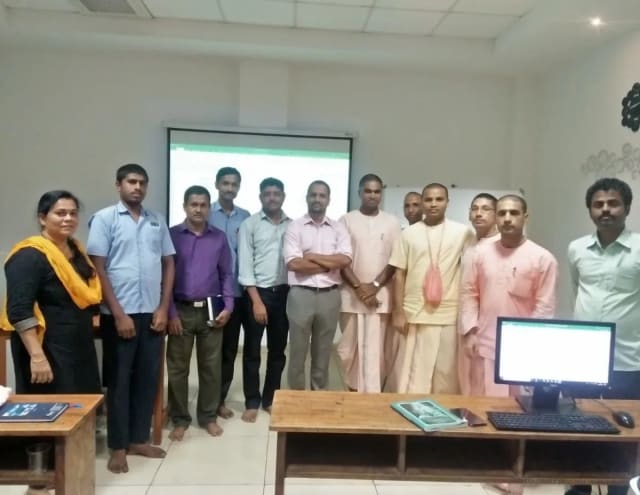
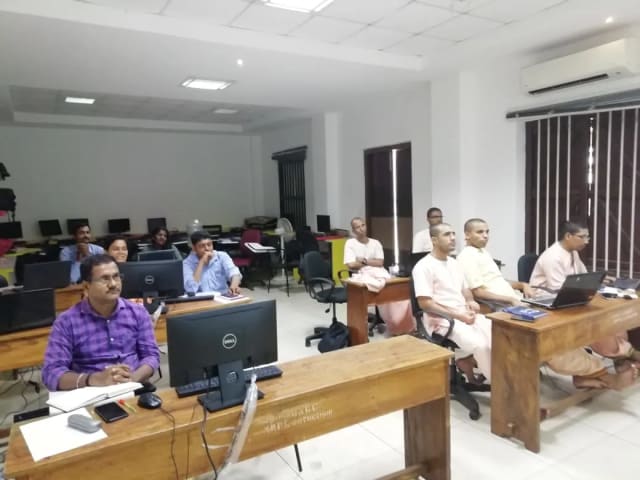
Inside our instructor‑led training sessions
A selection of Technovids instructor-led sessions across its programmes.
Photo 1 of 10: Hands-on session
Photo 2 of 10: Group photo
Photo 3 of 10: Hands-on session
Photo 4 of 10: Group photo
Photo 5 of 10: Classroom session
Photo 6 of 10: Group photo
Photo 7 of 10: Computer-lab session
Photo 8 of 10: Group photo
Photo 9 of 10: Classroom session
Photo 10 of 10: Group photo
Course specification
For L&D and procurement teams
The published course parameters on one page. Final scope, dates and fees are confirmed in the written proposal.
12–15 live hours; the schedule is agreed in the written proposal
Group size
15–25 participants recommended for hands-on practice; other sizes can be scoped in the proposal
Format and location
Onsite at your office anywhere in India, or private live online
Language
English
Prerequisites
Basic computer literacy; accounts for the AI tools your organisation approves
Core tools
ChatGPT (OpenAI) and Claude (Anthropic), using organisation-approved accounts
Microsoft 365 Copilot
Covered; hands-on practice needs Copilot licences assigned by your administrator
Notion AI and Slack AI
Optional, where your organisation already uses them and the plan supports it
Customisation
Role examples, agenda emphasis and tool mix agreed after the training-needs discussion
Included materials
Role-specific library of 100+ prompts, Microsoft Copilot quick-reference cheatsheet, 30-day adoption-roadmap worksheet and team AI usage-policy starter template
Certificate
Technovids completion certificate included; eligibility criteria confirmed in the proposal
Post-workshop support
LMS-based follow-up can be included if required; scope and access period agreed in the proposal
Schedule and availability
Dates agreed with your team and confirmed in the written proposal
Pricing approach
Custom quote based on delivery format, location, group size and customisation
Trainers
Meet the trainer panel
Technovids assigns the trainer or trainer combination according to the audience, the tools in scope and the agreed delivery plan.
PR
Pankaj Rana
Co-founder & Lead Instructor, Technovids Consulting
Pankaj is a co-founder and the lead instructor at Technovids Consulting. His programme work spans practical AI adoption, AI engineering, evaluation, responsible production AI, data analytics and corporate learning design, with an emphasis on hands-on exercises connected to workplace tasks.
AI & Machine Learning Trainer, Strategist and Consultant
Junaid is an AI and machine-learning trainer, strategist and consultant with more than 22 years of training experience. His work combines enterprise AI education, business-centred adoption, responsible AI practices and applied solution design, helping professional audiences connect AI concepts to real organisational needs.
M.E. in Computer Engineering, specialising in Artificial Intelligence · author of programming books on Python, Java and C++
Expertise:
Enterprise AI and ML training
AI strategy and adoption
Responsible AI
Applied AI solution design
PV
Pradeep Varadarajan
Technical Trainer & Curriculum Architect
Pradeep is a technical trainer and curriculum architect with more than 20 years of experience across enterprise technology, cloud infrastructure and advanced AI systems. He designs practitioner-focused programmes, labs and assessments covering AI, LLM systems, Python and machine learning, translating complex technical subjects into structured learning experiences.
Bachelor of Engineering in Electrical Engineering · instructor-led, virtual and blended delivery
Expertise:
AI and LLM systems
Curriculum architecture
Python and machine learning
Hands-on lab design
The trainer for a specific cohort is confirmed in the written proposal.
Organisations we have trained, and what participants say
Organisations Technovids has delivered training for, plus approved feedback from participants in its tailored business-AI workshops. Tools and modules vary with each client; the photographs show sessions across Technovids programmes.
Organisations we have delivered training for
Hands-on training for people and teams in AI, data, cloud, productivity and workplace skills.
Participant voice
What business professionals took from the training
Eight participants describe the parts of their own workshop that helped them apply AI at work.
KM
Karan MalhotraMarketing Director
I knew Generative AI was changing digital marketing, but I didn't know where to start without a tech background. The AI for Business Professionals course at Technovids was exactly what I needed. It completely demystified tools like ChatGPT, Claude, and Midjourney for commercial use. We are now using the prompt frameworks taught in the class to automate content generation and market research, saving us nearly 15 hours a week. Highly recommended for marketing leaders.
MP
Meera PillaiHead of Operations
Most AI courses are too focused on Python and coding. Technovids has created the perfect GenAI course for non-technical professionals. The modules focus heavily on business use cases, process automation, and identifying AI ROI. Learning how to integrate AI into our daily workflows and understanding the data privacy implications has given me the confidence to champion AI adoption across our operations team.
RK
Rajesh KhannaVice President, Strategy
As a business leader, I don't need to build AI models; I need to know how to buy, deploy, and govern them. This course provides a brilliant executive overview of the Generative AI landscape. The instructors did a phenomenal job explaining AI capabilities versus limitations, which is crucial for making informed investment decisions. If you are in leadership and need to build an AI strategy for your organization, start here.
SA
Srishti AgarwalSenior Business Analyst
I enrolled in this program to figure out how to leverage AI for data storytelling and reporting. The practical walkthroughs on using AI tools for data analysis, specifically around Microsoft Copilot and advanced prompting for business intelligence, were eye-opening. The Technovids trainers keep it 100% practical. I walked away with actionable templates that I started using at work the very next day.
AD
Ananya DesaiHR Director
I was skeptical about how AI could fit into Human Resources, but the AI for Business Professionals program completely changed my perspective. We learned how to use GenAI for drafting policies, analyzing employee feedback trends, and streamlining recruitment communications. The section on AI ethics and bias was particularly relevant for HR. It's a fantastic, jargon-free upskilling program for corporate teams.
SJ
Siddharth JainStartup Founder
When you run a lean startup, productivity is everything. This Technovids course taught me how to use AI as a 'co-pilot' for my business. From automating sales outreach to summarizing long legal documents, the practical use cases covered in the workshops are gold. It bridges the gap between AI hype and actual business execution perfectly. Easily the best investment I’ve made in my own learning this year.
PV
Pooja VenkateshGeneral Manager
I have zero background in IT, so I was hesitant to take an AI course. I shouldn't have been. The trainers at Technovids explain complex AI concepts using everyday business analogies. There is absolutely no coding required. By the end of the program, I was confidently writing complex prompts to generate business proposals and competitive analysis reports. It is the perfect AI course for beginners in management.
TM
Tarun MehtaSales Strategy Lead
The landscape of B2B sales is shifting rapidly with AI, and this course helps you stay ahead of the curve. The training helped me understand how to leverage AI tools for personalized customer outreach, CRM data cleanup, and predictive sales insights. The real-world case studies discussed during the live sessions were incredibly valuable. If you want to use AI to drive business growth and revenue, this is the training to take.
Course FAQs
Common questions before planning this course
Answers about the course as published. Your written proposal records any changes we agree, how it is delivered and the price.
Who is this workshop for?
Non-technical managers and business teams — HR, marketing, sales, finance, operations and project roles — who want to apply AI to their everyday work. No coding or AI background is needed.
How is it different from ChatGPT & Claude for Business Teams?
That course spends two days inside the two assistants and the habits around them. This workshop is about choosing between the AI tools your organisation already has — including Microsoft 365 Copilot — and applying them across business workflows such as role briefs, commentary, SOPs and meeting follow-ups.
How is it different from Prompt Engineering Training?
Prompt Engineering Training builds one dependable way to write prompts across tools. This workshop assumes you want results in specific business tasks and covers tool choice, workplace workflows and review habits alongside briefing skills.
Is this AI strategy training for leaders?
No. This is hands-on practice for the people doing the work. For AI strategy, opportunity mapping and governance for CXOs and functional heads, see our AI leadership training for CXOs.
How long is the workshop?
The AI for Business Professionals workshop runs 12–15 live hours, scheduled as full days or shorter sessions; a different scope can be agreed if your team needs it. Dates and session times are confirmed in the proposal.
How many participants should attend?
We recommend 15–25 participants so everyone has time to practise and ask questions. We can scope a different group size or multiple cohorts for your organisation in the proposal.
Do we need Microsoft 365 Copilot licences?
Only for hands-on Copilot practice. Copilot is an add-on licence on an eligible Microsoft 365 plan, assigned by your administrator; web-based Copilot Chat is included with eligible subscriptions, while work-based chat needs the licence. Participants without a licence follow the same exercises in ChatGPT or Claude, and the skills transfer.
What about Notion AI and Slack AI?
They are included when your organisation already uses those tools and the plan supports the features. Notion AI is available on Business and Enterprise plans, and Slack’s summary features need a paid plan, with the more advanced AI on higher tiers. We confirm this against your environment before the workshop.
Does Technovids provide the AI accounts or licences?
No. Participants use the accounts your organisation approves. We tell your IT team what is needed for the exercises you choose, well before the delivery date.
Can the workshop be tailored to one department?
Yes. HR, marketing, finance, sales and operations versions are common, and mixed cohorts work well too. Role examples and exercises are agreed during the training-needs discussion.
Can we use our own documents in the exercises?
Use representative, non-confidential material unless your organisation has approved something else for the tools in scope. Your data, privacy and review policies always take precedence.
What do participants take away?
The standard workshop includes a role-specific library of 100+ prompts, a Microsoft Copilot quick-reference cheatsheet, a 30-day adoption-roadmap worksheet and a team AI usage-policy starter template. Participants also keep the prompts and review checklists they develop in the exercises. These materials do not include third-party software licences.
Do participants receive a certificate?
Yes. A Technovids completion certificate is included in the standard workshop. The participation or assessment criteria for your cohort are stated in the written proposal.
Is there support after the workshop?
LMS-based follow-up can be included if your organisation needs it. The activities, access period and any additional fee are agreed in the written proposal.
Is it delivered onsite or online?
Both. Technovids delivers onsite at your office across India, or as private live online sessions for distributed teams. Public batches are not run for this workshop.
What affects the price?
Delivery format and location, the length you choose, the number of participants and how much customisation the agenda needs. Pricing is a custom quote; no payment is taken through this page.
Will this make our team faster?
Teams usually see the biggest gains on repetitive drafting and summarising work. We do not publish a time-saving figure for your team, because it depends on the tasks you choose and the licences you hold — so the workshop focuses on measurable tasks you can judge for yourselves.
What happens after we enquire?
We arrange a training-needs discussion, confirm which tools and licences are available, agree the roles and examples, and send a written proposal covering length, format, dates, group size, trainer and commercials.
How organisations set rules, ownership and review for AI use.
Bring this course to your team
Turn a training requirement into a clear course proposal
Share the audience, team size, delivery preference and the work you want to improve. Technovids will scope the programme and confirm the details in a written proposal.
Thank you — your request has been sent to the Technovids corporate training team. If you would rather speak to someone directly, the phone and WhatsApp details are at the top and bottom of this page.
Cookies for analytics and ads. We use Google Analytics, Google Ads, Meta and Microsoft Clarity to see which pages help visitors and which adverts work. Privacy Policy