
Bridge course · For people who already know basic Python
AI Programming with Python Course
You can write Python scripts. This course teaches you to turn them into tested services: call APIs safely, validate data with Pydantic, build FastAPI endpoints, store results and write tests — ending with a Document Intelligence API that calls an LLM.
- Duration
- 40 live hours
- Curriculum
- 8 modules
- Capstone
- Document Intelligence API
- Delivery
- Live on Zoom
Already building APIs and async services in Python? Go straight to the 48-hour AI Engineering Course
What is the AI Programming with Python course?
AI Programming with Python is a 40-hour, live online Python for AI course for people who know basic Python but cannot yet build tested, AI-backed services. Across eight modules you learn project structure, type hints and Pydantic, REST APIs with httpx, async Python, FastAPI, SQLite and PostgreSQL, pytest and logging, and finish with a Document Intelligence API that calls an LLM. It prepares you for RAG, agents and MCP in the AI Engineering Course; it does not teach them. In short, it is a Python course for AI work, not a general programming course.
Who this bridge course is for
Who it is for
- Developers and QA automation engineers who script in Python but have not built an API
- Data analysts moving from notebooks to backend services
- Students who know Python syntax and want real application practice
- Anyone preparing for the AI Engineering Course or Production AI Engineering
Situations it fits
- Your scripts work, but you have never structured a project or written tests
- Calling an external API is still trial and error
- async, Pydantic and FastAPI keep appearing in AI tutorials and you cannot follow them
- You want to build AI-backed features, not train models
Prerequisites
- Basic Python: functions, lists, dictionaries, loops and exceptions
- Comfortable installing packages and running scripts from a terminal
- A computer where you can install Python 3.11 or later
- No data science or machine-learning background needed
AI Programming with Python vs the AI Engineering Course
These courses are designed to be taken in sequence. This one builds the backend Python; the AI Engineering Course uses it to build LLM applications.
| AI Programming with Python | AI Engineering | |
|---|---|---|
| Starting point | Basic Python: syntax, functions and collections | Working Python: functions, classes and calling REST APIs |
| Focus | Backend Python for AI: APIs, async, Pydantic, FastAPI, databases and tests | LLM applications: RAG, controlled agents, MCP, evaluation and deployment |
| What you build | One capstone: a Document Intelligence API | Four focused builds and an integrated capstone |
| RAG, agents and MCP | Not covered — this course prepares you for them | The core of the course |
| Hours | 40 hours of live instruction | 48 live hours over 12 weekends |
| Format | Live online public cohort | Live online public cohort |
Where should you start?
Start here if you know Python basics but have not built an API, used async or written tests.
AI Programming with PythonStart there if you already build APIs in Python and want RAG, agents and MCP.
AI Engineering CourseChoose mentorship for a one-to-one, three-month path around your own projects.
1:1 AI Engineering Mentorship
Are you ready for this course?
This is not a from-zero Python course. Use this check before you enquire — and if you are unsure, the free fit call is the place to ask.
You are ready if you can already…
- Write functions with parameters and return values
- Use lists and dictionaries, and loop over them
- Read and write a text or JSON file
- Catch an error with try / except
- Install a package with pip
- Run a script from the terminal
You do not need these yet — the course teaches them
- Virtual environments and project structure
- Type hints, dataclasses and Pydantic models
- REST APIs with httpx: headers, tokens, timeouts, retries
- async / await and concurrent requests
- FastAPI endpoints, validation and uploads
- SQL with SQLite and PostgreSQL basics
- pytest, fixtures, mocking and logging
import json
from pathlib import Path

def load_titles(path: str) -> list[str]:
    data = json.loads(Path(path).read_text())
    return [item["title"].strip() for item in data if item.get("title")]

try:
    print(load_titles("notes.json"))
except FileNotFoundError:
    print("No notes yet")
What this course does not cover
- RAG pipelines, embeddings and vector databases — AI Engineering Course
- AI agents, LangGraph and multi-agent workflows — AI Engineering Course
- MCP servers and tool integrations — What is MCP?
- Cloud deployment and hosting — everything runs on your own computer
- Data science, advanced pandas and dashboards
- Machine learning, TensorFlow, PyTorch or model training
- Spark, Airflow, competitive programming or advanced DSA
Not there yet? Spend some time on a Python basics course first, then book a fit call — we will tell you honestly whether to start here.
From scripts to services
Most AI tutorials assume backend Python skills they never teach. These are the gaps this course closes.
“My Python works as a script, but not as a service”
Scripts run once on your laptop; services accept requests, validate them and keep running.
What you will practise
Structure a project, then expose your code as FastAPI endpoints with request and response models.
“When an API times out, my code just crashes”
Real APIs are slow, rate-limited and sometimes wrong.
What you will practise
Build an httpx client with timeouts, retries and clear error handling.
“async / await still looks like magic”
AI backends wait on network calls; blocking code makes them slow.
What you will practise
Run requests concurrently with asyncio and see the difference in timing.
“LLM output keeps breaking my code”
Model responses are text that may not match the shape your code expects.
What you will practise
Validate every response against a Pydantic model and handle what does not fit.
“My results disappear when the script ends”
Anything useful needs to be stored and retrieved later.
What you will practise
Persist results in SQLite, then run the same queries against PostgreSQL.
“I have never written a test”
Without tests, every change is a guess — especially around LLM calls.
What you will practise
Write pytest tests, mock the LLM call and add logging you can debug with.
Build a Document Intelligence API
The capstone brings every module together: upload a document, process it, ask an LLM for structured information, validate and store the result, and serve it through a tested, logged FastAPI service.
- Upload document
- Extract and clean text
- Split into chunks
- Generate metadata
- Call an LLM
- Validate with Pydantic
- Store in SQLite / PostgreSQL
- Serve through FastAPI
- Tests and logging
Inputs
- A PDF or text document you are allowed to use — public or written by you
- An LLM API key, read from an environment variable
- A local SQLite or PostgreSQL database
Outputs
- A JSON response with the document’s summary, key fields and chunk count
- A stored record you can retrieve by ID
- A health-check endpoint
- Structured logs for each request
- A passing pytest suite
Acceptance criteria
- POST /documents accepts a supported file and rejects others with a clear 4xx error
- The LLM response is validated against a Pydantic model; invalid output is handled, not stored
- LLM and network timeouts are handled without crashing the service
- Results are saved and returned by GET /documents/{id}
- GET /health reports that the service is running
- Tests mock the LLM call and pass without network access
- Logs never contain API keys or the document’s full text
- A README explains how to install, configure and run it
from pydantic import BaseModel, Field

class DocumentSummary(BaseModel):
    title: str
    summary: str = Field(max_length=1200)
    key_dates: list[str] = []
    chunk_count: int = Field(ge=1)
Module 8 has 3 live hours for integrating, testing and reviewing the capstone. Its parts — file handling, the API client, Pydantic models, endpoints, the database layer and tests — are built in the module labs before it, and finishing it also takes work between sessions.
What participants will be able to do
By the end you should be able to build and test the backend of an AI feature — the foundation that RAG, agents and MCP are later built on.
Set up a professional project
Create a virtual environment and structure a Python project into reusable modules.
Model data with types
Use type hints, dataclasses and Pydantic to define and validate data.
Call external APIs reliably
Use httpx with headers, tokens, timeouts, retries and error handling.
Write async code
Use async / await and asyncio.gather to run requests concurrently.
Build FastAPI endpoints
Create endpoints with validation, file uploads, dependencies and health checks.
Persist results
Store and query results in SQLite and PostgreSQL.
Validate LLM output
Call an LLM and check its response against a Pydantic model before using it.
Test and log
Write pytest tests with fixtures and mocks, and add useful logging.
Ship a capstone service
Deliver a Document Intelligence API that meets written acceptance criteria.
What you get when you join
This is a live public cohort, not a video course: a trainer teaches every class, and your notes, labs and recordings stay in one place.
Live classes on Zoom
Every session is taught live, with code walkthroughs and time for questions.
Weekends or weekday late evenings
Cohorts run at times that suit working professionals and students.
The exact timetable is published when a cohort is scheduled.
Technovids LMS
Notes, assignments and step-by-step lab instructions for every module.
Labs run on your own computer; no sandbox or virtual machine is provided.
Recordings for three months
Each class is uploaded to the LMS within 24 hours and stays available for three months.
Cohort discussion group
Ask questions and compare approaches with your cohort between sessions.
A named lead trainer
A suitable Technovids expert leads your cohort and is named in the cohort details.
Free fit call first
Start with Chandan, our L&D expert; an AI engineer follows up on technical questions.
Verifiable certificate
Your completion certificate carries a unique ID that can be verified on the Technovids website.
Completion criteria for this course are confirmed at enrolment.
40 hours · live instruction
Detailed curriculum
Eight modules of live instruction: 8 + 6 + 6 + 5 + 6 + 3 + 3 + 3 = 40 hours. Each module ends in a practical exercise, and the parts you build feed the capstone.
Module 18 hours Python foundations for AI apps
- Collections, functions and modules
- File handling with pathlib
- Working with JSON and CSV
- Exceptions
- Configuration with environment variables
Practical activityRead a folder of text and JSON files, clean the content and write a summary CSV, with settings loaded from environment variables.
Module 26 hours Professional Python
- Object-oriented design
- Type hints and dataclasses
- Pydantic models
- Project structure and reusable services
Practical activityRefactor your Module 1 script into a typed package, then validate a saved sample LLM response with Pydantic and handle a malformed one.
Module 36 hours APIs and integrations
- REST, HTTP methods and headers
- Bearer tokens
- httpx clients
- Timeouts, retries and API errors
Practical activityBuild a reusable httpx client with timeouts, retries and clear errors; use it against a public API and then an LLM API with your own key.
Module 45 hours Async Python
- async / await
- asyncio.gather
- Async HTTP clients
- Streaming basics
- Blocking vs non-blocking code
Practical activitySend several requests concurrently with asyncio.gather and compare the timing with the sequential version.
Module 56 hours FastAPI for AI backends
- Endpoints and routers
- Request and response models
- Validation and file uploads
- Dependencies and error handling
- Health checks
Practical activityBuild a FastAPI service with a file-upload endpoint, typed responses, dependency injection and a health check.
Module 63 hours Databases and persistence
- SQL basics
- SQLite
- PostgreSQL basics
- Storing summaries, metadata and conversations
Practical activityStore and query processed results in SQLite, and see how the same code works with PostgreSQL.
Module 73 hours Testing and logging
- pytest and fixtures
- Mocking API calls
- Testing async functions
- Logging and debugging
Practical activityWrite tests for your service with a mocked LLM call and an async test, then add structured logging.
Module 83 hours Capstone: Document Intelligence API
- Document ingestion
- LLM API call and validation
- FastAPI endpoint
- Database storage
- Review against acceptance criteria
Practical activityIntegrate your earlier work into the Document Intelligence API, run the test suite and present it for review.
Unsure whether to start here or with AI Engineering?
Book a free fit call. We will look at your Python background with you and recommend the right starting point.
Good habits built into every lab
AI-backed services fail in predictable ways. These habits are part of the exercises from Module 1 onwards.
The OWASP link points to the current Top 10 for LLM Applications — check it for updates.
Keep keys out of code
API keys and passwords live in environment variables, never in your repository or notebook.
Always set timeouts
Every network call has a timeout and a plan for failure, so one slow API cannot hang your service.
Validate before you trust
Treat LLM output as untrusted input: validate it against a schema before storing or returning it.
Log carefully
Log enough to debug, but never secrets or the full content of a user’s document.
Mock what you do not control
Tests mock the LLM and external APIs, so they are fast, repeatable and free to run.
Use documents you are allowed to use
Build with public or self-written documents; do not upload an employer’s confidential files to an LLM.
From fit call to finished capstone
From your first conversation to your capstone review, here is what happens.
Step by step
Free fit call
Chandan, our L&D expert, talks through your background, goals and Python experience.
Technical follow-up
Where your questions need it, an AI subject-matter expert follows up.
Cohort details
You receive the next cohort’s dates, session times and fee in writing.
LMS access and setup
Lab instructions in the Technovids LMS help you set up Python on your own computer before class.
Live classes and assignments
Attend live on Zoom and complete the module exercises and assignments in the LMS.
Capstone review and certificate
Present your Document Intelligence API for review and receive a verifiable certificate on completion.
How the cohort runs
Live on Zoom
Best for: Learning with a trainer and asking questions in class
Every session is taught live online. There are no in-person public classes.
Weekends or weekday late evenings
Best for: Working professionals and students
Each cohort runs on one of these patterns; the exact timetable is published when it is scheduled.
Technovids LMS
Best for: Notes, labs, assignments and recordings in one place
Recordings are uploaded within 24 hours of each class and stay available for three months.
Inside our instructor‑led training sessions
Photos from Technovids instructor-led sessions across its programmes.

Photo 1 of 10: Hands-on session 
Photo 2 of 10: Group photo 
Photo 3 of 10: Hands-on session 
Photo 4 of 10: Group photo 
Photo 5 of 10: Classroom session 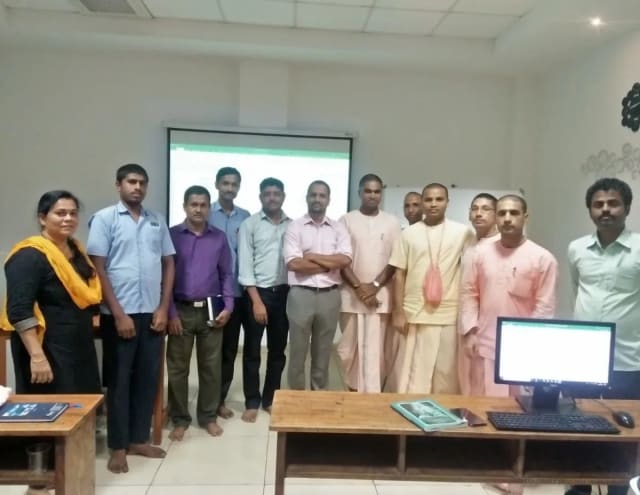
Photo 6 of 10: Group photo 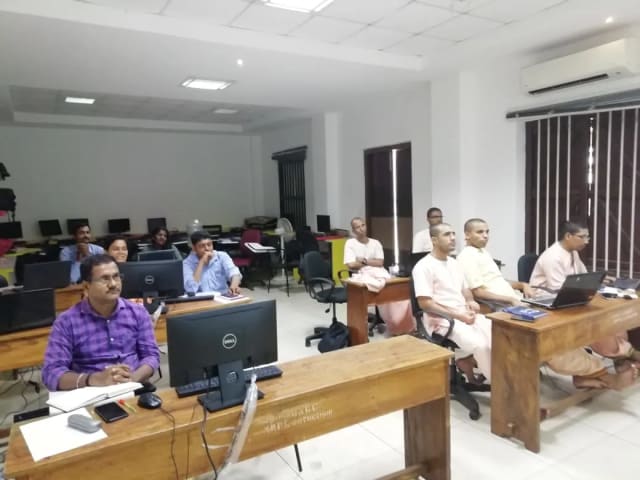
Photo 7 of 10: Computer-lab session 
Photo 8 of 10: Group photo 
Photo 9 of 10: Classroom session 
Photo 10 of 10: Group photo
Course details at a glance
The published course parameters in one place. Session times and fees are shared when a cohort is scheduled.
Ask about dates and fees| Course | AI Programming with Python |
|---|---|
| Audience | People who know basic Python and want to build AI-backed services |
| Level | Bridge course — basic Python required; not for complete beginners |
| Duration | 40 hours of live instruction across eight modules |
| Module hours | 8 + 6 + 6 + 5 + 6 + 3 + 3 + 3 = 40 |
| Delivery | Live online public cohort on Zoom |
| Schedule | Weekends or weekday late evenings; exact timetable published per cohort |
| Materials | Technovids LMS: notes, assignments, lab instructions and cohort discussion group |
| Recordings | Uploaded within 24 hours; available for three months |
| Capstone | Document Intelligence API, reviewed against written acceptance criteria |
| Lab environment | Your own computer with Python 3.11 or later; no sandbox or VM provided |
| Model API usage | LLM calls in Module 3 and the capstone use your own provider account and are billed by the provider for actual usage |
| Hosting | Not required — nothing is deployed in this course |
| Certificate | Completion certificate with a unique ID verifiable on the Technovids website |
| Trainer | A suitable Technovids expert, named for each cohort |
| Fees and dates | Shared on your free fit call or by email |
Meet the trainer panel
Each cohort is led by one suitable Technovids expert from the panel, who teaches the live classes and reviews your capstone. The whole panel does not teach every class.
Pankaj Rana
Co-founder & Lead Instructor, Technovids Consulting
Pankaj is a co-founder and the lead instructor at Technovids Consulting. His programme work spans practical AI adoption, AI engineering, evaluation, responsible production AI, data analytics and corporate learning design, with an emphasis on hands-on exercises connected to workplace tasks.
Expertise:
- Practical AI adoption
- Prompting and evaluation
- Responsible AI
- Corporate learning design
Junaid Khateeb
AI & Machine Learning Trainer, Strategist and Consultant
Junaid is an AI and machine-learning trainer, strategist and consultant with more than 22 years of training experience. His work combines enterprise AI education, business-centred adoption, responsible AI practices and applied solution design, helping professional audiences connect AI concepts to real organisational needs.
M.E. in Computer Engineering, specialising in Artificial Intelligence · author of programming books on Python, Java and C++
Expertise:
- Enterprise AI and ML training
- AI strategy and adoption
- Responsible AI
- Applied AI solution design
Pradeep Varadarajan
Technical Trainer & Curriculum Architect
Pradeep is a technical trainer and curriculum architect with more than 20 years of experience across enterprise technology, cloud infrastructure and advanced AI systems. He designs practitioner-focused programmes, labs and assessments covering AI, LLM systems, Python and machine learning, translating complex technical subjects into structured learning experiences.
Bachelor of Engineering in Electrical Engineering · instructor-led, virtual and blended delivery
Expertise:
- AI and LLM systems
- Curriculum architecture
- Python and machine learning
- Hands-on lab design
Your cohort’s lead trainer is named in the cohort details.
To book a trainer for your team, call +91 86183 46384 or email corporate@technovids.com.
Updated
What learners say about Technovids AI training
Approved feedback from participants in Technovids AI training programmes, and organisations Technovids has trained. None of it is specific to this Python course.
Organisations we have delivered training for
















Hands-on training for people and teams in AI, data, cloud, productivity and workplace skills.
Participant experiences across workplace roles
What people we trained found useful in their day-to-day work.
- Gauraw DeshmukhData Engineer · Capgemini
Technovids AI training was very practical and well structured. The sessions helped me understand how AI concepts can be applied in real data engineering and business workflows, instead of only learning theory. The trainer explained the topics clearly with relevant examples, which made the learning experience valuable and easy to follow.
- PriyanshaSoftware Developer
The AI training from Technovids helped me gain a better understanding of Generative AI, prompt engineering, and practical AI use cases for software development. The course was clear, interactive, and focused on real-world applications. It gave me confidence to explore AI tools more effectively in my work.
- Sidda RajuData Engineer
Technovids delivered the AI training in a very practical and industry-relevant way. As a data engineer, I found the examples and hands-on discussions useful for understanding how AI can improve data workflows, automation, and decision-making. The sessions were well planned and easy to understand.
- Akshat KabraData Engineer
The AI training program by Technovids was insightful and professionally delivered. It covered important AI concepts in a simple and practical manner, with examples that connected well with data and analytics use cases. The sessions helped me build a stronger foundation in applying AI in real business scenarios.
- MangeshSoftware Engineer · Siemens
Technovids conducted the AI training in a very effective and engaging manner. The sessions were practical, easy to follow, and focused on how AI can be used in real software engineering and business workflows. It was a valuable program for understanding the current direction of AI adoption in the industry.
- ReshuSoftware Developer
Technovids AI training was a very useful learning experience. The course explained AI concepts in a practical way and showed how developers can use AI tools to improve productivity, problem-solving, and application development. The trainer's approach was simple, clear, and focused on industry use cases.
Questions to ask before you join
Straight answers about readiness, time, cost and scope. Dates and fees for the next cohort are shared on your free fit call or by email.
What is AI Programming with Python?
A 40-hour, live online bridge course that teaches the backend Python needed to build AI-backed services: project structure, Pydantic, REST APIs, async Python, FastAPI, databases, testing and logging, ending with a Document Intelligence API that calls an LLM.
Is this a beginner Python course?
No. You should already know basic Python — functions, lists, dictionaries, loops and exceptions. The course does not teach Python fundamentals from zero; if you are new to Python, take a basics course first.
How do I know if I am ready?
If you can write functions, work with lists and dictionaries, read a file, handle an exception, install a package with pip and run a script from the terminal, you are ready. The readiness check on this page includes a short code sample you should be able to explain.
How much time will it take?
The course is 40 hours of live instruction across eight modules. Plan extra time between sessions for LMS assignments and to finish the capstone. The number of weeks and session length depend on whether your cohort runs on weekends or weekday late evenings, and are confirmed with the cohort details.
How are the classes delivered?
Live online through Zoom. Cohorts run on weekends or weekday late evenings; the exact timetable is published when a cohort is scheduled. There are no in-person public classes.
Are classes recorded?
Yes. Each class is uploaded to the Technovids LMS within 24 hours and stays available for three months.
What support is there between classes?
The Technovids LMS holds notes, assignments and lab instructions, and your cohort has a discussion group for questions between sessions.
What will I build?
Module exercises that each add a working piece — an httpx client, Pydantic models, FastAPI endpoints, a database layer and tests — which come together in a Document Intelligence API capstone reviewed against written acceptance criteria.
Will I pay for an LLM API?
The LLM calls in Module 3 and the capstone use an API key from a provider account you own, and the provider bills you for actual usage; some providers offer free tiers, so check their current terms. Tests mock the LLM, so running them costs nothing, and nothing in this course is hosted.
Does this course cover RAG, agents or MCP?
No. It builds the backend Python those topics depend on. RAG, controlled agents and MCP are taught in the 48-hour AI Engineering Course.
How is it different from the AI Engineering Course?
This 40-hour course takes you from basic Python to tested backend services with one capstone. The AI Engineering Course is 48 live hours over 12 weekends and assumes those skills to build RAG, agent and MCP applications.
Is it useful before Production AI Engineering?
Yes. Production AI Engineering Training, the private corporate programme, expects participants to be comfortable with FastAPI, async Python, APIs and testing — exactly what this course teaches.
Do I need data science or machine-learning knowledge?
No. The course does not cover data science, pandas-heavy analysis, model training or deep learning. It is about application and backend Python.
Who teaches the course?
A suitable Technovids expert leads each cohort and is named in the cohort details. The trainer panel on this page shows who may lead a cohort.
Is there a certificate?
Yes. On completion you receive a certificate with a unique ID that can be verified on the Technovids website. Completion criteria for this course are confirmed at enrolment.
Can I talk to someone before joining?
Yes. The free fit call starts with Chandan, Technovids’ corporate L&D expert, and an AI subject-matter expert follows up where your questions need it. There is no payment or obligation.
What are the fees and when is the next cohort?
Fees and dates are shared on your free fit call or by email rather than published here. Use the form on this page to ask.
Turn your Python into services you can ship
Book a free fit call. We will check your readiness, tell you honestly whether to start here or with the AI Engineering Course, and share the next cohort’s dates and fee.
Enquiry received
Thank you — your enquiry has been sent to the Technovids team, who will contact you about upcoming cohort details using the details you provided.