
AI & productivity · 1 day · Introductory
Prompt Engineering Mastery: ChatGPT, Claude & Gemini for Business
A one-day workshop for business teams that already use AI assistants and want dependable results: structured prompts, useful examples, clear output formats and a review habit — plus starter templates the team can reuse.
- Duration
- 1 day · 6.5 guided hours
- Cohort
- 15–25 participants
- Delivery
- Onsite or live online
- Level
- Introductory · no coding
What is the Prompt Engineering Mastery: ChatGPT, Claude & Gemini for Business course?
Prompt Engineering Training is a one-day, instructor-led Technovids workshop for business professionals who use ChatGPT or Claude but get uneven results. Participants practise a reliable way to write workplace prompts — task, context, audience, constraints and output format — then add examples, break tasks into steps and review drafts before use. It is an introductory course with no coding, and it treats human verification of facts and judgement as part of every prompt. It is a prompt engineering course in India, often run as a corporate prompt engineering workshop for one team.
Is this the right course for you or your team?
Who it is for
- Business professionals already using ChatGPT or Claude informally
- HR, marketing, sales, finance and operations teams
- Consultants, managers and team leads
- Teams that want one shared, dependable way of prompting
Situations it fits
- Answers come back vague or inconsistent from one attempt to the next
- Drafts arrive in the wrong tone for the audience
- The assistant is missing context that the person asking took for granted
- Output arrives in a format that still needs reworking
- Colleagues use different, incompatible prompting habits
Prerequisites
- Basic computer literacy
- No coding and no previous prompt-engineering training
- Access to an AI assistant your organisation has approved
When a different course fits better
This workshop concentrates on prompt-writing. If your team needs something broader or deeper, another programme will serve it better.
- ChatGPT & Claude for Business Teamsfor broader workplace adoption — writing, research, meetings, workflows and safe use over two days
- Advanced Prompt Engineering Trainingfor regular users who need repeatable, testable and maintainable prompting methods
- No-code AI automationfor business users who want to connect AI steps into automated workflows without code
Prompt Engineering Training vs Advanced Prompt Engineering Training
Both courses teach prompting for work. This one builds the core habit in a single day; the advanced course assumes that habit and adds methods a team can test and maintain.
| Prompt Engineering Training | Advanced Prompt Engineering | |
|---|---|---|
| Starting level | New or informal AI users | Regular AI users who already write clear prompts |
| Purpose | A concentrated introduction to writing better workplace prompts | Repeatable, testable and maintainable prompting methods |
| Techniques | Prompt structure, context, examples, constraints, output formatting and review | Prompt specifications, decomposition, grounding, structured output and rubric-based testing |
| Practice depth | Guided exercises on representative workplace tasks | Labs scored against agreed rubrics, including a prompt-testing matrix |
| Team output | Starter reusable templates | Maintained prompt-library entries with owners and review dates |
| Format | 1 day · 6.5 guided hours · 15–25 participants | 3 days · 16 hours · 10–20 participants |
Which course should your team choose?
Choose this one-day course when the team needs a concentrated introduction to writing better prompts.
Prompt Engineering TrainingChoose this when the team needs broader workplace adoption and safe-use habits.
ChatGPT & Claude for Business TeamsChoose this when regular users need repeatable, testable and maintainable prompting methods.
Advanced Prompt Engineering Training
The business problems this course addresses
The problem is rarely the assistant itself. It is usually the request: what it leaves out, and what nobody checks afterwards.
| Task | The usual problem | What participants practise |
|---|---|---|
| Vague answers | The answer is generic because the request was generic. | State the task, the audience and what a good answer must contain. |
| Wrong tone | A draft meant for leadership reads like a note to a colleague, or the reverse. | Name the audience, give tone guidance and show a short example of the style wanted. |
| Missing context | The assistant does not know the background the person asking took for granted. | Supply the relevant, non-sensitive context and say what to exclude. |
| Unusable format | Output arrives as paragraphs when a table, summary or checklist was needed. | Ask for the exact output format — table columns, length, headings or fields. |
| Unsupported claims | Fluent text includes facts, figures or sources that are not correct. | Build a review step into the prompt and check factual claims before anything is used. |
| Trapped good prompts | Prompts that work live in one person’s notes and are never reused. | Save tested prompts as named templates with usage notes and an owner. |
What participants will be able to do
By the end, participants should be able to write workplace prompts that produce usable first drafts — and know which parts still need a person’s judgement.
Structure a vague request
Convert a vague request into a structured prompt with task, context, audience, constraints and output.
Add context and constraints
Give the audience, background and boundaries that shape a useful answer — and say what to exclude.
Use examples
Show one or two short examples so the assistant matches the style, tone or structure required.
Request useful formats
Ask for tables, summaries, checklists or structured fields instead of undifferentiated text.
Review and improve drafts
Critique a first draft against the original request and refine the prompt instead of starting again.
Check factual claims
Identify statements, figures and sources that must be verified before a draft is used.
Protect sensitive information
Recognise what must not be pasted into an assistant and use representative material instead.
Save reusable templates
Turn a tested prompt into a named template with usage notes that colleagues can reuse.
Know where judgement is required
Recognise decisions, sensitive communications and facts that remain a person’s responsibility.
Role-based use cases
How each team applies it to real work
Every team uses the same prompt structure; the tasks differ. Each example separates what the assistant helps with from what a person still reviews.
HR & L&D
- Recurring task
- Job description drafts, policy summaries, interview question banks and learning outlines.
- How ChatGPT or Claude helps
- Produces structured first drafts from the role or policy details supplied, in the tone requested.
- A person must review
- Policy accuracy, inclusive language, and anything involving an individual employee’s data.
Marketing & communications
- Recurring task
- Campaign copy variants, email drafts, content outlines and briefs.
- How ChatGPT or Claude helps
- Generates variations against a brief and adapts tone and length for each channel.
- A person must review
- Brand voice, product and factual claims, and originality.
Sales & account teams
- Recurring task
- Outreach and follow-up emails, proposal first drafts and meeting summaries.
- How ChatGPT or Claude helps
- Drafts from the rep’s notes and structures proposals around the client’s stated needs.
- A person must review
- Anything said about the client, pricing and commitments, and what client data was shared.
Finance & analysts
- Recurring task
- Report narratives, variance explanations and summaries of long documents.
- How ChatGPT or Claude helps
- Explains figures a person has already checked, in plain language and a set structure.
- A person must review
- Every number, the stated reason for a variance, and any conclusion drawn.
Operations & project teams
- Recurring task
- SOP drafts, meeting agendas and minutes, status updates and process notes.
- How ChatGPT or Claude helps
- Turns rough notes into structured documents with owners, dates and next steps.
- A person must review
- Accuracy of steps and owners, and fit with how the process actually runs.
Managers & consultants
- Recurring task
- Decision memos, option comparisons and client or leadership briefings.
- How ChatGPT or Claude helps
- Lays out options, assumptions and counter-arguments in a comparable format.
- A person must review
- The recommendation itself, how trade-offs are weighed, and client confidentiality.
The AI assistants used in the workshop
The prompt structure taught works across assistants. Core exercises use ChatGPT and Claude through accounts your organisation approves.
ChatGPT
by OpenAIA core workspace for writing, rewriting and structuring workplace prompts.
- Rebuilding weak prompts
- Role and audience framing
- Tables, summaries and checklists
- Used in
- Before-and-after prompt, role-specific template, structured-output prompt
- What to verify
- A polished answer can still be inaccurate. Verify facts, figures and sources before use.
Claude
by AnthropicA core workspace for drafting, revising tone and working with supplied text.
- Tone and audience revisions
- Summarising supplied material
- Comparing drafts
- Used in
- Role-specific template, review checklist
- What to verify
- Use only material your organisation permits, and verify important claims before use.
Gemini
by GoogleOptional — on request, confirmed in the proposal
Available for comparison exercises when requested by the client.
- Running the same prompt in another assistant
- Seeing what transfers between tools
- Used in
- Comparison exercises, if agreed
- What to verify
- Results can differ between AI assistants. Recheck the output before adapting or reusing it.
Running one prompt in two assistants is a quick way to see that the structure of the request matters more than the tool — and that review is needed either way.
1 day · 6.5 guided hours
Detailed curriculum
4 modules, each pairing short instruction with guided practice. Sequence and examples can be adjusted after the training-needs discussion; the core outcomes stay the same.
Session 12 hours Prompting foundations
- Why outputs vary from one attempt to the next
- Task, context, audience, constraints and output
- Recognising weak prompts
Practical activityImprove a weak workplace prompt and compare the two outputs.
Session 21 hour 45 minutes Examples, roles and useful constraints
- Role and audience framing
- Few-shot examples
- Tone, exclusions and boundaries
Practical activityBuild role-specific prompt templates for the participant’s own function.
Session 31 hour 30 minutes Iteration, task breakdown and structured output
- Breaking tasks into manageable steps with checkpoints
- Requesting tables, summaries and structured fields
- Reviewing and improving drafts
Practical activityRefine a multi-step workplace prompt, checking the output after each step.
Session 41 hour 15 minutes Safe reuse and a starter prompt library
- Verification and human review
- Sensitive-data boundaries
- Naming, ownership and usage notes
- Revising or retiring outdated prompts
Practical activityDocument a reusable prompt template ready to share with the team.
Need the agenda built around your team’s work?
Share the roles attending and the tasks to improve. The proposal sets out the adapted agenda.
Exercises and practical outputs
Each session follows the same rhythm. Participants work on representative, non-sensitive workplace examples and review their drafts with the trainer before moving on.
How every module runs
Learn
A short explanation and live demonstration of one prompting technique.
Practise
Participants apply it to representative, non-sensitive tasks from their own role.
Review
Drafts are checked with the trainer for accuracy, tone, format and data handling.
Apply
The prompt that worked is saved as a template for a recurring task.
Session 1 Exercise 1: Rewrite a weak prompt
Take a vague workplace request and rebuild it with task, context, audience, constraints and output.
Practice output A before-and-after prompt pair with a note on what improved the result.
Session 2 Exercise 2: Build a role-specific template
Write a prompt for a recurring task in your function, with a role, an example and tone guidance.
Practice output A role-specific template for one recurring task.
Session 3 Exercise 3: Ask for structured output
Break a task into steps and request the result as a table, summary or set of fields.
Practice output A structured-output prompt with a checkpoint after each step.
Session 4 Exercise 4: Write a review checklist
List what must be checked in an AI draft before it is used: facts, figures, tone and data.
Practice output A short review checklist for your team’s drafts.
Session 4 Exercise 5: Start a prompt-library entry
Document a tested prompt with its purpose, allowed inputs, owner and usage notes.
Practice output A starter prompt-library entry for team review.
Exercises use realistic examples with no sensitive data. What participants make in the workshop is for practice and review, and anything they keep is their own working material.
Verification, data handling and human judgement
Better prompts make drafts faster to produce; they do not make them automatically correct. These rules apply in every exercise.
Check the product’s current documentation and your company’s data rules before you use these methods at work.
Use approved accounts only
Work only in the AI workspaces your organisation has approved. Consumer and business plans handle data differently, and your IT or information-security team decides which apply.
Keep confidential and personal information out
Do not paste client data, employee records, unpublished financials or anything under NDA into a tool that is not approved for it. Personal data also carries obligations under India’s Digital Personal Data Protection Act, 2023. Exercises use representative, non-sensitive material.
Verify facts and sources
Assistants can produce fluent statements that are wrong, including invented sources and figures. Check decision-critical facts against primary sources before use.
Treat supplied content with care
Documents, emails and web pages pasted into a prompt can contain instructions of their own (prompt injection). Keep your instructions separate from the material, and review the output before acting on it.
A person owns the result
The assistant drafts; a named person remains accountable for anything that is sent, published or decided.
Check current vendor policies
Features, data controls and usage terms change. Review the current policies for the plans you use before rollout, and again when they change.
How the course is tailored and delivered
The published agenda is the starting point. Role examples, tools and emphasis are agreed with you before the day.
From first conversation to evaluation
Training-needs discussion
A conversation with L&D or the sponsoring manager about who will attend and where prompting falls short today.
Audience and workflow mapping
We list the roles attending and select role examples and recurring tasks to use in the exercises.
Approved accounts
The AI accounts participants will use are confirmed with your organisation, including whether optional Gemini comparison exercises are wanted.
Written proposal
Agenda emphasis, examples, format, dates, trainer assignment and commercials are confirmed in writing.
Delivery
One guided day, onsite at your office in India or as private live online training.
Agreed evaluation
How the workshop is evaluated — for example participant feedback or a review of the templates produced — is agreed in advance. We do not promise a measured productivity figure.
Delivery formats
Onsite at your office
Best for: One team in one location
Instructor-led classroom delivery at the client’s workplace in India.
Private live online
Best for: Distributed teams
Interactive remote sessions with live demonstrations, exercises and review.
Role-focused cohort
Best for: One function or a mixed group
Exercise examples are selected for the roles attending.
Inside our instructor‑led training sessions
A selection of Technovids instructor-led training sessions.

Photo 1 of 10: Hands-on session 
Photo 2 of 10: Group photo 
Photo 3 of 10: Hands-on session 
Photo 4 of 10: Group photo 
Photo 5 of 10: Classroom session 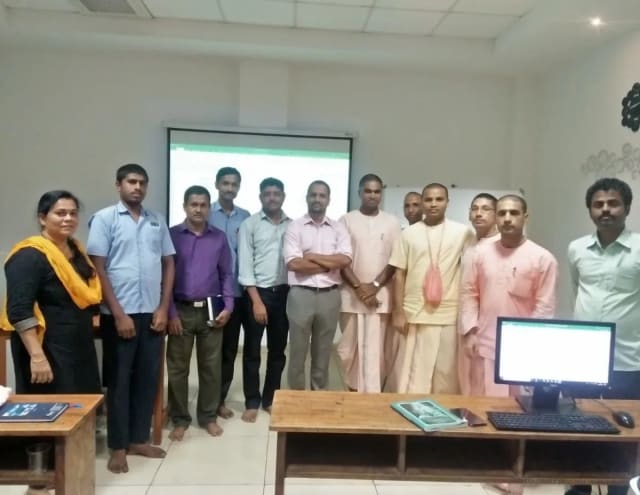
Photo 6 of 10: Group photo 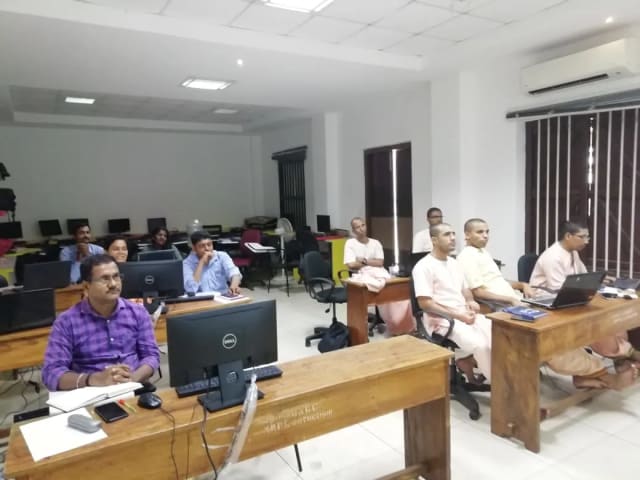
Photo 7 of 10: Computer-lab session 
Photo 8 of 10: Group photo 
Photo 9 of 10: Classroom session 
Photo 10 of 10: Group photo
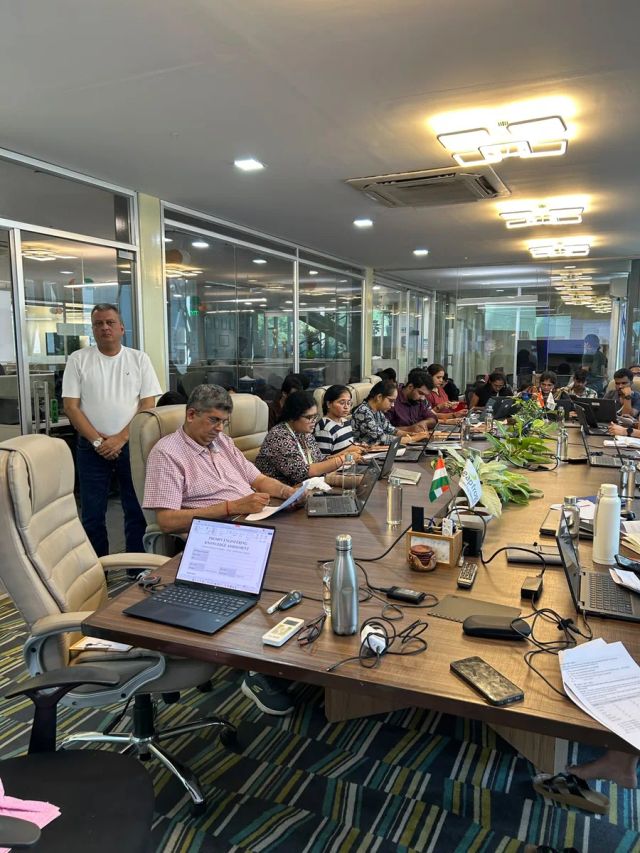
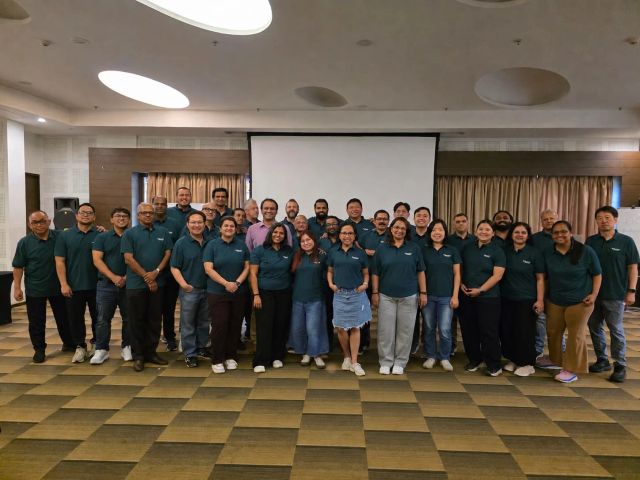
Prompt Engineering Mastery: ChatGPT, Claude & Gemini for Business sessions we have delivered
Photos from real Technovids sessions of this course with corporate teams. They show how the course is taught, not a promised result for your group.

For L&D and procurement teams
The published course parameters on one page. Final scope, dates and fees are confirmed in the written proposal.
Discuss your team’s requirements| Course | Prompt Engineering Mastery: ChatGPT, Claude & Gemini for Business |
|---|---|
| Provider | Technovids Consulting Services Pvt. Ltd., Bengaluru |
| Audience | Business professionals and teams |
| Level | Introductory — no coding required |
| Duration | 1 day · 6.5 guided hours |
| Recommended cohort | 15–25 participants per batch |
| Delivery | Onsite at your office in India, or private live online |
| Language | English |
| Prerequisites | Basic computer literacy; no previous prompt-engineering training; an approved AI assistant |
| Core tools | ChatGPT (OpenAI) and Claude (Anthropic), using organisation-approved accounts |
| Optional Gemini comparison | Available on request; confirmed in the written proposal |
| Customisation | Role examples and emphasis agreed after the training-needs discussion |
| Schedule | Date agreed with your team and confirmed in the written proposal |
| Certificate | If required by the organisation, confirmed in the written proposal. |
| Pricing approach | Custom quote based on delivery, location, cohort and customisation. |
Meet the trainer panel
Technovids assigns the trainer or trainer combination according to the audience, workshop scope and agreed delivery plan. The final trainer assignment is confirmed in the written proposal.
Pankaj Rana
Co-founder & Lead Instructor, Technovids Consulting
Pankaj is a co-founder and the lead instructor at Technovids Consulting. His programme work spans practical AI adoption, AI engineering, evaluation, responsible production AI, data analytics and corporate learning design, with an emphasis on hands-on exercises connected to workplace tasks.
Expertise:
- Practical AI adoption
- Prompting and evaluation
- Responsible AI
- Corporate learning design
Junaid Khateeb
AI & Machine Learning Trainer, Strategist and Consultant
Junaid is an AI and machine-learning trainer, strategist and consultant with more than 22 years of training experience. His work combines enterprise AI education, business-centred adoption, responsible AI practices and applied solution design, helping professional audiences connect AI concepts to real organisational needs.
M.E. in Computer Engineering, specialising in Artificial Intelligence · author of programming books on Python, Java and C++
Expertise:
- Enterprise AI and ML training
- AI strategy and adoption
- Responsible AI
- Applied AI solution design
Pradeep Varadarajan
Technical Trainer & Curriculum Architect
Pradeep is a technical trainer and curriculum architect with more than 20 years of experience across enterprise technology, cloud infrastructure and advanced AI systems. He designs practitioner-focused programmes, labs and assessments covering AI, LLM systems, Python and machine learning, translating complex technical subjects into structured learning experiences.
Bachelor of Engineering in Electrical Engineering · instructor-led, virtual and blended delivery
Expertise:
- AI and LLM systems
- Curriculum architecture
- Python and machine learning
- Hands-on lab design
The trainer or trainer combination for a specific cohort is confirmed in the written proposal.
To book a trainer for your team, call +91 86183 46384 or email corporate@technovids.com.
Updated
Organisations we have trained, and what participants say
These organisations have received Technovids training, and the reviews come from participants across Technovids programmes. None of it necessarily refers to this course.
Organisations we have delivered training for




















Hands-on training for people and teams in AI, data, cloud, productivity and workplace skills.
Participant experiences across workplace roles
What people we trained found useful in their day-to-day work.
- Gauraw DeshmukhData Engineer · Capgemini
Technovids AI training was very practical and well structured. The sessions helped me understand how AI concepts can be applied in real data engineering and business workflows, instead of only learning theory. The trainer explained the topics clearly with relevant examples, which made the learning experience valuable and easy to follow.
- PriyanshaSoftware Developer
The AI training from Technovids helped me gain a better understanding of Generative AI, prompt engineering, and practical AI use cases for software development. The course was clear, interactive, and focused on real-world applications. It gave me confidence to explore AI tools more effectively in my work.
- Sidda RajuData Engineer
Technovids delivered the AI training in a very practical and industry-relevant way. As a data engineer, I found the examples and hands-on discussions useful for understanding how AI can improve data workflows, automation, and decision-making. The sessions were well planned and easy to understand.
- Akshat KabraData Engineer
The AI training program by Technovids was insightful and professionally delivered. It covered important AI concepts in a simple and practical manner, with examples that connected well with data and analytics use cases. The sessions helped me build a stronger foundation in applying AI in real business scenarios.
- MangeshSoftware Engineer · Siemens
Technovids conducted the AI training in a very effective and engaging manner. The sessions were practical, easy to follow, and focused on how AI can be used in real software engineering and business workflows. It was a valuable program for understanding the current direction of AI adoption in the industry.
- ReshuSoftware Developer
Technovids AI training was a very useful learning experience. The course explained AI concepts in a practical way and showed how developers can use AI tools to improve productivity, problem-solving, and application development. The trainer's approach was simple, clear, and focused on industry use cases.
Common questions before planning this course
Answers about the course as published. Your written proposal records any changes we agree, how it is delivered and the price.
Do I need technical experience?
No. The workshop is for business professionals. It needs basic computer literacy and access to an approved AI assistant — no coding and no previous prompt-engineering training.
Who is this course for?
Business professionals and teams — including HR, marketing, sales, finance, operations, consultants, managers and team leads — who use ChatGPT or Claude informally and want more dependable results.
How does it differ from Advanced Prompt Engineering?
This is a one-day introduction to writing better prompts for new or informal users. Advanced Prompt Engineering Training runs over three days (16 hours) for regular AI users and covers prompt specifications, task decomposition, grounding, structured output, rubric-based testing and maintained prompt libraries.
How does it differ from ChatGPT & Claude for Business Teams?
This workshop concentrates on prompt-writing in one day. ChatGPT & Claude for Business Teams runs over two days (16 hours) and covers broader workplace adoption: writing, research, meetings, workflows and safe use.
Which tools and accounts are required?
Core exercises use ChatGPT and Claude through accounts your organisation approves. The accounts, plans and any licences are agreed before delivery and confirmed in the written proposal.
Is Gemini included?
Not by default. Gemini comparison exercises are available when requested by the client and are confirmed in the written proposal.
Can exercises use our internal workflows?
Yes, as representative, non-sensitive versions of your recurring tasks, agreed during the training-needs discussion.
How is confidential information handled?
Exercises use representative, non-sensitive material. Participants do not enter confidential, personal or client information into an unapproved tool, and your organisation remains responsible for its tool, data and review policies.
Can it be customised?
Yes. Role examples, recurring tasks and emphasis are adapted to the audience after the training-needs discussion and confirmed in the written proposal.
Is it available onsite and online?
Yes. Technovids delivers it onsite at your office in India or as private live online training.
What practice outputs are created?
During the day participants practise producing a before-and-after prompt, a role-specific template, a structured-output prompt, a review checklist and a starter prompt-library entry. These are practice outputs built on representative material, not guaranteed deliverables.
What is the recommended cohort?
The workshop is designed for 15–25 participants. Larger groups can be planned as separate cohorts in the proposal.
Who delivers the training?
Technovids maintains a trainer panel that includes Pankaj Rana, Junaid Khateeb and Pradeep Varadarajan. The lead trainer or trainer combination is selected according to the audience and agreed scope, and is confirmed in the written proposal.
Is a certificate included?
If your organisation requires completion certificates, this is confirmed in the written proposal.
How is pricing determined?
Pricing is a custom quote based on delivery format, location, cohort and customisation. No payment is taken through this page.
Turn a training requirement into a clear course proposal
Share the audience, team size, delivery preference and the work you want to improve. Technovids will scope the programme and confirm the details in a written proposal.
Request received
Thank you — your request has been sent to the Technovids corporate training team. If you would rather speak to someone directly, the phone and WhatsApp details are at the top and bottom of this page.