
Corporate · Gemini in Gmail, Meet, Docs, Sheets, Slides and Drive · 12–14 hours
Gemini Training for Google Workspace Teams
A hands-on programme that turns Gemini licences into everyday habits: faster email and meetings, better documents, sheets and decks, research with sources, and simple automations built in Workspace Studio, with the data rules your organisation needs.
- Duration
- 12 or 14 hours
- Delivery
- Onsite or live online
- Labs
- Your own work scenarios
- Cohort
- 20–25 participants
What is the Gemini Training for Google Workspace course?
Gemini Training for Google Workspace Teams is 12 or 14 hours of Gemini training for business teams, delivered onsite at your office in India or live online. Participants learn to use Gemini in Gmail, Calendar, Meet, Docs, Sheets, Slides and Drive, research with the Gemini app, build Gems for repeated tasks, automate routine work with Workspace Studio, and follow the data and review rules that keep AI use safe.
Is this the right course for you or your team?
Who it is for
- Business teams on Google Workspace with Gemini enabled or about to be
- Managers and team leads who run meetings, reports and email-heavy work
- Sales, HR, finance, operations and marketing teams that work in Docs, Sheets and Slides
- Workspace admins and AI champions planning a Gemini rollout
Situations it fits
- Gemini is switched on, but most people have not changed how they work
- Teams want help with email, meeting notes, reports and presentations
- Leaders want simple automations without a development project
- IT and compliance need clear rules on data, sharing and review before scaling
Prerequisites
- Everyday use of Gmail, Docs, Sheets and Slides
- A Google Workspace account with Gemini features enabled by your admin
- A laptop with Chrome, or the Gemini desktop app where your organisation allows it
- Sample documents, sheets or emails that are approved for training use
When a different course fits better
If your organisation works on Microsoft 365 or another assistant, another programme fits better.
- Microsoft Copilot trainingfor organisations on Microsoft 365 Copilot and Copilot Studio
- ChatGPT & Claude for businessfor teams using ChatGPT or Claude as their assistant
- AI training for employeesfor a tool-neutral introduction to AI at work
The business problems this course addresses
The programme is built around the problems teams report after Gemini is switched on.
| Task | The usual problem | What participants practise |
|---|---|---|
| Low adoption | Licences are assigned, but few people use Gemini beyond an occasional question. | Role-based labs in the apps people already use every day. |
| Email and meeting overload | Hours go on reading threads, scheduling and writing up meetings. | Gmail summaries and drafting, Help me schedule, and meeting notes and next steps in Meet. |
| Slow documents and reports | Drafting documents, analysing sheets and building decks takes too long. | Gemini in Docs, Sheets and Slides, with prompts tied to your templates. |
| Unreliable answers | People copy AI output without checking it. | Grounding in your own files, checking sources, and a review step before anything is shared. |
| Repetitive tasks | The same weekly reports, follow-ups and summaries are done by hand. | Gems for repeated prompts and Workspace Studio flows for routine steps. |
| Data and sharing concerns | Leaders worry about what Gemini can see and what gets shared. | How Gemini respects Drive permissions, admin controls and clear team rules. |
What participants will be able to do
By the end of the programme, participants should be able to:
Handle email and meetings faster
Summarise threads, draft replies, schedule meetings and get notes and next steps from Meet.
Create better documents
Draft, rewrite and structure Docs, and turn content into Slides decks.
Analyse data in Sheets
Ask questions of data, build formulas and tables, and explain the results.
Research with sources
Use the Gemini app and Deep Research, grounded in your Drive files, and check what it cites.
Reuse what works
Build Gems and shared prompts for the team’s repeated tasks.
Automate routine work
Build simple Workspace Studio flows and follow the organisation’s data and review rules.
Role-based use cases
How each team applies it to real work
The same practices apply across departments. Each use case separates what Gemini does from what a person owns.
Managers
- Business work
- Meetings, updates and team communication.
- What Gemini does
- Takes meeting notes, lists next steps and drafts the follow-up email.
- What a person checks
- Decisions, owners and dates are right before anything is sent.
Sales
- Business work
- Proposals, account research and follow-ups.
- What Gemini does
- Drafts proposals from templates and researches accounts with sources.
- What a person checks
- Pricing, commitments and claims about the client.
HR
- Business work
- Policies, job descriptions and employee communication.
- What Gemini does
- Drafts and rewrites documents and answers questions from approved policies.
- What a person checks
- Fairness, legal accuracy and personal data.
Finance & operations
- Business work
- Reports, trackers and analysis in Sheets.
- What Gemini does
- Builds formulas, summarises data and explains trends.
- What a person checks
- Numbers against the source, and every formula before it is relied on.
Marketing
- Business work
- Content, briefs and presentations.
- What Gemini does
- Drafts copy and briefs and turns them into Slides decks.
- What a person checks
- Brand voice, facts and image rights.
Admins & AI champions
- Business work
- Rollout, settings and support.
- What Gemini does
- Gems, shared prompts and Workspace Studio flows spread good practice.
- What a person checks
- Admin settings, data access and how adoption is measured.
Gemini inside the apps your teams already use
Labs run in your organisation’s Google Workspace, with features your admin has enabled.
Gemini app
by GoogleChat, Deep Research, Gems and notebooks, grounded in your files.
- Research with sources
- Gems for repeated tasks
- Working across Drive files
- What to verify
- Feature availability depends on your Workspace edition and admin settings.
Gmail & Calendar
by GoogleSummaries, drafting and scheduling.
- Thread summaries
- Help me write
- Help me schedule
Google Meet
by GoogleMeeting notes and next steps.
- Take notes for me
- Next steps and follow-ups
Google Drive, Docs, Sheets & Slides
by GoogleGemini in the side panel and in each editor.
- Drafting and rewriting in Docs
- Analysis and formulas in Sheets
- Decks in Slides
Google Workspace Studio
by GoogleWhere enabled
No-code automation of routine steps across Workspace.
- Flows from team procedures
- Connectors to other business apps
12–14 hours · 12 or 14 hours
Detailed curriculum
Two days, six modules. Hours are shown for the 12-hour and the 14-hour plans; the 14-hour plan adds more lab time on documents, data and automation.
Day 1 · Gemini in daily work
Module 011.5 h · 2 h Foundations and safe use
- What Gemini can do in Workspace and the Gemini app
- How Gemini uses your files and respects Drive permissions
- Writing clear prompts: role, task, context and format
- Checking output: sources, facts and tone
Practical activityAgree the team’s rules for what to share with Gemini and how to review its output.
Module 022 h · 2.5 h Gmail, Calendar and Meet
- Summarising threads and finding information in the inbox
- Help me write: drafting and refining replies
- Help me schedule and Calendar
- Meeting notes, next steps and follow-ups from Meet
Practical activityClear a sample inbox, schedule a meeting and send a follow-up from meeting notes.
Module 033 h · 3 h Docs, Sheets, Slides and Drive
- Drafting, rewriting and structuring in Docs
- Analysing data, formulas and tables in Sheets
- Building decks and visuals in Slides
- Asking questions across Drive files from the side panel
Practical activityTurn a set of notes and data into a short report and a presentation for your team.
Day 2 · Research and automation
Module 042 h · 2 h Research and knowledge: Gemini app, Deep Research and Gems
- Research with the Gemini app and Deep Research
- Grounding answers in your own files
- Notebooks for project knowledge
- Gems for the team’s repeated tasks
Practical activityBuild a Gem for a weekly team task and test it on real examples.
Module 052 h · 2.5 h Automation with Workspace Studio and connectors
- What Workspace Studio automates and where it stops
- Turning a team procedure into a flow
- Connectors to other business apps your admin allows
- Testing, sharing and keeping a person in the loop
Practical activityAutomate one routine step, such as a weekly summary or a follow-up, and document how it is reviewed.
Module 061.5 h · 2 h Governance and adoption
- Admin controls for Gemini and Workspace Studio
- Data protection, sharing and sensitive information
- Measuring adoption and value
- A team playbook and rollout plan
Practical activityDraft your team’s Gemini playbook: use cases, prompts, Gems and review rules.
Need the agenda built around your team’s work?
Share the roles attending and the tasks to improve. The proposal sets out the adapted agenda.
Exercises and practical outputs
Every module is hands-on, on scenarios from participants’ own work.
How every module runs
Show
A short live demonstration in Gmail, Meet, Docs, Sheets, Slides or the Gemini app.
Practise
Participants repeat it on their own approved work examples.
Check
Every output is reviewed for facts, sources and tone before it is used.
Standardise
What works becomes a shared prompt, Gem or flow for the team.
Exercises use representative, non-sensitive examples. Outputs are produced during the workshop for practice and review; anything participants keep is their own working material.
Verification, data handling and human judgement
AI output is a draft until a person checks it. These rules apply in every lab.
Check the current product documentation and your organisation’s data-handling rules before applying these workflows.
Check before sharing
Read every draft, summary and analysis before sending it. You own what goes out under your name.
Protect sensitive data
Follow your organisation’s rules for personal, client and confidential data, even inside Workspace.
Mind file permissions
Gemini works with the files you can access. Tidy oversharing in Drive before relying on it.
Verify sources
Open the sources Gemini cites, especially in research and reports.
Keep a person in automations
Workspace Studio flows that send, share or change data have a review step and an owner.
Check numbers
Test formulas and figures in Sheets against the source data before using them.
How the course is tailored and delivered
The labs are adapted to your departments, your Workspace edition and the features your admin has enabled.
From first conversation to evaluation
Needs discussion
Your teams, current Gemini use and the work you want it to help with.
Edition and settings check
With your Workspace admin: edition, enabled Gemini features, Workspace Studio and data rules.
Lab design
Exercises built on each team’s real work, with approved sample files.
Agenda confirmation
12- or 14-hour plan, module emphasis, dates and commercials in a written proposal.
Delivery and handover
Instructor-led labs onsite or live online, with the playbook, prompts and Gems handed over.
Delivery formats
Two days onsite
Best for: One office location
Delivered at your office anywhere in India, with participants on their own laptops.
Live online in four sessions
Best for: Distributed teams
Four sessions of three to three and a half hours, with practice between sessions.
Champions first, then teams
Best for: Large organisations
Train AI champions and admins first, then roll out department by department.
12-hour plan: two days of six hours, or four online sessions of three hours. 14-hour plan: two days of seven hours, or four online sessions of three and a half hours.
Inside our instructor‑led training sessions
A selection of real classroom, computer-lab and team sessions delivered by Technovids.

Photo 1 of 10: Hands-on session 
Photo 2 of 10: Group photo 
Photo 3 of 10: Hands-on session 
Photo 4 of 10: Group photo 
Photo 5 of 10: Classroom session 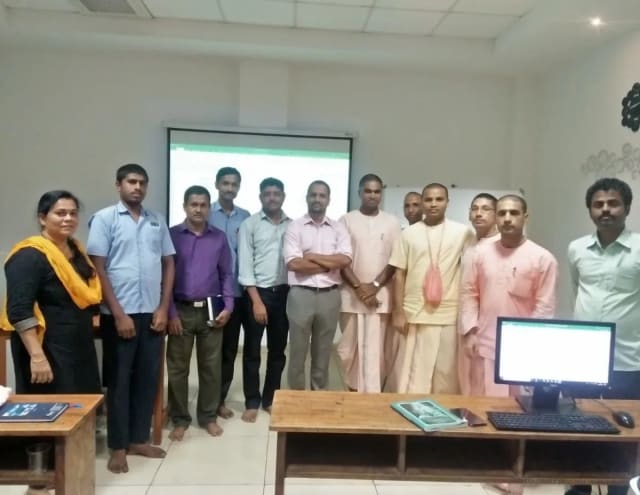
Photo 6 of 10: Group photo 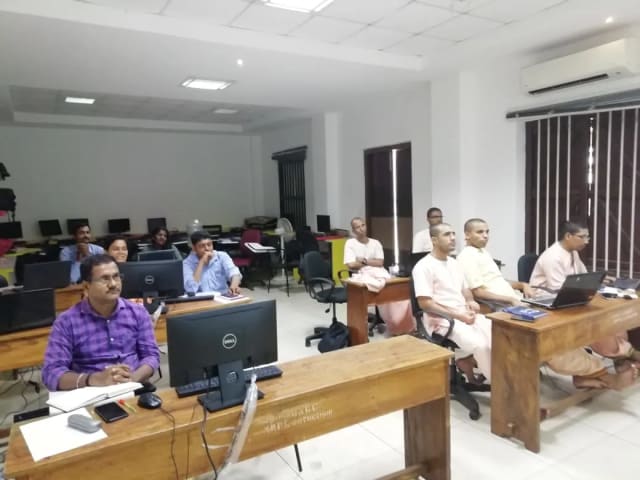
Photo 7 of 10: Computer-lab session 
Photo 8 of 10: Group photo 
Photo 9 of 10: Classroom session 
Photo 10 of 10: Group photo
For L&D and procurement teams
The published course parameters on one page. Final scope, dates and fees are confirmed in the written proposal.
Discuss your team’s requirements| Course | Gemini Training for Google Workspace |
|---|---|
| Provider | Technovids Consulting Pvt. Ltd., Bengaluru |
| Audience | Business teams, managers, Workspace admins and AI champions |
| Level | Beginner to intermediate — business users on Google Workspace |
| Duration | 12 hours (two days of six hours) or 14 hours (two days of seven hours) |
| Recommended cohort | 20–25 participants |
| Format and location | Onsite at your office anywhere in India, or private live online |
| Tools | Gemini in Gmail, Calendar, Meet, Docs, Sheets, Slides and Drive; the Gemini app; Workspace Studio where enabled |
| Prerequisites | Everyday Workspace use; Gemini enabled by your admin; approved sample files |
| Takeaways | Prompt library, team Gems, a sample automation and a team Gemini playbook |
| Certificate | If your organisation needs one, confirmed in the written proposal |
| Pricing approach | Custom quote based on hours, format, location and cohort plan; confirmed in the written proposal |
The trainer assigned to your programme
Technovids assigns a trainer from its panel whose experience fits your teams and tools.
Pankaj Rana
Co-founder & Lead Instructor, Technovids Consulting
Pankaj is a co-founder and the lead instructor at Technovids Consulting. His programme work spans practical AI adoption, AI engineering, evaluation, responsible production AI, data analytics and corporate learning design, with an emphasis on hands-on exercises connected to workplace tasks.
Expertise:
- Practical AI adoption
- Prompting and evaluation
- Responsible AI
- Corporate learning design
Junaid Khateeb
AI & Machine Learning Trainer, Strategist and Consultant
Junaid is an AI and machine-learning trainer, strategist and consultant with more than 22 years of training experience. His work combines enterprise AI education, business-centred adoption, responsible AI practices and applied solution design, helping professional audiences connect AI concepts to real organisational needs.
M.E. in Computer Engineering, specialising in Artificial Intelligence · author of programming books on Python, Java and C++
Expertise:
- Enterprise AI and ML training
- AI strategy and adoption
- Responsible AI
- Applied AI solution design
Pradeep Varadarajan
Technical Trainer & Curriculum Architect
Pradeep is a technical trainer and curriculum architect with more than 20 years of experience across enterprise technology, cloud infrastructure and advanced AI systems. He designs practitioner-focused programmes, labs and assessments covering AI, LLM systems, Python and machine learning, translating complex technical subjects into structured learning experiences.
Bachelor of Engineering in Electrical Engineering · instructor-led, virtual and blended delivery
Expertise:
- AI and LLM systems
- Curriculum architecture
- Python and machine learning
- Hands-on lab design
The trainer for your programme is confirmed in the written proposal.
Updated
Organisations we have trained, and what participants say
Organisations Technovids has delivered training for, followed by feedback from participants across Technovids programmes — not only this course.
Organisations we have delivered training for



















Practical training programmes delivered for learners, professionals and teams across AI, data, cloud, productivity and professional skills.
Participant experiences across workplace roles
What professionals found useful, practical and relevant to their day-to-day work.
- Gauraw DeshmukhData Engineer · Capgemini
Technovids AI training was very practical and well structured. The sessions helped me understand how AI concepts can be applied in real data engineering and business workflows, instead of only learning theory. The trainer explained the topics clearly with relevant examples, which made the learning experience valuable and easy to follow.
- PriyanshaSoftware Developer
The AI training from Technovids helped me gain a better understanding of Generative AI, prompt engineering, and practical AI use cases for software development. The course was clear, interactive, and focused on real-world applications. It gave me confidence to explore AI tools more effectively in my work.
- Sidda RajuData Engineer
Technovids delivered the AI training in a very practical and industry-relevant way. As a data engineer, I found the examples and hands-on discussions useful for understanding how AI can improve data workflows, automation, and decision-making. The sessions were well planned and easy to understand.
- Akshat KabraData Engineer
The AI training program by Technovids was insightful and professionally delivered. It covered important AI concepts in a simple and practical manner, with examples that connected well with data and analytics use cases. The sessions helped me build a stronger foundation in applying AI in real business scenarios.
- MangeshSoftware Engineer · Siemens
Technovids conducted the AI training in a very effective and engaging manner. The sessions were practical, easy to follow, and focused on how AI can be used in real software engineering and business workflows. It was a valuable program for understanding the current direction of AI adoption in the industry.
- ReshuSoftware Developer
Technovids AI training was a very useful learning experience. The course explained AI concepts in a practical way and showed how developers can use AI tools to improve productivity, problem-solving, and application development. The trainer's approach was simple, clear, and focused on industry use cases.
Common questions before planning this course
Answers about the published course. The written proposal records any agreed customisation, delivery details and commercials.
What does the Gemini training cover?
Gemini in Gmail, Calendar and Meet; Gemini in Docs, Sheets, Slides and Drive; research with the Gemini app and Deep Research; Gems and notebooks; simple automations in Workspace Studio; and the data, review and governance practices a team needs.
How long is the course?
Either 12 hours (two days of six hours, or four online sessions of three hours) or 14 hours (two days of seven hours, or four online sessions of three and a half hours). The 14-hour plan adds lab time on documents, data and automation.
Do participants need Gemini licences?
Yes. Each participant needs a Google Workspace account with Gemini features enabled. Features differ by Workspace edition and admin settings, so we check what your organisation has before delivery and design the labs around it.
Is this course for technical teams?
No. It is for business users, managers and admins. No coding is needed. Developers who want AI coding tools are better served by the GitHub Copilot or Claude Code training.
Does the course cover Workspace Studio?
Yes, where your admin has enabled it. Module 5 covers turning a team procedure into a flow, using connectors your admin allows, and keeping a person in the loop.
Will the training cover data security?
Yes. Module 1 and Module 6 cover how Gemini uses your files and Drive permissions, sensitive data, admin controls and the team rules for reviewing output.
Can participants use their own documents?
Yes, if they are approved for training use. Otherwise we provide realistic sample emails, documents and sheets for each department.
How is this different from Microsoft Copilot training?
This course is for organisations on Google Workspace. Microsoft Copilot training covers Microsoft 365 Copilot and Copilot Studio for organisations on Microsoft 365.
Is the training delivered onsite?
Yes. Technovids delivers onsite at your office anywhere in India, or as private live online sessions.
How is the course priced?
Through a custom proposal based on the 12- or 14-hour plan, format, location and cohort size. No payment is taken through this page.
Turn a training requirement into a clear course proposal
Share the audience, team size, delivery preference and the work you want to improve. Technovids will scope the programme and confirm the details in a written proposal.