
Corporate · GitHub Copilot in the IDE, on GitHub and in the CLI · 12–14 hours
GitHub Copilot Training for Development Teams
A hands-on programme that takes your developers from autocomplete to agentic workflows: Copilot in the IDE, the coding agent working on issues, Copilot code review and the Copilot CLI, with the review and security habits that keep quality high.
- Duration
- 12 or 14 hours
- Delivery
- Onsite or live online
- Labs
- Your stack and repositories
- Cohort
- 20–25 developers
What is the GitHub Copilot Training course?
GitHub Copilot Training for Development Teams is a 12- or 14-hour Technovids programme, delivered onsite at your office in India or live online. Developers learn to use Copilot Chat and agent mode in VS Code, Visual Studio or JetBrains IDEs, assign issues to the Copilot coding agent and review its pull requests, use Copilot code review and the Copilot CLI, and set team instructions, policies and review rules so AI-assisted code stays secure and maintainable.
Is this the right course for you or your team?
Who it is for
- Software developers using or about to receive GitHub Copilot licences
- Tech leads and architects setting standards for AI-assisted development
- QA and test engineers who want Copilot to help with test design and coverage
- DevOps and platform engineers automating work with the Copilot CLI
Situations it fits
- Copilot seats are assigned, but most developers only accept inline suggestions
- Teams want to use agent mode and the coding agent but have no shared rules for review
- Leaders need security, IP and quality guardrails before scaling AI-generated code
- Engineering managers want to measure adoption beyond seat counts
Prerequisites
- Working knowledge of at least one programming language and Git
- GitHub Copilot Business or Enterprise seats (or trial access) for each participant
- VS Code, Visual Studio or a JetBrains IDE with the Copilot extension installed
- A sandbox repository, or approval to use a non-sensitive internal repository, for the labs
When a different course fits better
If your developers work with Claude instead, or you need deeper AI application engineering, another programme fits better.
- Claude Code trainingfor teams using Claude Code as their AI coding tool
- Production AI engineeringfor engineers building RAG, agents and MCP into products
- Microsoft Copilot trainingfor business teams using Microsoft 365 Copilot and Copilot Studio
The business problems this course addresses
The programme is built around the problems engineering leaders report after rolling out Copilot.
| Task | The usual problem | What participants practise |
|---|---|---|
| Shallow use | Developers accept inline suggestions but rarely use chat, agent mode or the coding agent. | Hands-on labs for each mode, on your own stack, so developers know when to use which. |
| Inconsistent output | Every developer prompts differently and Copilot ignores team conventions. | Repository custom instructions and prompt files that encode your standards. |
| Unreviewed AI code | Large AI-generated changes slip through with weak review. | A review checklist, tests first, and Copilot code review as a second reviewer, never the only one. |
| Security and IP worries | Leaders worry about secrets, vulnerable code and licensing. | Content exclusions, public-code filters, secret and code scanning, and clear rules for sensitive repositories. |
| Backlog of small tasks | Bug fixes, tests and refactors queue up behind feature work. | Assign well-scoped issues to the coding agent and review its pull requests. |
| No adoption data | Managers cannot tell whether Copilot is helping. | Usage metrics, a team playbook and agreed measures such as review time and test coverage. |
What participants will be able to do
By the end of the programme, developers should be able to:
Use every Copilot mode
Choose between completions, ask, edit, plan and agent mode for the task in front of them.
Steer Copilot with team context
Write repository custom instructions and prompt files that make Copilot follow your conventions.
Work with agents safely
Run agent mode with approvals, connect MCP servers and keep changes small and reviewable.
Delegate to the coding agent
Write issues the Copilot coding agent can complete, then review and iterate on its pull requests.
Review AI-generated code
Use Copilot code review and a human checklist covering tests, security, performance and licensing.
Automate from the terminal
Use the Copilot CLI for planning, scripting and repository tasks within team policies.
Role-based use cases
How each team applies it to real work
The same practices apply across the software lifecycle. Each use case separates what Copilot does from what an engineer owns.
Feature development
- Engineering work
- New endpoints, components and services.
- What Copilot does
- Plans the change, drafts code across files in agent mode and explains unfamiliar parts of the codebase.
- What an engineer checks
- Design fit, edge cases, performance and that the change matches the issue.
Testing & QA
- Engineering work
- Unit tests, test data and coverage gaps.
- What Copilot does
- Generates tests from code and requirements, and suggests missing cases.
- What an engineer checks
- That tests assert real behaviour, not just mirror the implementation.
Maintenance & refactoring
- Engineering work
- Legacy code, upgrades and clean-up.
- What Copilot does
- Explains old code, proposes refactors and handles well-scoped issues through the coding agent.
- What an engineer checks
- Behaviour stays the same, tests pass and the diff stays reviewable.
Code review
- Engineering work
- Pull request review load.
- What Copilot does
- Copilot code review adds comments and suggested fixes to pull requests.
- What an engineer checks
- The final approval, architecture decisions and anything Copilot cannot see.
DevOps & scripting
- Engineering work
- Scripts, pipelines and repository chores.
- What Copilot does
- The Copilot CLI plans and runs terminal tasks, with approvals for commands.
- What an engineer checks
- Commands that change infrastructure, data or permissions.
Tech leads
- Engineering work
- Standards and onboarding.
- What Copilot does
- Custom instructions, prompt files and custom agents spread team conventions.
- What an engineer checks
- Policy settings, security rules and how success is measured.
Copilot wherever your developers work
Labs run in the IDEs and repositories your team already uses.
GitHub Copilot
by GitHubCompletions, chat, agent mode, the coding agent and code review.
- Chat, edit, plan and agent modes
- Coding agent on issues
- Code review on pull requests
- What to verify
- Feature availability depends on your Copilot plan and organisation policies.
VS Code
by MicrosoftPrimary lab IDE; Visual Studio or JetBrains on request.
- Agent mode with approvals
- MCP servers
- Prompt files and custom instructions
JetBrains IDEs
by JetBrainsOn request
For teams on IntelliJ IDEA, PyCharm and other JetBrains IDEs.
- Copilot chat and agent workflows in JetBrains
GitHub
by GitHubIssues, pull requests, Actions and security features used with Copilot.
- Assigning issues to the coding agent
- Reviewing pull requests
- Code and secret scanning
12–14 hours · 12 or 14 hours
Detailed curriculum
Two days, six modules. Hours are shown for the 12-hour and the 14-hour plans; the 14-hour plan adds more lab time on agents and the CLI.
Day 1 · Copilot in the IDE
Module 011.5 h · 2 h Foundations, plans and responsible use
- What Copilot can see and how context is built
- Copilot plans and the policies your organisation controls
- Choosing models for different tasks
- Security, privacy and IP: public-code filters and content exclusions
Practical activityConfigure Copilot for the lab repository and agree the team’s ground rules.
Module 022.5 h · 3 h Copilot Chat, edits and team instructions
- Completions versus chat: when each helps
- Ask, edit and plan modes
- Explaining, refactoring and documenting code
- Generating and improving tests
- Repository custom instructions and reusable prompt files
Practical activityWrite a custom instructions file for your codebase and use it to refactor a module with tests.
Module 032 h · 2.5 h Agent mode and MCP
- Agent mode for multi-file changes
- Approving terminal commands and edits
- Connecting MCP servers as tools
- Custom agents for repeatable team tasks
- Keeping agent changes small and reviewable
Practical activityUse agent mode to implement a small feature end to end, with tests, and review the diff.
Day 2 · Copilot on GitHub
Module 042 h · 2 h The coding agent and Copilot code review
- Writing issues the coding agent can complete
- Assigning work and reviewing the agent’s pull requests
- How the agent self-reviews and runs security scanning
- Copilot code review on pull requests, with agent skills
- Where human review stays mandatory
Practical activityAssign three scoped issues to the coding agent, then review and iterate on its pull requests.
Module 051.5 h · 2 h Copilot CLI and automation
- Copilot CLI: plan mode and running tasks with approval
- Delegating long tasks to the cloud agent
- MCP servers and custom instructions in the CLI
- Hooks and policies that limit file and command access
Practical activityAutomate a repository chore with the Copilot CLI and document the guardrails used.
Module 062.5 h · 2.5 h Security, governance and adoption
- A review checklist for AI-generated code
- Secret scanning, code scanning and dependency checks
- Organisation policies, model availability and audit
- Copilot usage metrics and team-level measures
- A team playbook and rollout plan
Practical activityDraft your team’s Copilot playbook: instructions, review rules and adoption measures.
Need the agenda built around your team’s work?
Share the roles attending and the tasks to improve. The proposal sets out the adapted agenda.
Exercises and practical outputs
Every module is hands-on, on a repository in your team’s main language.
How every module runs
Show
A short live demonstration in the IDE, on GitHub or in the terminal.
Build
Developers repeat it on the lab repository in their own language and framework.
Review
Every AI-generated change is reviewed against the team checklist.
Standardise
What works becomes a team instruction, prompt file or rule.
Exercises use representative, non-sensitive examples. Outputs are produced during the workshop for practice and review; anything participants keep is their own working material.
Verification, data handling and human judgement
AI-generated code is still your code. These rules apply in every lab.
Check the current product documentation and your organisation’s data-handling rules before applying these workflows.
Review every change
Treat Copilot output like a pull request from a new colleague: read it, run it and test it before merging.
Keep secrets out
Never paste credentials into prompts. Use secret scanning and content exclusions for sensitive files and repositories.
Approve agent actions
Agent mode and the CLI ask before running commands. Keep approvals on for anything that touches infrastructure or data.
Scan for vulnerabilities
Run code scanning and dependency checks on AI-assisted changes, as the coding agent does before opening a pull request.
Respect licences
Use the public-code filter and code referencing settings your organisation chooses, and follow your open-source policy.
Small, testable changes
Ask agents for small, scoped changes with tests. Large unreviewable diffs are rejected.
How the course is tailored and delivered
The labs are adapted to your languages, frameworks, IDEs and Copilot plan.
From first conversation to evaluation
Engineering-needs discussion
Your stack, team size, current Copilot use and the outcomes you want.
Plan and policy check
With your admins: Copilot plan, enabled features, policies and the lab repositories.
Lab design
Exercises built on your stack, using a sandbox or a non-sensitive internal repository.
Agenda confirmation
12- or 14-hour plan, module emphasis, dates and commercials in a written proposal.
Delivery and handover
Instructor-led labs onsite or live online, with the team playbook and instruction templates handed over.
Delivery formats
Two days onsite
Best for: One engineering location
Delivered at your office anywhere in India, with developers working on their own laptops.
Live online in four sessions
Best for: Distributed teams
Four sessions of three to three and a half hours, with labs between sessions.
Leads first, then teams
Best for: Large engineering organisations
Train tech leads first to set standards, then roll out to squads.
12-hour plan: two days of six hours, or four online sessions of three hours. 14-hour plan: two days of seven hours, or four online sessions of three and a half hours.
Inside our instructor‑led training sessions
A selection of real classroom, computer-lab and team sessions delivered by Technovids.

Photo 1 of 10: Hands-on session 
Photo 2 of 10: Group photo 
Photo 3 of 10: Hands-on session 
Photo 4 of 10: Group photo 
Photo 5 of 10: Classroom session 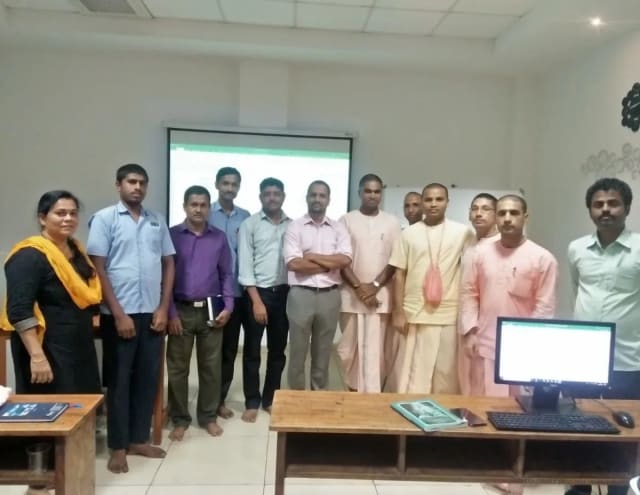
Photo 6 of 10: Group photo 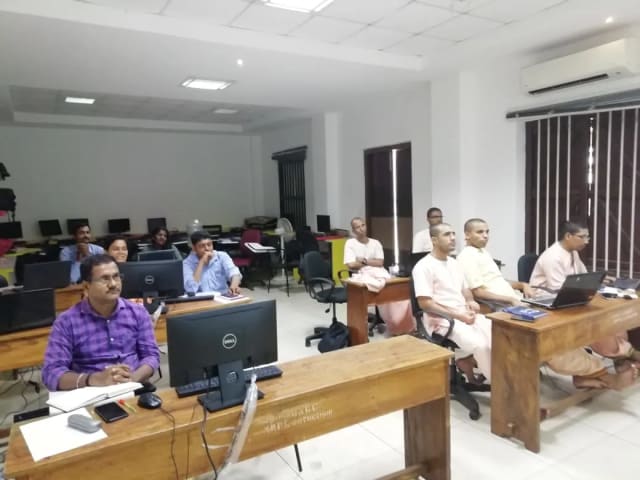
Photo 7 of 10: Computer-lab session 
Photo 8 of 10: Group photo 
Photo 9 of 10: Classroom session 
Photo 10 of 10: Group photo
For L&D and procurement teams
The published course parameters on one page. Final scope, dates and fees are confirmed in the written proposal.
Discuss your team’s requirements| Course | GitHub Copilot Training |
|---|---|
| Provider | Technovids Consulting Pvt. Ltd., Bengaluru |
| Audience | Software developers, tech leads, QA and DevOps engineers |
| Level | Intermediate — working developers |
| Duration | 12 hours (two days of six hours) or 14 hours (two days of seven hours) |
| Recommended cohort | 20–25 developers |
| Format and location | Onsite at your office anywhere in India, or private live online |
| Languages and stacks | Labs adapted to your stack, for example Java, Python, JavaScript/TypeScript or .NET |
| Tools | GitHub Copilot (IDE, coding agent, code review, CLI), VS Code or JetBrains IDEs, GitHub |
| Prerequisites | Programming and Git experience; Copilot seats; an approved lab repository |
| Takeaways | Custom instruction and prompt file templates, a review checklist and a team Copilot playbook |
| Certificate | If your organisation needs one, confirmed in the written proposal |
| Pricing approach | Custom quote based on hours, format, location and cohort plan; confirmed in the written proposal |
The trainer assigned to your programme
Technovids assigns a trainer from its panel whose engineering depth fits your stack.
Pankaj Rana
Co-founder & Lead Instructor, Technovids Consulting
Pankaj is a co-founder and the lead instructor at Technovids Consulting. His programme work spans practical AI adoption, AI engineering, evaluation, responsible production AI, data analytics and corporate learning design, with an emphasis on hands-on exercises connected to workplace tasks.
Expertise:
- Practical AI adoption
- Prompting and evaluation
- Responsible AI
- Corporate learning design
Junaid Khateeb
AI & Machine Learning Trainer, Strategist and Consultant
Junaid is an AI and machine-learning trainer, strategist and consultant with more than 22 years of training experience. His work combines enterprise AI education, business-centred adoption, responsible AI practices and applied solution design, helping professional audiences connect AI concepts to real organisational needs.
M.E. in Computer Engineering, specialising in Artificial Intelligence · author of programming books on Python, Java and C++
Expertise:
- Enterprise AI and ML training
- AI strategy and adoption
- Responsible AI
- Applied AI solution design
Pradeep Varadarajan
Technical Trainer & Curriculum Architect
Pradeep is a technical trainer and curriculum architect with more than 20 years of experience across enterprise technology, cloud infrastructure and advanced AI systems. He designs practitioner-focused programmes, labs and assessments covering AI, LLM systems, Python and machine learning, translating complex technical subjects into structured learning experiences.
Bachelor of Engineering in Electrical Engineering · instructor-led, virtual and blended delivery
Expertise:
- AI and LLM systems
- Curriculum architecture
- Python and machine learning
- Hands-on lab design
The trainer for your programme is confirmed in the written proposal.
Updated
Organisations we have trained, and what participants say
Organisations Technovids has delivered training for, followed by feedback from participants across Technovids programmes — not only this course.
Organisations we have delivered training for




















Practical training programmes delivered for learners, professionals and teams across AI, data, cloud, productivity and professional skills.
Participant experiences across workplace roles
What professionals found useful, practical and relevant to their day-to-day work.
- Gauraw DeshmukhData Engineer · Capgemini
Technovids AI training was very practical and well structured. The sessions helped me understand how AI concepts can be applied in real data engineering and business workflows, instead of only learning theory. The trainer explained the topics clearly with relevant examples, which made the learning experience valuable and easy to follow.
- PriyanshaSoftware Developer
The AI training from Technovids helped me gain a better understanding of Generative AI, prompt engineering, and practical AI use cases for software development. The course was clear, interactive, and focused on real-world applications. It gave me confidence to explore AI tools more effectively in my work.
- Sidda RajuData Engineer
Technovids delivered the AI training in a very practical and industry-relevant way. As a data engineer, I found the examples and hands-on discussions useful for understanding how AI can improve data workflows, automation, and decision-making. The sessions were well planned and easy to understand.
- Akshat KabraData Engineer
The AI training program by Technovids was insightful and professionally delivered. It covered important AI concepts in a simple and practical manner, with examples that connected well with data and analytics use cases. The sessions helped me build a stronger foundation in applying AI in real business scenarios.
- MangeshSoftware Engineer · Siemens
Technovids conducted the AI training in a very effective and engaging manner. The sessions were practical, easy to follow, and focused on how AI can be used in real software engineering and business workflows. It was a valuable program for understanding the current direction of AI adoption in the industry.
- ReshuSoftware Developer
Technovids AI training was a very useful learning experience. The course explained AI concepts in a practical way and showed how developers can use AI tools to improve productivity, problem-solving, and application development. The trainer's approach was simple, clear, and focused on industry use cases.
Common questions before planning this course
Answers about the published course. The written proposal records any agreed customisation, delivery details and commercials.
What does the GitHub Copilot training cover?
Copilot in the IDE (chat, edit, plan and agent modes, custom instructions and prompt files), agent mode with MCP, the Copilot coding agent and Copilot code review on GitHub, the Copilot CLI, and the security, governance and adoption practices a team needs.
How long is the course?
Either 12 hours (two days of six hours, or four online sessions of three hours) or 14 hours (two days of seven hours, or four online sessions of three and a half hours). The 14-hour plan adds lab time on agents and the CLI.
Which programming languages do the labs use?
Labs are adapted to your team’s stack, for example Java, Python, JavaScript or TypeScript, or .NET. The Copilot practices are the same across languages.
Do participants need Copilot licences?
Yes. Each participant needs a GitHub Copilot seat under your organisation’s plan, or trial access. Some features, such as the coding agent and certain model choices, depend on the plan and on policies your admins enable; we check this before delivery.
Which IDEs are supported?
The default lab IDE is VS Code. Visual Studio and JetBrains IDEs such as IntelliJ IDEA and PyCharm can be used on request.
Will the training cover security and IP concerns?
Yes. Module 6 covers reviewing AI-generated code, secret and code scanning, content exclusions, public-code filters and the organisation policies that control Copilot.
Can we use our own repositories?
Yes, if your security team approves a non-sensitive repository. Otherwise we provide a sandbox repository in your main language.
How is this different from Claude Code training?
This course is for teams on GitHub Copilot. Claude Code training covers Anthropic’s Claude Code for teams that use Claude as their AI coding tool.
Is the training delivered onsite?
Yes. Technovids delivers onsite at your office anywhere in India, or as private live online sessions.
How is the course priced?
Through a custom proposal based on the 12- or 14-hour plan, format, location and cohort size. No payment is taken through this page.
Turn a training requirement into a clear course proposal
Share the audience, team size, delivery preference and the work you want to improve. Technovids will scope the programme and confirm the details in a written proposal.