
AI & productivity · 3 days · Intermediate
Advanced Prompt Engineering Training
A three-day workshop for teams that already use AI assistants and now need repeatable results: structured prompts, multi-step workflows, evaluation rubrics and a shared, reviewed prompt library.
- Duration
- 3 days · 16 hours
- Cohort
- 10–20 participants
- Delivery
- Onsite or live online
- Level
- Intermediate · no coding
What is the Advanced Prompt Engineering Training course?
Advanced Prompt Engineering Training is a three-day, instructor-led Technovids workshop for people who already use ChatGPT, Claude or Gemini at work and now need reliable results on complex tasks. Participants learn to write structured prompt specifications, break work into reviewable steps, ground answers in supplied material, test prompt variants against a rubric and maintain a shared team prompt library — with verification and human review built into every workflow.
Is this the right course for you or your team?
Who it is for
- People who already use ChatGPT, Claude or Gemini regularly and have reached the limits of one-off prompts
- Product managers, data and BI analysts, content and automation specialists, and engineers who are new to large language models
- Team leads who want one shared, reviewed way of prompting instead of everyone relying on personal habits
Situations it fits
- The same task gives noticeably different results depending on who writes the prompt
- AI outputs feed reports, extraction work or other tools, so structure and accuracy matter
- A team wants to standardise prompts for recurring work and needs a way to test and maintain them
Prerequisites
- ChatGPT & Claude for Business Teams, or equivalent everyday experience with ChatGPT or Claude
- Comfort using an AI assistant for simple writing and research tasks
- No coding required; being able to read simple Python helps in the optional technical labs
- Access to the AI accounts agreed with your organisation, confirmed in the written proposal
When a different course fits better
Advanced prompting pays off only once the basics are habitual — and it is not a substitute for engineering. If your team sits at either end, another programme will serve it better.
- Prompt Engineering Trainingfor teams that want a one-day introductory workshop before this intermediate course
- ChatGPT & Claude for Business Teamsfor teams still building everyday habits with AI assistants — the foundation this course assumes
- Production AI engineeringfor engineers building, evaluating and deploying AI applications in code
- No-code AI automationfor business users who want to connect AI steps into automated workflows without code
- Claude AI trainingfor teams that have standardised on Claude and want a course centred on it
How this differs from ChatGPT & Claude for Business Teams
The foundation course builds safe everyday habits. This course assumes those habits and focuses on methods a team can repeat, test and hand over.
| ChatGPT & Claude for Business Teams | Advanced Prompt Engineering | |
|---|---|---|
| Starting point | New or informal AI users | Regular users who already write clear prompts |
| Focus | Everyday writing, research, meetings and safe use | Repeatable methods for complex, multi-step and structured work |
| Techniques | Context, task, constraints and output format | Prompt specifications, few-shot examples, decomposition, chaining, grounding and structured output |
| Quality control | Checking an output before it is used | Rubrics agreed in advance, prompt variants compared, a small testing matrix |
| Team output | A starter prompt playbook | A prompt-library entry with owner, usage notes and review date |
| Format | 2 days · 16 hours · 15–25 participants | 3 days · 16 hours · 10–20 participants |
The business problems this course addresses
These are the problems that appear once a team uses AI every day. Each one is solved with method and review, not with a cleverer single prompt.
| Task | The usual problem | What participants practise |
|---|---|---|
| Inconsistent results | The same request produces different quality depending on who asks and how. | Write prompt specifications with context, constraints, examples and an explicit output contract. |
| Complex tasks | Long, multi-part tasks come back shallow or incomplete from a single prompt. | Decompose the task into steps that can each be checked before the next one runs. |
| Unusable formats | Output meant for a spreadsheet, report or another tool arrives in the wrong structure. | Specify tables, JSON or delimited fields — and validate the output before it is reused. |
| Ungrounded answers | Answers mix supplied facts with confident guesses. | Ground prompts in the material provided, ask for the passages relied on, and mark what must be verified. |
| Judging quality | Teams argue about which prompt is better without any shared standard. | Agree a rubric first, then compare prompt variants against it on the same inputs. |
| Prompt sprawl | Good prompts live in personal notes, then get lost or silently changed. | Keep a shared library with owners, usage notes and review dates. |
What participants will be able to do
By the end, participants should be able to design, test and document prompts that colleagues can reuse — and say plainly where the output still needs checking.
Write a prompt specification
Turn an ambiguous request into a specification with role, context, constraints, examples and a defined output format.
Decompose complex tasks
Break a multi-part task into a sequence of prompts, with a check before each step’s output is used.
Control structured output
Produce tables, JSON or delimited output in a requested structure and validate it before reuse.
Ground answers in supplied material
Instruct the model to work from provided documents, point to what it relied on and flag gaps instead of filling them.
Evaluate with a rubric
Define acceptance criteria before generating, then compare prompt variants against the same rubric.
Build reusable templates
Package a tested prompt as a template with usage notes, known limitations and a named reviewer.
Know where prompting stops
Recognise when verification, human judgement or an engineered solution is needed rather than a better prompt.
Role-based use cases
How each team applies it to real work
The techniques are the same for every team; what changes is where the output goes and who checks it. Each example separates what structured prompting adds from what a person must still review.
Product managers
- Recurring task
- Feedback synthesis, requirement summaries and drafts of how an AI feature should respond.
- How ChatGPT or Claude helps
- Structured prompts sort scattered feedback into consistent categories; system-style instructions help prototype feature behaviour.
- A person must review
- Whether categories reflect real user evidence, and every product decision.
Data & BI analysts
- Recurring task
- Extracting fields from text, drafting commentary and explaining metric definitions.
- How ChatGPT or Claude helps
- Structured-output prompts return consistent tables; grounded prompts explain figures from the definitions supplied.
- A person must review
- Every number against the source data, and whether records were missed or merged.
Content & communications
- Recurring task
- On-brand drafts at volume from briefs and approved source material.
- How ChatGPT or Claude helps
- Few-shot examples and style constraints keep tone consistent; grounding ties claims to approved material.
- A person must review
- Factual and product claims, brand voice and originality.
Operations & automation
- Recurring task
- Repeatable text steps inside workflows — classification, routing notes and standard replies.
- How ChatGPT or Claude helps
- Tested templates with a fixed output contract behave predictably enough to hand to an automation tool.
- A person must review
- Edge cases, misclassifications and anything that reaches a customer.
Engineers new to LLMs
- Recurring task
- System instructions, extraction prompts and multi-step chains inside applications.
- How ChatGPT or Claude helps
- Output contracts, validation and fallback thinking carry directly into application prompts.
- A person must review
- Behaviour in the product itself — this course does not replace testing, evaluation and engineering controls in code.
Team leads & L&D
- Recurring task
- Setting one team standard for how prompts are written, shared and maintained.
- How ChatGPT or Claude helps
- A prompt-library format with owners and review dates gives the team one place to find what works.
- A person must review
- Library ownership, retiring stale prompts and compliance with data policy.
The AI assistants used in the workshop
The techniques are model-agnostic. When requested by the client and agreed in the proposal, selected labs compare the same prompt in more than one assistant so participants learn what transfers between tools and what does not.
ChatGPT
by OpenAIThe main workspace for prompt-specification, structured-output and chaining labs.
- Prompt specifications and few-shot examples
- Structured output and extraction
- Multi-step chains
- Used in
- Before-and-after prompt, structured extraction, task decomposition, testing matrix
- What to verify
- A neatly formatted answer is not evidence that it is correct; structured output still needs validating.
Claude
by AnthropicUsed for grounding work with longer supplied documents and for side-by-side comparison.
- Answering from supplied documents
- Delimiting instructions from source material
- Comparing outputs
- Used in
- Annotated grounded answer, testing matrix
- What to verify
- Working from a long document does not remove the need to check what it summarises or quotes.
Gemini
by GoogleAvailable on client request for comparison labs that test whether a prompt transfers to a third assistant.
- Cross-model comparison
- Re-testing templates before reuse
- Used in
- Optional prompt-testing matrix, when included in the agreed scope
- What to verify
- A prompt tuned for one model can behave differently in another; re-test before reusing it.
When cross-model comparison is included in the agreed scope, selected labs run the same prompt in two or three assistants and score every output with one rubric — showing why review remains necessary whichever model is used.
3 days · 16 hours
Detailed curriculum
4 modules, each pairing short instruction with guided practice. Sequence and examples can be adjusted after the training-needs discussion; the core outcomes stay the same.
Module 01 Prompting fundamentals revisited
- How models process prompts: tokens, context windows and sampling settings
- Zero-shot, few-shot and step-by-step reasoning prompts compared
- Role, audience and constraint design for consistent output
- The prompt specification: context, constraints, examples and output contract
Practical activityLab 1 — rebuild a common workplace prompt as a full specification and compare the two outputs.
Module 02 Structured output and grounding
- Tables, JSON and delimited output in a requested structure
- XML tags and delimiters that separate instructions from supplied material
- Grounding answers in supplied documents and asking for the passages relied on
- Validating structured output before it is reused
Practical activityLab 2 — build a structured extraction prompt with a validation checklist, then annotate a grounded answer.
Module 03 Prompt chaining and multi-step workflows
- Decomposing complex tasks into reviewable steps
- Passing context between steps in a sequential chain
- Reason-and-act (ReAct) patterns and where they fit
- When chains fail: debugging, checkpoints and fallbacks
- Prompting for everyday business tasks versus prompting inside automated or technical workflows
Practical activityLab 3 — design a multi-step workflow for a team use case, with a review point after each step.
Module 04 Evaluation, iteration and a team prompt library
- Writing evaluation criteria and rubrics before generating
- Comparing prompt variants with a small testing matrix
- System prompts and instruction hierarchies
- Guardrails, prompt injection and responsible deployment
- Building and maintaining a team prompt library
Practical activityCapstone — assemble, test and present prompt-library entries for the team’s real priorities.
Need the agenda built around your team’s work?
Share the roles attending and the tasks to improve. The proposal sets out the adapted agenda.
Exercises and practical outputs
Each module follows the same rhythm, with more time on review than a foundation course. Participants work on representative, non-sensitive examples, and every lab ends with outputs scored against agreed criteria.
How every module runs
Learn
A short explanation and live demonstration of one technique and its failure modes.
Practise
Participants apply it to representative, non-sensitive team examples.
Review
Outputs are scored against a rubric and compared, with the instructor.
Apply
The technique is recorded as a reusable template for a real team task.
Module 01 Exercise 1: Rebuild a prompt as a specification
Take a weak prompt your team recognises and rewrite it with role, context, constraints, examples and an output contract.
Practice output A before-and-after prompt pair with a note on which change improved the result.
Module 02 Exercise 2: Structured extraction with validation
Write a prompt that returns fields from representative documents in a fixed structure, then define how to check it.
Practice output An extraction prompt and a validation checklist for its output.
Module 02 Exercise 3: Annotate a grounded answer
Ask for an answer only from supplied material, then mark each claim as supported, unsupported or invented.
Practice output An annotated AI response showing what was verified and what was not.
Module 03 Exercise 4: Plan a task decomposition
Break a complex team task into steps, define what each step must produce and where a person checks it.
Practice output A task-decomposition plan with review points.
Module 04 Exercise 5: Agree an evaluation rubric
Before generating anything, agree a small set of criteria that a good answer must meet.
Practice output A reusable scoring rubric for one team task.
Module 04 Exercise 6: Run a prompt-testing matrix
Run prompt variants — and, where useful, different assistants — on the same inputs and score them with the rubric.
Practice output A small testing matrix with the preferred variant and the reason.
Module 04 Exercise 7: Write a prompt-library entry
Document a tested prompt with its purpose, allowed inputs, output contract, owner and next review date.
Practice output A starter prompt-library entry ready for team review.
Exercises use realistic examples with no sensitive data. What participants make in the workshop is for practice and review, and anything they keep is their own working material.
Verification, data handling and human judgement
Advanced techniques make outputs look more authoritative, which makes review more important, not less. These rules apply in every lab.
Check the product’s current documentation and your company’s data rules before you use these methods at work.
Use approved accounts only
Work only in the ChatGPT, Claude or Gemini workspaces your organisation has approved. Consumer and business plans handle data differently, and your IT or information-security team decides which apply.
Keep confidential material out of practice
Grounding labs use supplied documents, so the material matters. Exercises use representative, non-sensitive examples; client data, employee records and anything under NDA stay out unless an approved workspace and your policies allow it. Personal data also carries obligations under India’s Digital Personal Data Protection Act, 2023.
Verify — structure is not accuracy
Prompting reduces some errors; it does not guarantee accuracy. Models can still invent sources, figures and quotations, including in well-formatted output. Check decision-critical content against primary sources.
Treat supplied content as data
Documents, emails and web pages passed to a model can contain instructions of their own (prompt injection). Keep instructions separate from supplied material, and review any workflow where model output triggers an action.
A person owns every shared output
Templates and chains can run with little effort; accountability does not transfer to them. A named owner reviews what is sent, published or decided, and each library entry has one.
Check current vendor policies
Features, data controls and usage terms change. Review the current policies for the plans you use before rollout, and again when they change.
How the course is tailored and delivered
The published curriculum is the starting point. Examples, depth and the balance between business and technical labs are adapted to the team attending.
From first conversation to evaluation
Training-needs discussion
A conversation with L&D or the sponsoring manager about who will attend, current AI use, and the tasks where results are least consistent.
Audience and workflow mapping
We list the roles attending and the workflows to use in labs, and agree which material must stay out of scope.
Agenda confirmation
Module emphasis, examples, any technical labs, format, dates and commercials are confirmed in a written proposal.
Delivery
Instructor-led sessions onsite in India or live online. When requested by the client, API-integration labs and production patterns can be added for engineering teams and confirmed in the proposal.
Agreed evaluation
How the programme is evaluated — for example participant feedback or a review of the prompt-library entries produced — is agreed in advance. We do not promise a measured productivity or ROI figure.
Delivery formats
Onsite at your office
Best for: One team in one location
Instructor-led classroom delivery at the client’s workplace in India.
Private live online
Best for: Distributed teams
Interactive remote sessions with live demonstrations, labs and review.
Custom team programme
Best for: Mixed business and technical groups
Lab examples and technical depth are selected around the agreed audience.
Inside our instructor‑led training sessions
A selection of Technovids instructor-led training sessions.

Photo 1 of 10: Hands-on session 
Photo 2 of 10: Group photo 
Photo 3 of 10: Hands-on session 
Photo 4 of 10: Group photo 
Photo 5 of 10: Classroom session 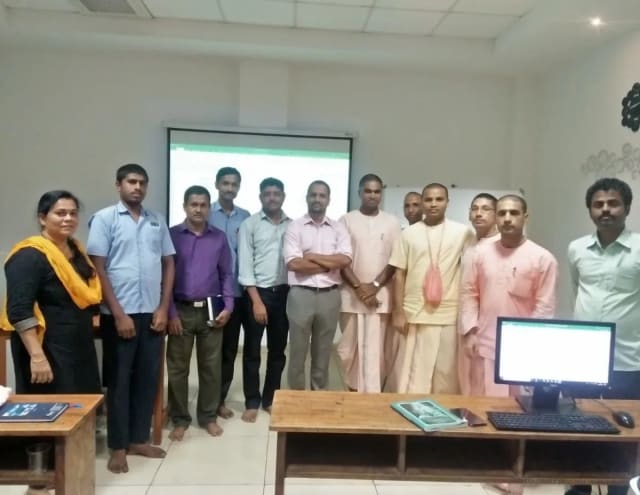
Photo 6 of 10: Group photo 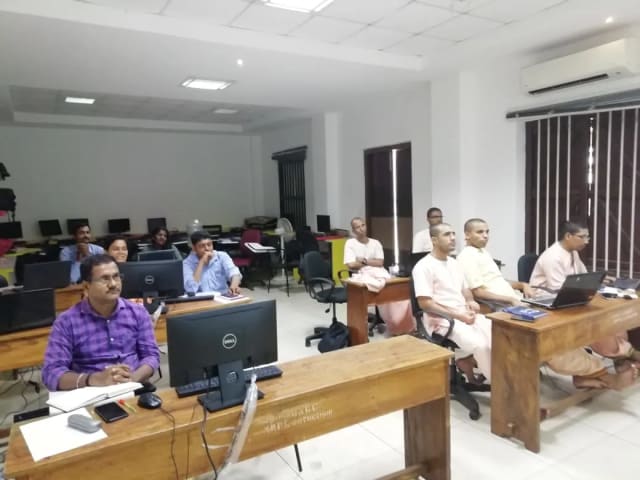
Photo 7 of 10: Computer-lab session 
Photo 8 of 10: Group photo 
Photo 9 of 10: Classroom session 
Photo 10 of 10: Group photo
For L&D and procurement teams
The published course parameters on one page. Final scope, dates and fees are confirmed in the written proposal.
Discuss your team’s requirements| Course | Advanced Prompt Engineering Training |
|---|---|
| Provider | Technovids Consulting Services Pvt. Ltd., Bengaluru |
| Audience | Regular AI users in product, analytics, content, operations, automation and engineering teams |
| Level | Intermediate — basic prompting assumed; no coding required |
| Duration | 3 days · 16 hours |
| Recommended cohort | 10–20 participants per batch |
| Format and location | Onsite at your office anywhere in India, or private live online |
| Language | English |
| Prerequisites | ChatGPT & Claude for Business Teams or equivalent experience; access to the approved AI accounts |
| Tools | ChatGPT and Claude using approved accounts; Gemini comparison labs available on client request |
| Technical labs | API-integration labs available on client request for engineering teams; environment and access confirmed in the proposal |
| Customisation | Examples, module emphasis and technical depth adapted after the needs discussion |
| Schedule and availability | Dates agreed with your team and confirmed in the written proposal |
| Certificate | If your organisation needs one, confirmed in the written proposal |
| Pricing approach | Custom quote based on format, location, cohort plan and customisation; the fee is confirmed in the written proposal |
Pankaj Rana
Co-founder & Lead Instructor, Technovids Consulting
Pankaj is a co-founder and the lead instructor at Technovids Consulting in Bengaluru. His published programme focus covers AI engineering — including evaluation and responsible production AI — alongside data analytics and corporate learning design built around hands-on exercises.
The instructor for a specific cohort is confirmed in the written proposal.
Updated
Organisations we have trained, and what participants say
Organisations Technovids has delivered training for, followed by feedback from participants across Technovids programmes. None of it refers specifically to this course.
Organisations we have delivered training for




















Hands-on training for people and teams in AI, data, cloud, productivity and workplace skills.
Participant experiences across workplace roles
What people we trained found useful in their day-to-day work.
- Gauraw DeshmukhData Engineer · Capgemini
Technovids AI training was very practical and well structured. The sessions helped me understand how AI concepts can be applied in real data engineering and business workflows, instead of only learning theory. The trainer explained the topics clearly with relevant examples, which made the learning experience valuable and easy to follow.
- PriyanshaSoftware Developer
The AI training from Technovids helped me gain a better understanding of Generative AI, prompt engineering, and practical AI use cases for software development. The course was clear, interactive, and focused on real-world applications. It gave me confidence to explore AI tools more effectively in my work.
- Sidda RajuData Engineer
Technovids delivered the AI training in a very practical and industry-relevant way. As a data engineer, I found the examples and hands-on discussions useful for understanding how AI can improve data workflows, automation, and decision-making. The sessions were well planned and easy to understand.
- Akshat KabraData Engineer
The AI training program by Technovids was insightful and professionally delivered. It covered important AI concepts in a simple and practical manner, with examples that connected well with data and analytics use cases. The sessions helped me build a stronger foundation in applying AI in real business scenarios.
- MangeshSoftware Engineer · Siemens
Technovids conducted the AI training in a very effective and engaging manner. The sessions were practical, easy to follow, and focused on how AI can be used in real software engineering and business workflows. It was a valuable program for understanding the current direction of AI adoption in the industry.
- ReshuSoftware Developer
Technovids AI training was a very useful learning experience. The course explained AI concepts in a practical way and showed how developers can use AI tools to improve productivity, problem-solving, and application development. The trainer's approach was simple, clear, and focused on industry use cases.
Common questions before planning this course
Answers about the course as published. Your written proposal records any changes we agree, how it is delivered and the price.
Is basic prompt-engineering knowledge required?
Yes. Participants should already be comfortable using ChatGPT or Claude for everyday tasks. If that is not yet true for your team, start with ChatGPT & Claude for Business Teams.
How is this different from the ChatGPT & Claude for Business Teams course?
The business course builds safe everyday habits for new or informal users over two days. This three-day course assumes those habits and teaches repeatable methods: prompt specifications, task decomposition, structured and grounded output, rubric-based testing and a maintained team prompt library.
Is coding required?
No. The course treats prompt engineering as a discipline, not software development. Being able to read simple Python helps in the optional technical labs.
Can exercises use our internal workflows?
Yes, as representative, non-sensitive versions agreed during the training-needs discussion. Real confidential material is used only if an approved workspace and your policies allow it.
How is confidential information handled?
Labs use representative, non-sensitive material by default. Participants do not enter confidential, personal or client information into an unapproved tool, and your organisation remains responsible for its tool, data and review policies.
Which AI tools and accounts are required?
The core labs use approved ChatGPT or Claude accounts, and the techniques are model-agnostic. Gemini comparison and API-integration labs are available on client request. Accounts, licences, API access and any practice environment are agreed with your organisation and recorded in the written proposal.
Can the course be customised by role or department?
Yes. Lab examples are chosen for the roles attending. On client request, engineering teams can add API-integration labs and deeper production patterns to the scope confirmed in the proposal.
Is the course available onsite and live online?
Yes. Technovids delivers it onsite at your office in India or as private live online training.
What practical outputs do participants create?
During the workshop participants produce a before-and-after prompt specification, a validated extraction prompt, an annotated grounded answer, a task-decomposition plan, an evaluation rubric, a prompt-testing matrix and a starter prompt-library entry — practice outputs built on representative material.
What is the recommended cohort size?
The published format is designed for 10–20 participants. Larger groups or separate business and technical tracks are planned in the proposal.
Is a certificate included?
If your organisation needs completion certificates, raise it during the training-needs discussion. Whether certificates are included is confirmed in the written proposal.
How is pricing determined?
Pricing is set in a custom proposal because it depends on delivery format, location, cohort plan, technical labs and the amount of customisation. No payment is taken through this page.
Turn a training requirement into a clear course proposal
Share the audience, team size, delivery preference and the work you want to improve. Technovids will scope the programme and confirm the details in a written proposal.