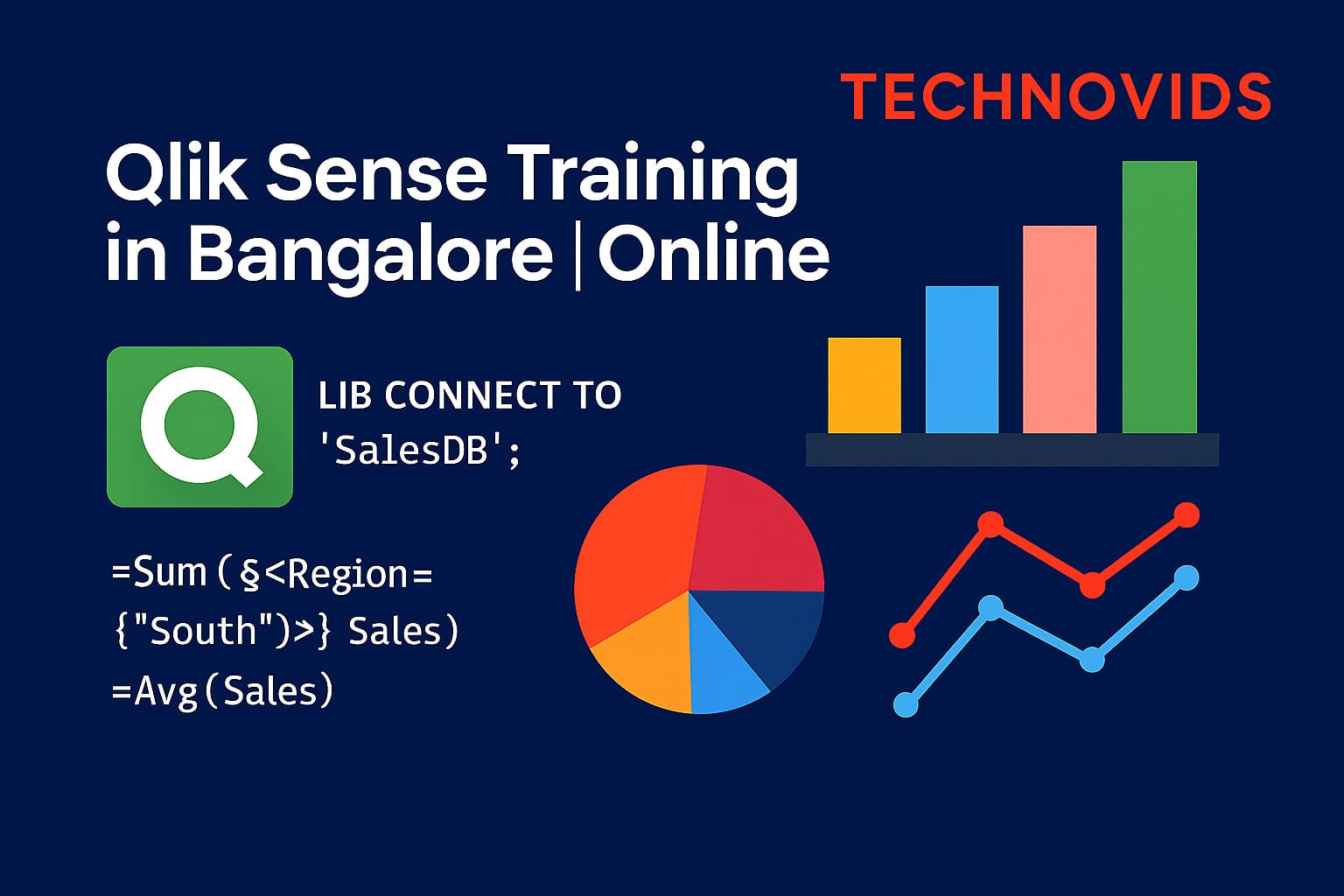
Qlik Sense Training in Bangalore

Qlik Sense Training in Bangalore | Online Classes by Industry Experts

Elevate Your Data Analytics Career with Hands-On Qlik Sense Training

Master Qlik Sense dashboards, data modelling and scripting with Technovids’ instructor-led Qlik Sense training in Bangalore and live online.
Learn how to connect Excel, SQL and application data, design clean dashboards, and turn raw data into clear stories for business and interview discussions.

Schedule a free demo

Course Duration

20 hours
(Training + Practicals)

Mode of Training

Online - Instructor Led

Best Trainers

Industery Experienced trainers

Batches

Weekdays and Weekends

Assigments

20+ assignments/projects

Class Recordings

Get access to class recordings

About Qlik Sense Training at Technovids

This Qlik Sense Training is designed for people who want to move beyond basic reports and work confidently with data in real projects. We keep the sessions practical, interactive and easy to follow, even if you are new to BI tools.

The Qlik Sense course starts from the basics and slowly moves into data modelling, expressions, set analysis and dashboard design. Every topic is connected to day-to-day business scenarios so that you can relate it to your current job or the role you are targeting. You can join from Bangalore or any other city through our online Qlik Sense classes.

  • Structured Qlik Sense course from fundamentals to dashboard deployment.
  • Live, instructor-led training with screen sharing and full Q&A support.
  • Data from Excel, CSV and SQL so you see real-world Qlik Sense use cases.
  • Small batch size so you get time to ask doubts and share your screen.
  • Corporate-friendly design – easy to convert into Qlik Sense corporate training for teams.

Qlik Sense training sessions and dashboard examples at Technovids
  • Live Qlik Sense Training
  • Hands-On Dashboards
  • Weekday & Weekend Batches
  • Corporate Qlik Sense Workshops

Why Choose Technovids for Qlik Sense Training?

We design our Qlik Sense training to be simple to follow, practical to apply and relevant for both individual learners and corporate teams. The focus is not only on tool features but on how Qlik Sense is actually used in projects.

Industry faculty

Trainers Who Work on Qlik Projects

Your Qlik Sense classes are led by professionals who build dashboards and analytics solutions for clients. They bring real examples, simple explanations and practical shortcuts that you can apply at work.

Project-based learning

Hands-On, Data-Driven Approach

From the first few sessions, you work with real datasets from Excel, SQL and business applications. You learn Qlik Sense data modelling, expressions and dashboard design by solving day-to-day reporting problems, not just theory.

For individuals & teams

Suitable for Learners and Corporate Batches

Whether you join a public batch or plan a dedicated Qlik Sense corporate training for your team, we adjust examples, pace and support to your needs. Our team can work with your data and KPIs to make the training directly useful for your projects.

What You’ll Learn in Qlik Sense Training

This Qlik Sense course takes you from the basics of the tool to building complete dashboards that answer real business questions. You learn how to think like a BI developer, not just how to click through screens.

  • Qlik Sense interface, apps, sheets and visual objects.
  • Connecting to Excel, CSV, databases and other data sources.
  • Data loading, transformations and Qlik Sense data modelling.
  • Creating charts, tables, KPIs and filters with clean design.
  • Writing expressions, aggregations and set analysis for advanced logic.
  • Designing interactive dashboards for sales, finance and operations data.
  • Publishing and sharing Qlik Sense apps with business users.
  • How to talk about Qlik Sense projects in interviews and client calls.

Program Highlights

The Qlik Sense training at Technovids is structured for working professionals, students and corporate teams who want clear explanations and strong practice.

  • Live, instructor-led sessions with recordings for later revision.
  • Hands-on exercises in every module using realistic business datasets.
  • Mini-projects to build complete Qlik Sense dashboards end-to-end.
  • Small batch size so you can ask doubts and share your screen freely.
  • Support for resume points and interview preparation around Qlik Sense.
  • Option to run the same content as a Qlik Sense corporate training program for teams.
24+ Hours
Live Qlik Sense training and guided practice.
2–3 Projects
Practical dashboards using real-world data.
Q&A Support
Doubt clearing during and after the sessions.

Who Should Take This Qlik Sense Training?

This Qlik Sense Training is suitable for anyone who wants to work with data, build dashboards and support business decisions using a modern BI tool. You do not need to be from a specific industry to start learning.

Students & Fresh Graduates

Ideal for B.Com, BBA, BCA, B.Sc, BE/B.Tech, MBA and related graduates who want to enter data analytics, reporting or business intelligence roles.

If you are comfortable with basic Excel and interested in working with data, this Qlik Sense course will give you a strong, tool-based skill that you can add to your resume and LinkedIn profile.

Working Professionals Moving to Analytics

Suitable for professionals from finance, operations, sales, MIS, reporting, quality, HR and IT who currently work in Excel or legacy reporting tools and want to move into BI / analytics.

If you are already creating reports for management and want to upgrade to interactive dashboards, this Qlik Sense training will help you make that shift in a structured way.

BI / IT Teams & Corporate Learners

A strong fit for BI developers, data analysts, MIS teams and IT professionals in organisations that are implementing or scaling Qlik Sense.

Companies looking for a Qlik Sense corporate training partner can use this course to upskill teams on data modelling, dashboard development and best practices in Qlik Sense deployment.

Qlik Sense Syllabus – Course Modules

The Qlik Sense course content is designed to take you from the basics of the tool to building complete dashboards and discussing them confidently in interviews or client meetings. Here is a high-level view of the Qlik Sense syllabus.

Module 1: Introduction to Qlik Sense & Self-Service BI

  • What is Qlik Sense and where it fits in the BI landscape.
  • Qlik Sense vs traditional reporting and Excel dashboards.
  • Qlik Sense hub, apps, sheets and basic navigation.
  • Understanding Qlik’s associative model and green/white/grey logic.
  • Overview of Qlik Sense roles: business user, developer, admin.

Module 2: Data Loading & Data Modelling

  • Connecting to Excel, CSV and database sources.
  • Using the Data Manager and Data Load Editor.
  • Tables, fields, keys and associations in Qlik Sense.
  • Handling synthetic keys and circular references.
  • Basic transformations: rename, concatenate, joins, mapping.

Module 3: Building Visualisations & Dashboards

  • Creating charts, tables, KPIs, filters and master items.
  • Choosing the right chart for the right type of data.
  • Design tips for clean, readable Qlik Sense dashboards.
  • Working with drill-downs, hierarchies and navigation.
  • Using themes, colours and simple layout best practices.

Module 4: Expressions, Functions & Set Analysis

  • Expression basics: aggregations, functions and syntax.
  • Common Qlik Sense functions for numbers, dates and text.
  • Set analysis fundamentals with practical business examples.
  • Comparing current vs previous period, YTD, MTD and custom ranges.
  • Using variables and simple scripting patterns.

Module 5: Advanced Topics & Best Practices

  • Improving data model performance and app size.
  • Section access basics (row-level security concept intro).
  • Working with multiple data sources and incremental loads (conceptual).
  • Dashboard review checklist for accuracy and usability.
  • Common mistakes to avoid in Qlik Sense projects.

Module 6: Projects, Interview Prep & Next Steps

  • End-to-end Qlik Sense mini-projects on sales / finance / operations.
  • How to present your dashboard to managers or interviewers.
  • Typical Qlik Sense and BI interview questions.
  • How to add Qlik Sense projects to your resume and LinkedIn.
  • Planning your next steps in BI / analytics after this course.

Qlik Sense Course Completion Certificate

After successfully completing the Qlik Sense Training at Technovids, you receive a Course Completion Certificate that you can share with recruiters, managers and clients as proof of your skills.

The certificate is issued only when you attend the sessions and complete the required exercises or mini–projects. It is a simple way to show that you have worked through a structured Qlik Sense course and can build dashboards on real business data.

  • Official Technovids Qlik Sense Course Completion Certificate.
  • Mentions the top skill covered – Qlik Sense dashboards and data modelling.
  • Unique certificate ID that can be verified by employers if needed.
  • Shareable PDF for LinkedIn, Naukri and email applications.
  • Available for individual learners and for participants of corporate Qlik Sense training batches.
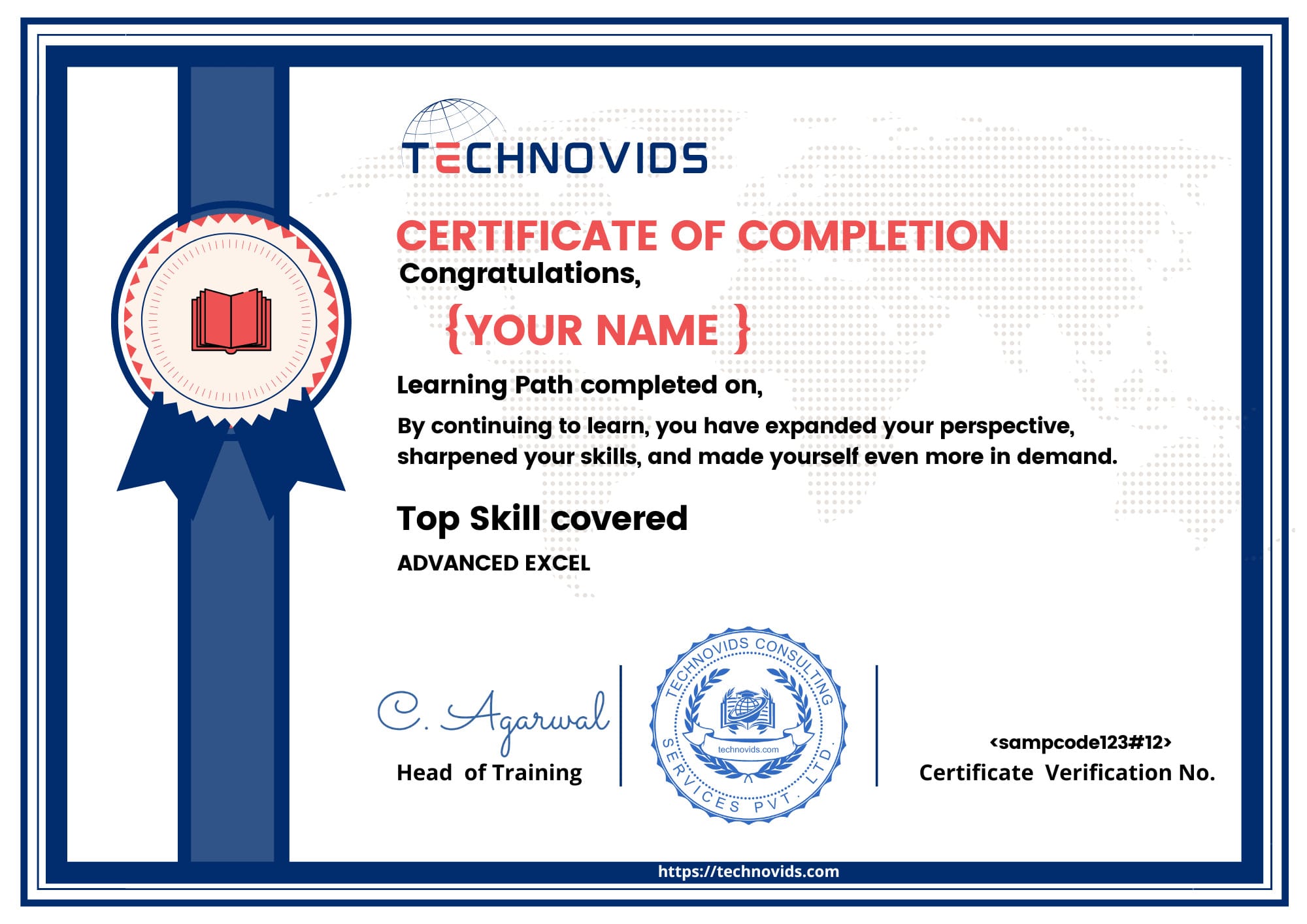
Sample Technovids Qlik Sense Course Completion Certificate

Career Opportunities After Qlik Sense Training

After this Qlik Sense Training, you can apply for roles where you work with data, build dashboards and support management decisions. The skills you gain are useful in IT services, consulting, product companies and in-house analytics teams.

Typical Job Roles

Many learners use Qlik Sense to enter or grow in BI and analytics roles. Depending on your background and experience, you can target roles such as:

  • Qlik Sense Developer / Qlik Sense Analyst
  • Business Intelligence (BI) Developer
  • Data Analyst / Reporting Analyst
  • MIS Executive / Senior MIS Executive
  • Analytics or Dashboard Specialist

Industries That Use Qlik Sense

Qlik Sense is used wherever teams need clear dashboards and quick reports. Your skills can be applied across multiple industries:

  • IT services, consulting and outsourcing companies.
  • Banks, NBFCs and other financial services firms.
  • Retail, e-commerce and FMCG sales analytics.
  • Healthcare, pharma and hospital MIS functions.
  • Manufacturing, logistics and supply chain operations.

Growth Path & Corporate Opportunities

With experience, Qlik Sense professionals can move into senior BI roles, lead dashboard teams or take ownership of analytics for a business unit or client account.

Companies also look for internal champions who can guide business users, work with data engineers and coordinate with vendors for larger BI projects. This Qlik Sense course gives you a foundation to grow into those responsibilities.

Salary Trends After Qlik Sense Training

Salaries for Qlik Sense and BI professionals depend on city, company and your experience level. The ranges below are indicative and meant to give you a simple, practical view of what many learners aim for after adding Qlik Sense to their profile.

Entry-Level BI / Qlik Sense Roles (India)

Approx. range: ₹3.5 LPA – ₹5.5 LPA

Fresh graduates and early-career professionals who move into junior BI, MIS or reporting roles with Qlik Sense or similar tools usually start in this band.

Qlik Sense / BI Analyst – India (1–3 Years)

Approx. range: ₹5.5 LPA – ₹9 LPA

With 1–3 years of experience in dashboards, data modelling and stakeholder reporting, many professionals move into BI Analyst or Qlik Sense Developer roles in this range.

Qlik Sense Developer – Metro Cities

Approx. range: ₹7 LPA – ₹12 LPA

In Bangalore, Hyderabad, Pune, Gurgaon and other metros, mid-level Qlik Sense / BI Developers with strong modelling and set analysis skills often fall in this band.

Global BI / Qlik Sense Roles (US & Other Markets)

Approx. range: USD $80K – $130K per year

In mature BI markets, experienced Qlik Sense Developers and BI Engineers usually see higher compensation, especially in consulting and product companies.

With Broader BI & Domain Skills

Approx. range (India): ₹10 LPA – ₹18 LPA+

When you combine Qlik Sense with good SQL, Excel, domain knowledge and experience in leading BI projects, you can move into senior analyst, BI lead or analytics consultant roles with higher pay.

Visual Snapshot of Qlik Sense Salary Trends
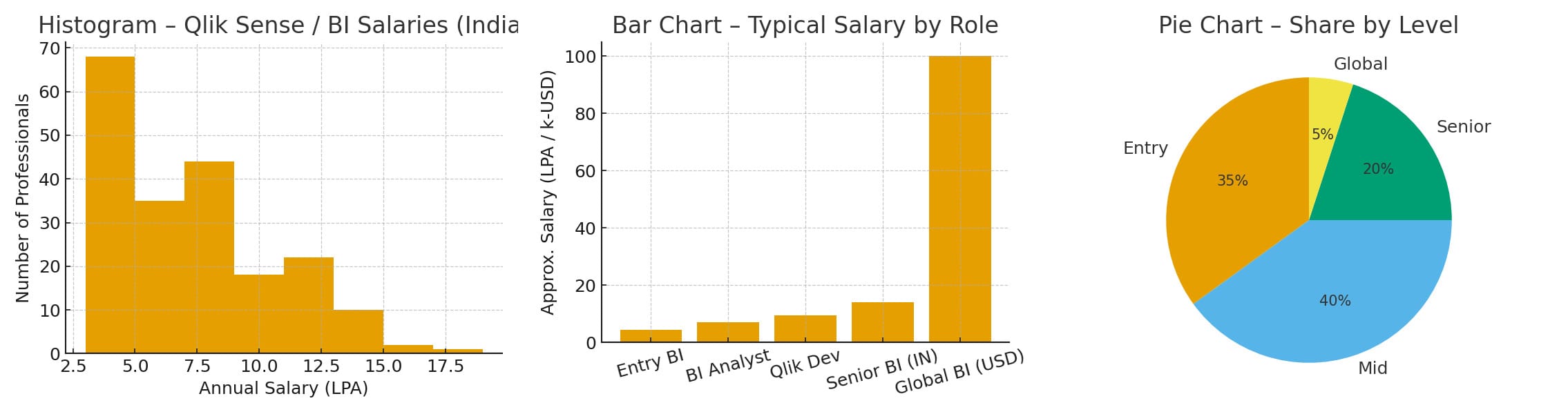
Combined chart showing salary trends after Qlik Sense training using a histogram, bar chart and pie chart

You can think of salary trends in three simple ways: how many people fall into different salary bands (histogram), how average salaries compare by role or experience level (bar chart), and how salaries are distributed across locations or industries (pie chart).

Note: These figures are indicative. Actual offers depend on location, company, total experience, interview performance and your overall BI skill set beyond Qlik Sense alone.

Qlik Sense Training in Bangalore – What You Get at Technovids

Many Qlik Sense trainings cover tool clicks but miss real projects, data modelling depth and post-training support. At Technovids, we design our Qlik Sense course to be practical for individuals and easy to extend into corporate batches.

Typical Qlik Sense Training

What Most Generic Trainings Look Like

Many Qlik Sense trainings are focused on running through features quickly, without connecting them to your day-to-day work.

  • One-size-fits-all slides with limited business examples.
  • Little focus on data modelling, expressions and set analysis.
  • Large batch size – difficult to ask doubts or share your screen.
  • Sample data that does not match real sales, finance or operations scenarios.
  • Minimal guidance on interviews, resume points or project discussion.
Qlik Sense at Technovids

What You Get with Technovids Qlik Sense Training

Our Qlik Sense Training in Bangalore and online is built around real projects, clean explanations and practical support for careers and corporate teams.

  • Live, instructor-led Qlik Sense training with recordings for revision.
  • Strong focus on data modelling, expressions and set analysis with simple language.
  • Hands-on dashboards using realistic datasets from sales, finance and operations.
  • Smaller batches so you can ask doubts, share your screen and get feedback.
  • Support for resume points, LinkedIn updates and Qlik Sense interview questions.
  • Easy to convert into a Qlik Sense corporate training plan for your team.

QlikView vs Power BI vs Qlik Sense – Where Does Qlik Sense Fit?

Many learners are confused between QlikView, Power BI and Qlik Sense. This simple comparison helps you understand how these tools are positioned, and why Qlik Sense is a strong choice if you want modern self-service BI skills.

Legacy Qlik stack

QlikView

  • Positioning Earlier-generation Qlik product, focused on guided analytics and IT-controlled dashboards.
  • Data Engine & Modelling Script-driven data model, powerful but often managed by central BI / IT teams in larger setups.
  • Usage Pattern Still used in many companies with legacy dashboards and guided reports, but fewer new greenfield projects start on QlikView.
  • Ease for Individuals Strong tool but usually requires access to an existing company setup; less common for fresh individual learners on their own.
  • Strengths Mature, proven dashboards in organisations that already invested in QlikView earlier.
  • Best Fit Useful if your company still runs QlikView and plans a long-term move into modern Qlik Sense environments.
Microsoft stack

Power BI

  • Positioning Microsoft’s BI platform, very popular where companies already use Office / Azure heavily.
  • Data Engine & Modelling Tabular model using DAX; great for star-schemas and deep Microsoft stack integration.
  • Usage Pattern Very common for management dashboards, finance and MIS where teams are already comfortable with Excel and MS tools.
  • Ease for Individuals Easier to start if you have Windows and Office; free desktop version, with full cloud features on subscription.
  • Strengths Tight Excel / Teams / Azure integration, strong ecosystem and large community support.
  • Best Fit Good choice if your environment is heavily Microsoft and your role demands Power BI specifically.
Modern Qlik stack

Qlik Sense

  • Positioning Modern self-service BI tool from Qlik, combining an associative engine with clean, interactive dashboards.
  • Data Engine & Modelling Associative in-memory engine; flexible for exploring data and making connections across multiple tables.
  • Usage Pattern Increasingly chosen for new self-service BI initiatives and upgrades from older QlikView environments.
  • Ease for Individuals Good balance for learners who want Qlik skills that are current and relevant for upcoming projects and roles.
  • Strengths Clean, interactive dashboards, associative exploration, and strong support for self-service BI with governed data.
  • Best Fit Ideal if you want a future-ready BI skill, or your organisation is rolling out / planning Qlik Sense for analytics.

Note: We are tool-neutral in our guidance. This Qlik Sense Training at Technovids focuses on Qlik Sense, but we help learners understand where it fits compared to QlikView and Power BI so that you can make informed career decisions.

Corporate Qlik Sense Training for Teams

Technovids works as a Qlik Sense training partner for organisations that want to upskill their BI, MIS and analytics teams. We customise the Qlik Sense corporate training around your data, KPIs and reporting needs, so your team can apply the learning from day one.

Before every corporate batch, we spend time understanding your current reporting environment – tools used, typical dashboards, team skills and expectations from management. Based on this, we fine-tune the Qlik Sense course plan, examples and practice exercises to match your business context.

  • Role-wise learning paths for business users, analysts and BI / IT members.
  • Use cases aligned to your domain – sales, finance, operations, HR or support.
  • Hands-on labs using your own Excel / CSV / SQL data wherever feasible.
  • Focus on data modelling, expressions, set analysis and dashboard best practices.
  • Post-training clinics to review and improve your live Qlik Sense dashboards.
Corporate Qlik Sense training session for teams at Technovids
  • L&D & COE Friendly
  • Custom Use Cases
  • Pan-India Online Delivery
  • Onsite Batches in Bangalore

Why Learn Qlik Sense for Modern BI & Analytics?

Companies are moving from static Excel reports to self-service BI tools that allow users to explore data on their own. Qlik Sense is one of the leading platforms in this space, combining powerful data modelling with an easy-to-use visual interface.

Benefits for Students & Working Professionals

By learning Qlik Sense, you can position yourself for data-driven roles across IT, consulting, BFSI, healthcare, retail and more. The skills you gain in this Qlik Sense course help you move beyond basic reporting and start building interactive dashboards that answer real business questions.

  • Move from Excel-only work to Qlik Sense dashboard development.
  • Understand how to connect, clean and model data from multiple sources.
  • Explain trends and patterns to stakeholders using clear visual stories.
  • Improve your profile for Data Analyst, BI Developer and Reporting Analyst roles.

Benefits for Organisations & Teams

For companies, a trained Qlik Sense team can standardise KPIs, reduce manual report preparation and deliver a single source of truth for management. Our Qlik Sense training for teams is designed for organisations that want a dependable training vendor who understands business use cases, not just tool clicks.

  • Build an internal capability for self-service BI and governed dashboards.
  • Reduce dependency on ad-hoc spreadsheets and untracked reports.
  • Train business users, analysts and IT on a common Qlik Sense model.
  • Engage Technovids as a Qlik Sense corporate training partner for ongoing batches.

Qlik Sense Training at Technovids – Key Highlights

This Qlik Sense course is practical, structured and aligned to the way BI projects actually run in organisations. We keep the batch size limited so that every learner can ask questions, share screens and work on real-time exercises.

Instructor-Led, Project-Driven

Sessions are led by working BI professionals who implement Qlik Sense dashboards for clients. You learn concepts through real examples, not only slides.

Each batch works on end-to-end use cases such as sales performance, revenue tracking and operations dashboards.

Strong Focus on Data Modelling

Many Qlik Sense users know how to drag and drop charts but struggle with data modelling and expressions. Our training spends dedicated time on joins, keys, synthetic keys, set analysis and expression building.

This helps you design dashboards that are accurate, fast and easy to maintain.

Flexible for Individuals & Corporate Batches

You can join public batches as an individual learner, or we can plan a customised Qlik Sense corporate training program for your team.

Corporate clients can choose the duration, project examples and delivery mode (online, onsite in Bangalore or hybrid).

What Learners Say About Qlik Sense Training at Technovids

Many working professionals and fresh graduates have completed this Qlik Sense Training in Bangalore and online with us. Here is what some of them say about the classes, practice projects and support.

Ananya, Business Analyst – Bangalore

I joined the Qlik Sense Training in Bangalore at Technovids after working only with Excel and basic MIS reports. The trainer spent good time on data modelling and set analysis with simple examples. Now I am able to build interactive Qlik Sense dashboards for my sales and finance teams.

Rohit, MIS Executive – Online Batch

I attended the online Qlik Sense course from another city. The live sessions plus recordings were very helpful because I work in shifts. The practice data and projects matched real scenarios, and I could immediately use Qlik Sense for my monthly reporting work.

Megha, Corporate Learner – IT Services

Our company selected Technovids for a corporate Qlik Sense training program for the BI team. The content was customised with our own KPIs and data sources. After the sessions, we had a follow-up clinic where the trainer reviewed our dashboards and suggested improvements.

Frequently Asked Questions – Qlik Sense Training

Here are some common questions learners and corporate teams ask us about the Qlik Sense Training at Technovids. If you still have a doubt, feel free to reach out to us using the enquiry form.

1. What is Qlik Sense and how is it different from QlikView?

Qlik Sense is Qlik’s modern self-service BI tool. It focuses on interactive dashboards, clean visual stories and easy exploration of data by business users. QlikView is an older, guided analytics product that is still used in many organisations, but most new projects and upgrades now prefer Qlik Sense.

In this course, we focus on Qlik Sense because it is more relevant for upcoming BI roles and new implementations, while also helping learners who come from a QlikView background.

2. Is this Qlik Sense Training online or classroom based?

The primary mode is live online, instructor-led training that you can attend from anywhere. We follow Indian Standard Time (IST), which works well for learners in Bangalore and other cities.

For corporate Qlik Sense training, we can also conduct onsite batches in Bangalore or fully online sessions for distributed teams.

3. Do I need a technical or programming background to learn Qlik Sense?

No. You do not need to be a programmer to start this Qlik Sense course. Basic comfort with computers and Excel is enough to begin. We explain concepts like data modelling, expressions and set analysis in simple language.

A background in finance, operations, MIS, business analysis or reporting is helpful, but not mandatory. We have learners from both technical and non-technical streams.

4. How long is the Qlik Sense Training and what is the schedule?

The Qlik Sense Training typically covers 24+ hours of live sessions along with guided practice time. We offer both weekday and weekend batch options, depending on current running schedules.

Exact timing and start dates are shared when you enquire, so we can suggest a batch that fits your availability.

5. Will I get class recordings and study materials?

Yes. Learners get access to session recordings for revision during the course, along with practical exercise files and reference material. We also provide sample datasets so that you can practice Qlik Sense dashboards even after the training is over.

6. What kind of projects or case studies will we work on?

We use realistic datasets such as sales performance, revenue tracking, expense analysis and operations dashboards. You build complete Qlik Sense dashboards from data loading and modelling to final charts and KPIs.

For corporate batches, we can also plug in your own internal data and KPIs so that the dashboards are directly relevant to your teams.

7. Will I receive a certificate after completing the Qlik Sense Training?

Yes. After you complete the required sessions and exercises, you receive a Qlik Sense Course Completion Certificate from Technovids.

This certificate is useful to show that you have completed a structured Qlik Sense course and can work on dashboards and basic data modelling tasks.

8. Do you provide placement assistance after the Qlik Sense course?

We do not promise guaranteed placements, but we support you with interview preparation, resume pointers and guidance on how to present your Qlik Sense projects.

Whenever possible, we also share relevant openings from our network. Final selection always depends on the hiring company and your overall profile.

9. Can you conduct Qlik Sense corporate training only for our organisation?

Yes. We regularly work as a Qlik Sense corporate training vendor. Corporate programs are planned separately, with custom content, duration and examples based on your requirements.

You can share your team size, locations, current tools and expected outcomes, and we will propose a customised Qlik Sense training plan for your organisation.

10. Should I learn Power BI or Qlik Sense first?

Both tools are strong BI platforms. If your company is already using Qlik, or is planning a Qlik Sense rollout, it makes sense to start with Qlik Sense Training. If your environment is heavily based on Microsoft tools, Power BI may also be useful.

During counselling, we stay tool-neutral and help you choose based on your current job, future plans and the tools used in your target companies.

11. Can I combine Qlik Sense with Power BI or Excel skills?

Yes. In fact, many BI and analytics roles expect you to be comfortable with more than one tool. A strong combination for many profiles is Qlik Sense for dashboards, plus Power BI or Advanced Excel for analysis and reporting.

If you plan a broader BI learning path, you can also explore our Power BI Training in Bangalore and Advanced Excel Training in Bangalore . Together with this Qlik Sense course, these skills make your profile stronger for analytics roles.

12. My company still uses QlikView. Is this Qlik Sense course useful?

Yes. Many organisations are in the process of moving from QlikView to Qlik Sense or running both in parallel. Learning Qlik Sense helps you stay ready for this shift while still understanding the Qlik philosophy.

If you are currently working only on QlikView and want structured learning there as well, you can refer to our QlikView Training in Bangalore page, and then plan how Qlik Sense fits into your long-term BI roadmap.

13. Where can I read more about Qlik Sense from the official source?

If you want to explore Qlik Sense from the product point of view, you can visit the official Qlik Sense product page . Our Qlik Sense Training at Technovids focuses on practical learning, projects and interview preparation, while the official site gives you a broader view of features and editions.

Ready to Start Your Qlik Sense Journey?

If you want to move beyond basic reports and build interactive dashboards that managers actually use, this Qlik Sense Training is a practical next step. Whether you are in Bangalore or joining online from another city, we will guide you through real projects and simple, clear explanations.

Not sure if this is the right BI tool for you? Share your background and goals, and our team will help you decide how Qlik Sense, Power BI or Advanced Excel can fit into your career plan.

// Js footer for video embeded in course
Want to Join a Course?
Get 1st Class For Free
+ Best course Discount Offers
Map a Workshop to Your KPIs
Best oniste Corporate Training
Team Size

We’ll reply within 1 business day. No spam.

Become a Data-Smart Professional in 8 Weeks

Trusted by 7,000+ learners • Trainer experience: 10–18 yrs • 4.8★ course ratings

Get Syllabus & Fee Details

Upskill yourself now

! Request A Free Demo Today !